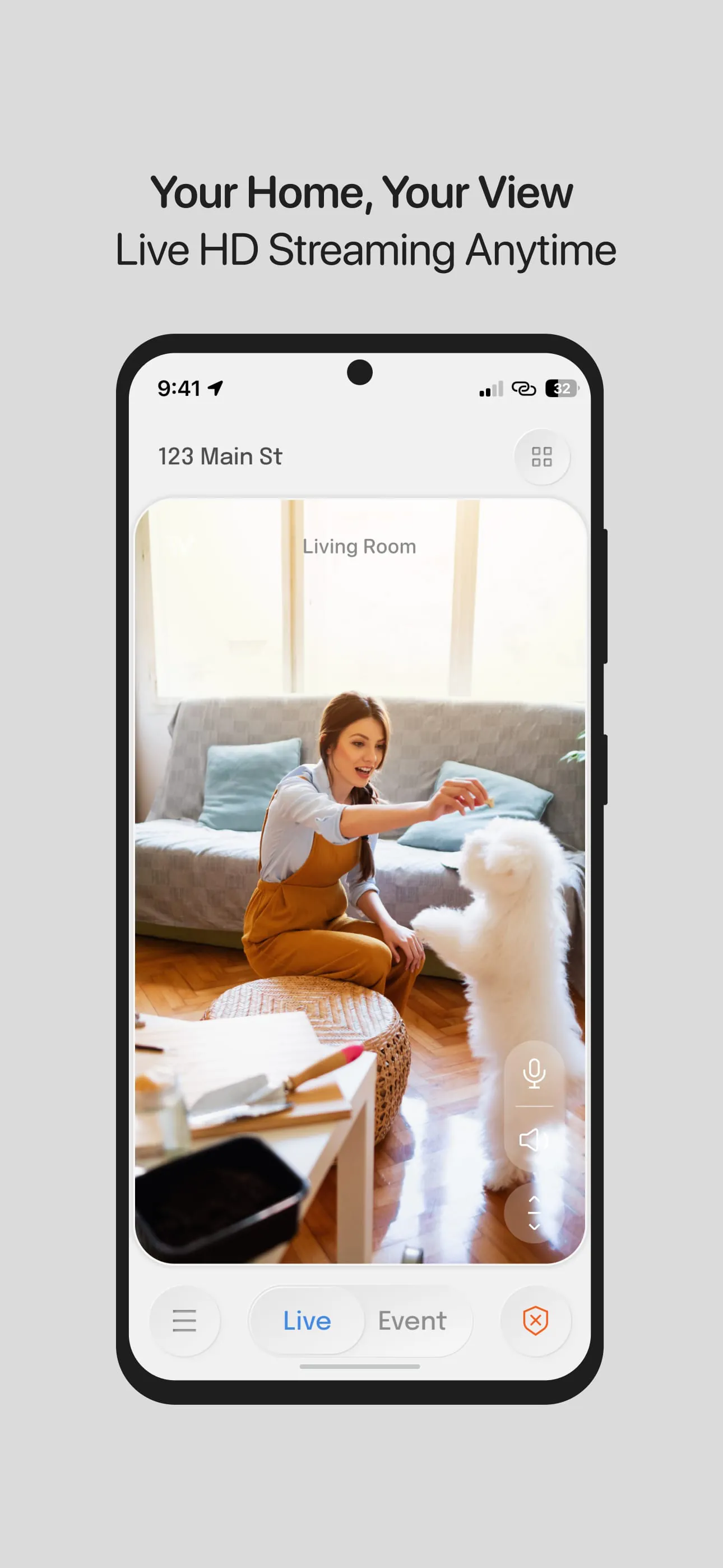
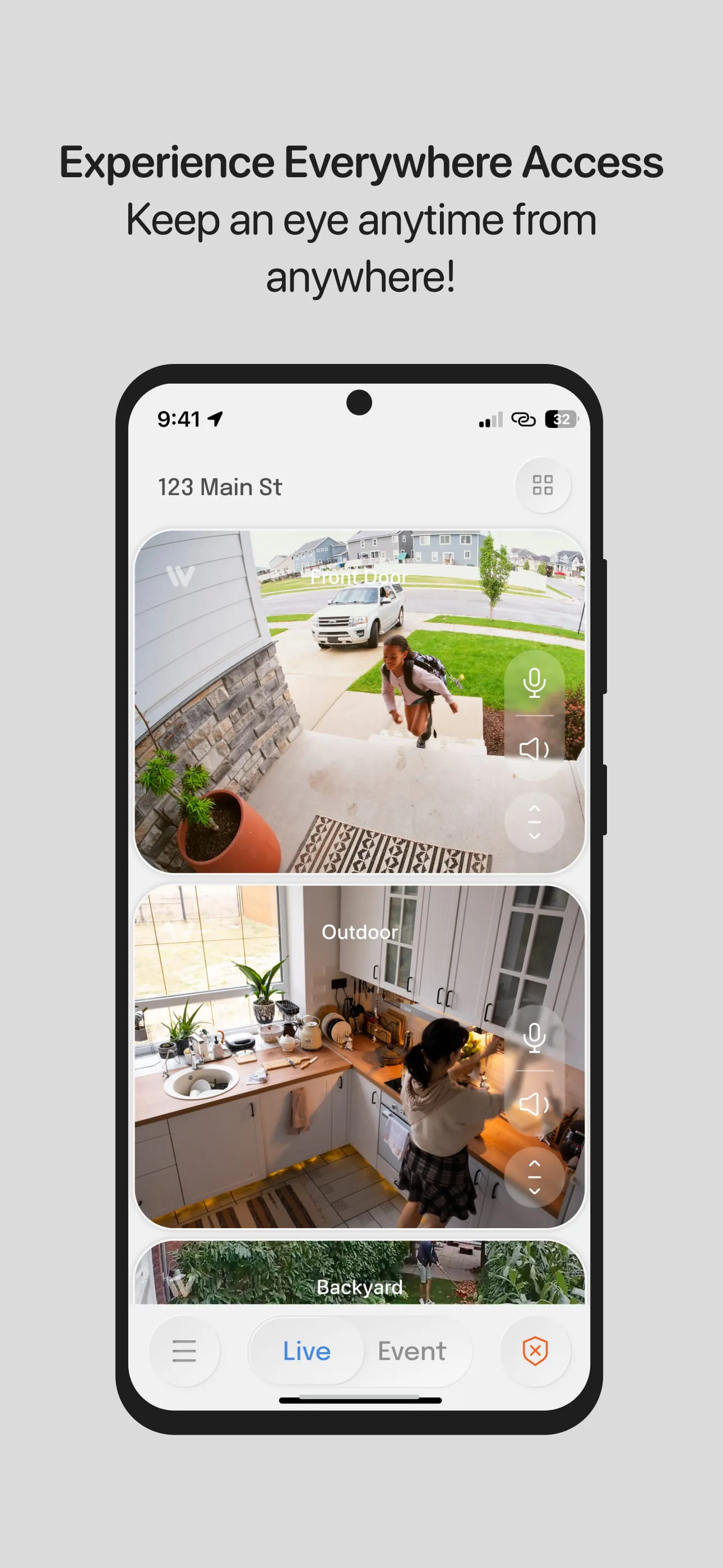
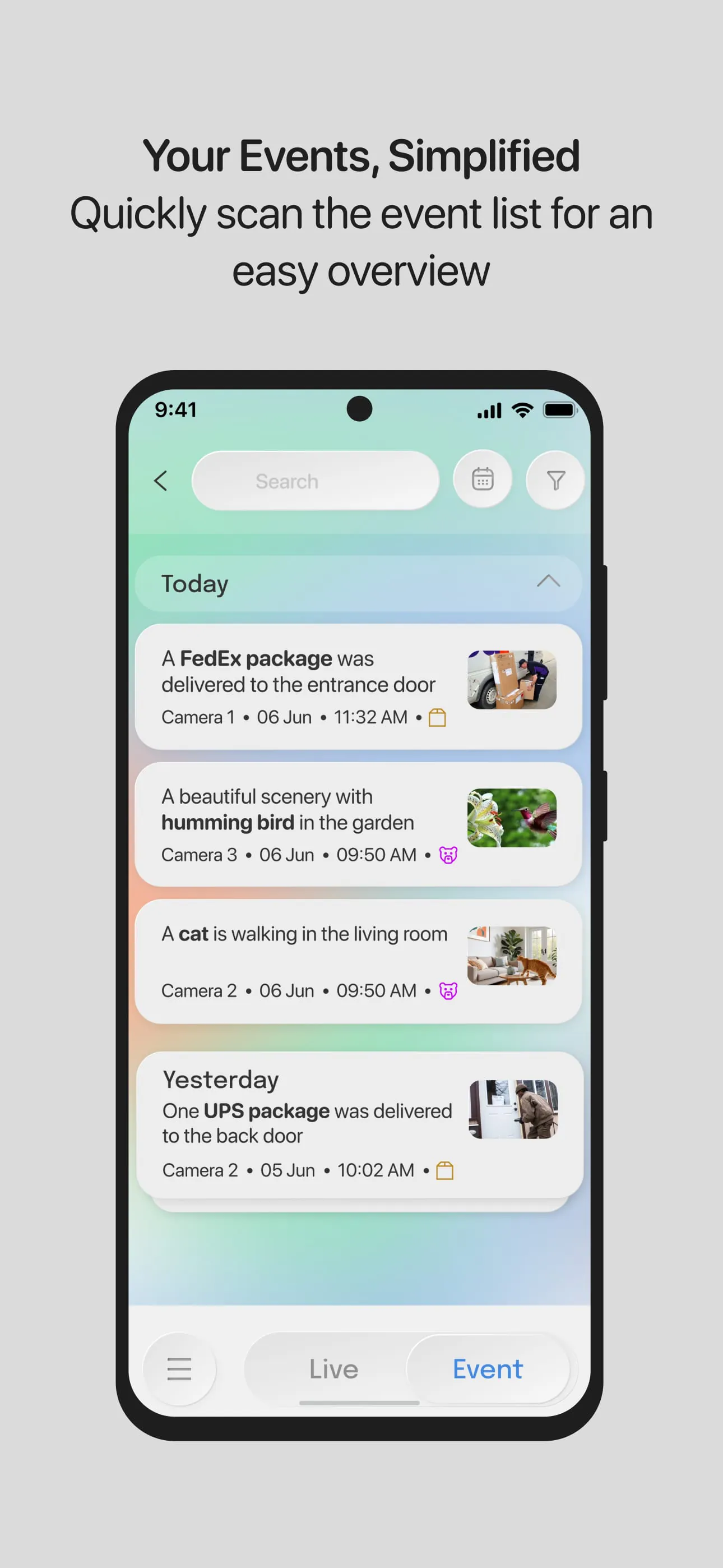
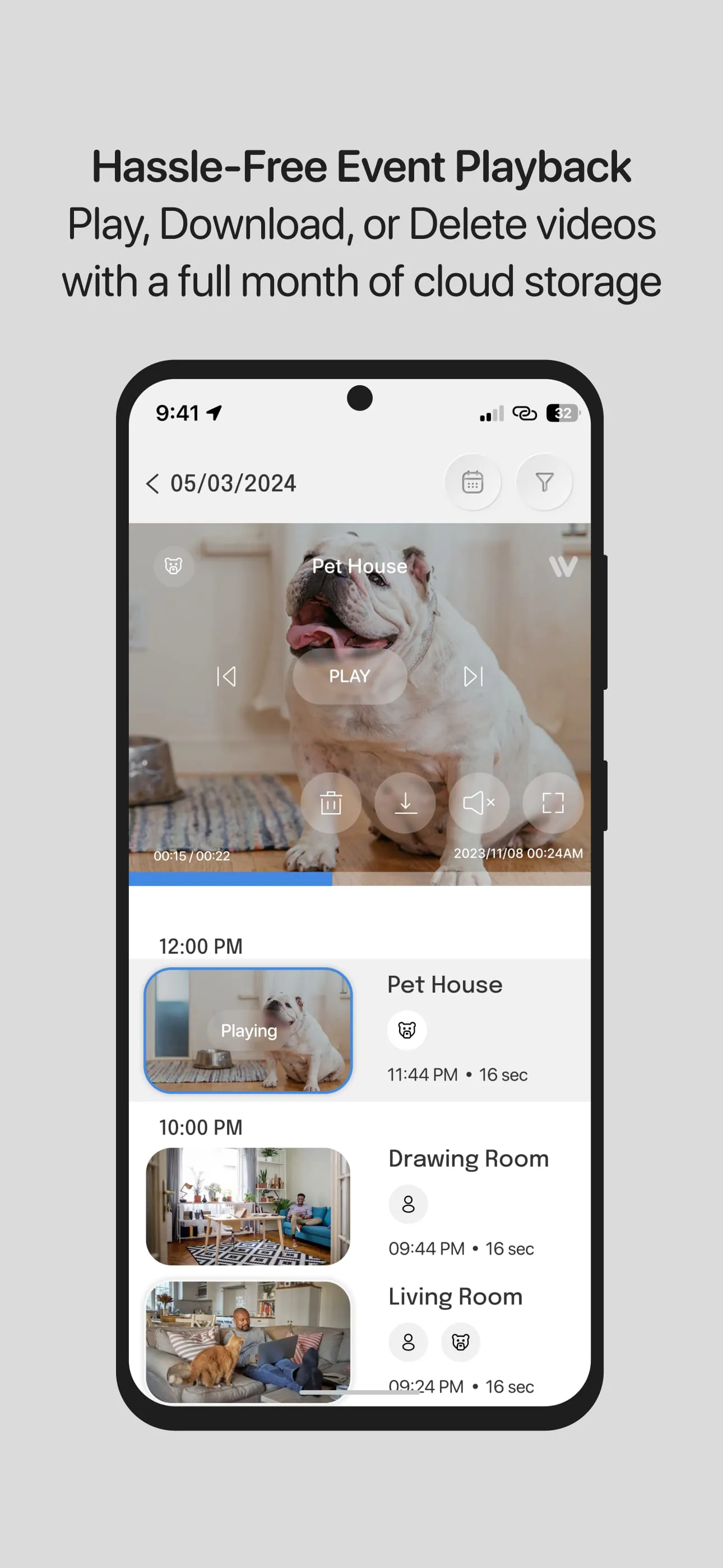
InstaVision presents a comprehensive security solution designed to protect homes through advanced monitoring and smart technology. The core offering includes high-definition live video streaming, enabling users to maintain a clear, real-time view of their home and its surroundings, ensuring that every detail is visible. Complementing the video capability is a two-way audio feature, which allows homeowners to communicate through the system, adding an additional layer of security by enabling them to speak with visitors or deter potential intruders. These features provide a foundational level of security, suitable for everyday monitoring needs. For users seeking a more advanced and robust security system, InstaVision offers the Smart Security plan. This enhanced plan unlocks a suite of AI-powered features designed to provide deeper insights and more proactive security measures. One of the key features of the Smart Security plan is event tagging. Using sophisticated artificial intelligence, the system can detect and categorize different types of movements, such as people, vehicles, or animals. When an event is detected, the system sends an alert to the homeowner, complete with a video clip of the event, allowing for quick assessment and response. This targeted alerting system reduces the number of false alarms and ensures that homeowners are only notified of events that require their attention. Another significant advantage of the InstaVision Smart Security plan is enhanced user sharing. This feature allows homeowners to share camera access with multiple users, such as family members or trusted neighbors, each with customizable permissions. This collaborative approach to home security enables a team-based monitoring system, providing additional peace of mind and ensuring that multiple individuals can respond to security events. Furthermore, the Smart Security plan includes secure and extended cloud storage for event videos. Videos are securely stored for 30 days, allowing homeowners to review and download important footage as needed. This ensures that critical evidence is preserved and accessible in case of an incident. InstaVision’s commitment to security and privacy is underscored by the fact that it is developed by leading experts in the USA and meticulously designed for American households. The company prioritizes the secure management and storage of data within the USA, demonstrating its dedication to safeguarding homeowners’ personal information with the highest standards of protection. By integrating these advanced features, InstaVision provides a comprehensive security solution that goes beyond simple surveillance, offering a proactive and intelligent approach to home protection.
The InstaVision Smart Security plan distinguishes itself through its advanced AI-driven capabilities and user-centric design, offering a significant upgrade over basic home monitoring systems. The event tagging feature, powered by state-of-the-art artificial intelligence, showcases the system's ability to discern and categorize various movements, providing homeowners with precise and relevant alerts. This capability minimizes the occurrence of false alarms, which can be a common issue with standard motion detection systems, and ensures that users are promptly informed about significant events occurring around their property. For instance, the system can differentiate between a person approaching the house, a vehicle entering the driveway, or an animal wandering through the yard, sending tailored notifications for each scenario. This level of detail allows homeowners to quickly assess the situation and take appropriate action, whether it involves contacting law enforcement, checking on family members, or simply dismissing a non-threatening event. The enhanced user sharing feature further enhances the collaborative aspect of home security. By allowing homeowners to grant camera access to multiple users with customizable permissions, InstaVision fosters a team-based approach to monitoring and responding to security events. This feature is particularly beneficial for families, as it enables multiple members to keep an eye on the property, enhancing overall vigilance. Customizable permissions ensure that each user has appropriate access levels, safeguarding privacy while promoting effective monitoring. The inclusion of secure and extended cloud storage is another key advantage of the Smart Security plan. With 30 days of video storage, homeowners have ample time to review and download important footage, providing a valuable resource for investigating incidents or providing evidence to law enforcement. The secure storage protocol ensures that data is protected from unauthorized access, maintaining the confidentiality of sensitive information. This feature is particularly useful for documenting events, identifying patterns of activity, and building a comprehensive record of security-related incidents. InstaVision’s dedication to American innovation and data security reinforces its commitment to providing a trustworthy and reliable home security solution. By developing its technology within the USA and storing data domestically, InstaVision ensures that user information is subject to stringent privacy regulations and protected from foreign interference. This commitment to data sovereignty is a key differentiator in the home security market, providing homeowners with added confidence in the security and privacy of their data.
InstaVision's comprehensive approach to home security extends beyond its technological features, encompassing a philosophy of proactive protection and user empowerment. The system is designed not just to record events but to interpret and understand them, providing homeowners with actionable insights that enable them to make informed decisions about their safety and security. By offering both basic monitoring capabilities and advanced AI-driven features, InstaVision caters to a wide range of needs and preferences, allowing users to customize their security system to match their specific requirements. The core features of live HD video streaming and two-way audio provide a fundamental level of awareness and control, enabling homeowners to visually monitor their property and communicate with visitors or potential intruders. These features are essential for deterring crime and responding to security events in real-time. The InstaVision Smart Security plan elevates the security experience with its AI-powered event tagging, enhanced user sharing, and secure cloud storage. These advanced features work together to provide a comprehensive and proactive security solution that goes beyond simple surveillance. The event tagging feature enhances the accuracy and relevance of alerts, reducing the risk of false alarms and ensuring that homeowners are notified of significant events. The user sharing feature promotes collaboration and shared responsibility, while the secure cloud storage provides a reliable and accessible record of security-related incidents. InstaVision’s commitment to American innovation and data security underscores its dedication to providing a trustworthy and reliable home security solution. By developing its technology domestically and storing data within the USA, InstaVision ensures that user information is protected by stringent privacy regulations and shielded from foreign access. This commitment to data sovereignty and user privacy is a key differentiator in the home security market, providing homeowners with peace of mind and confidence in the security of their data. Ultimately, InstaVision empowers homeowners to take control of their safety and security by providing them with the tools and insights they need to protect their property and loved ones.