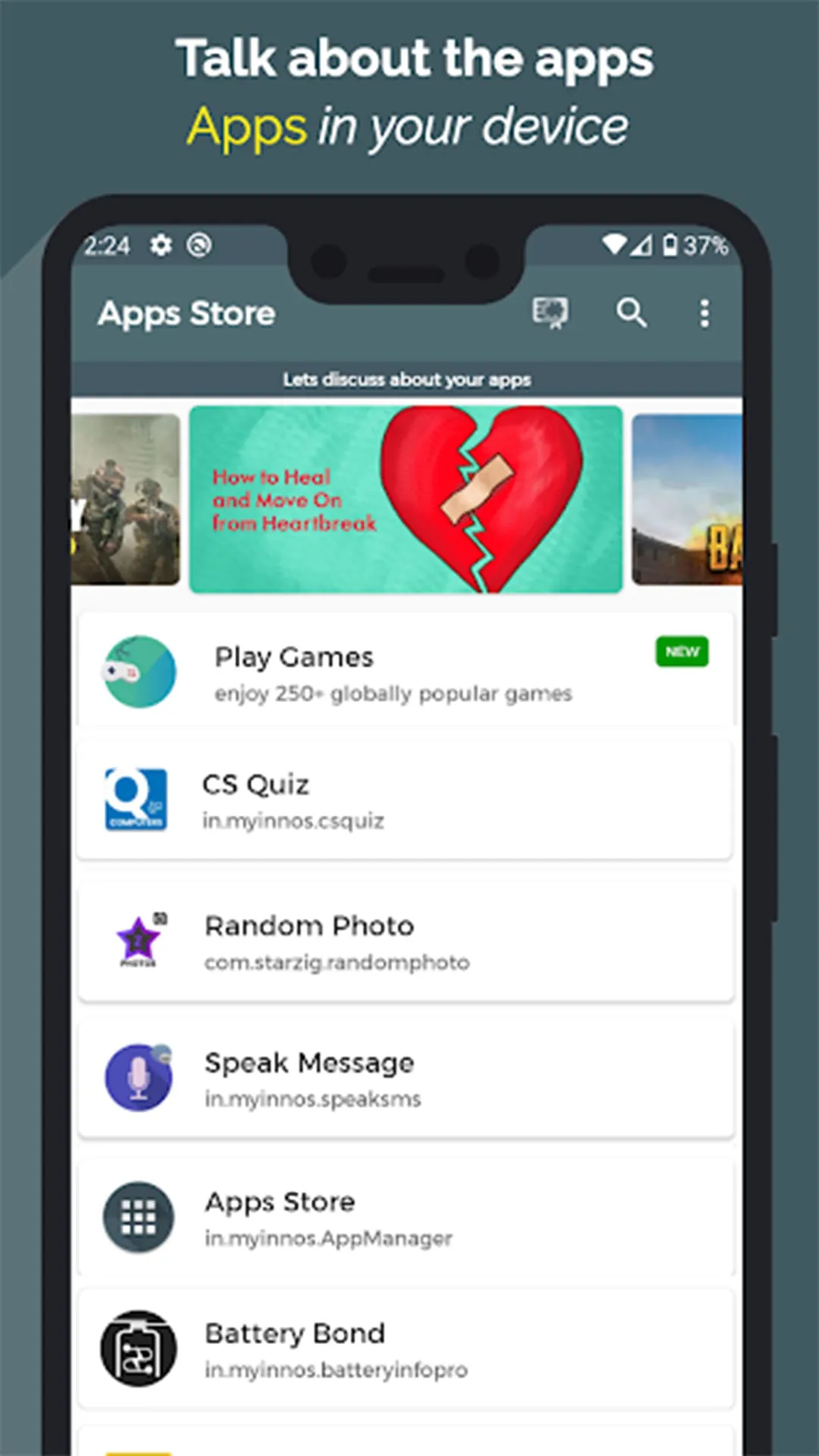
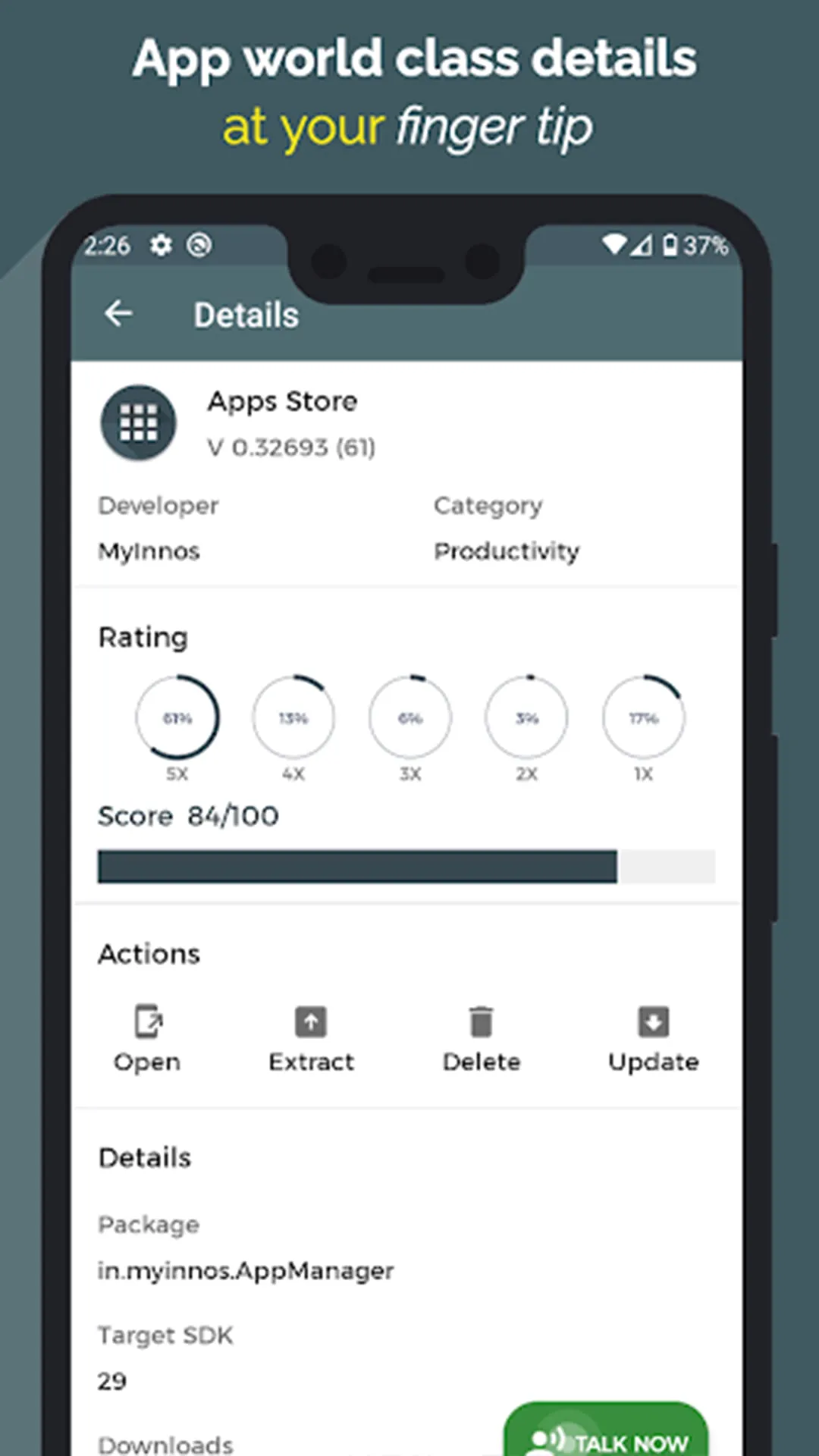
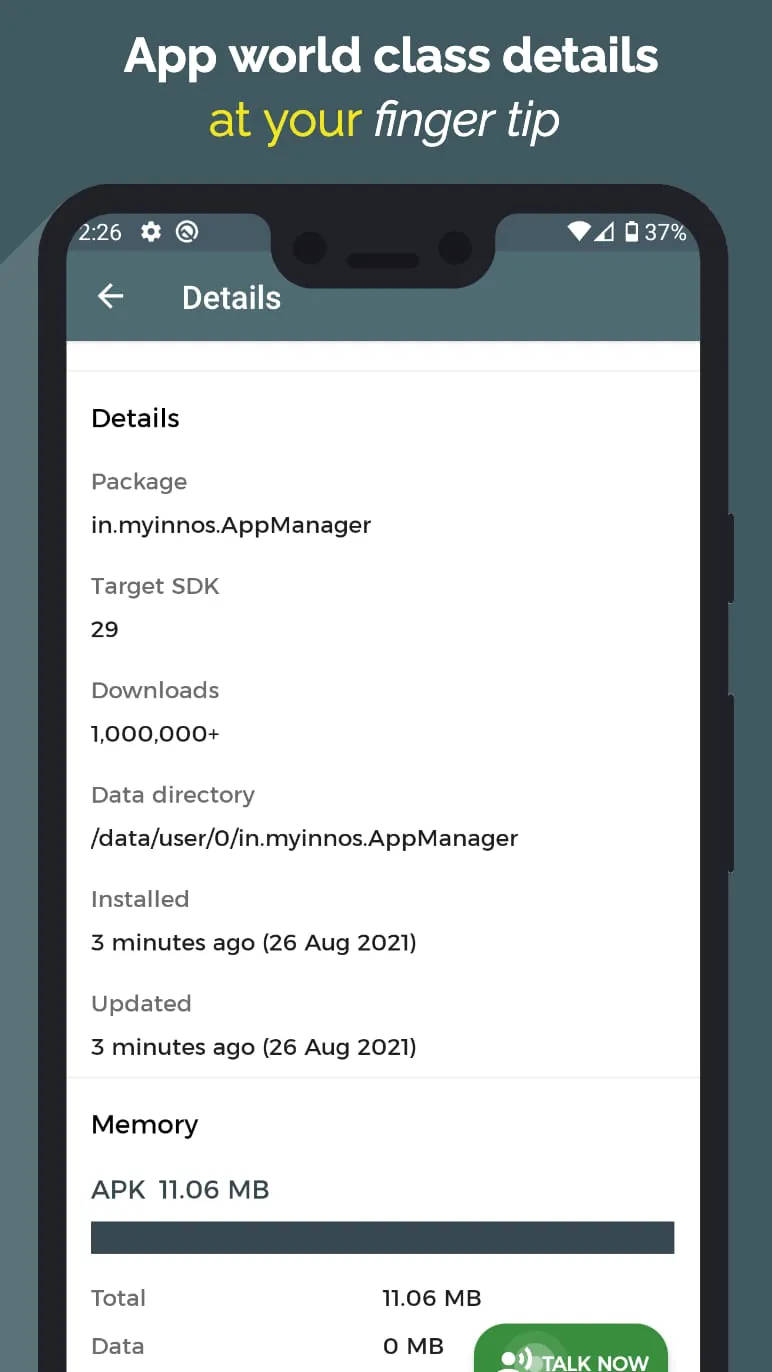
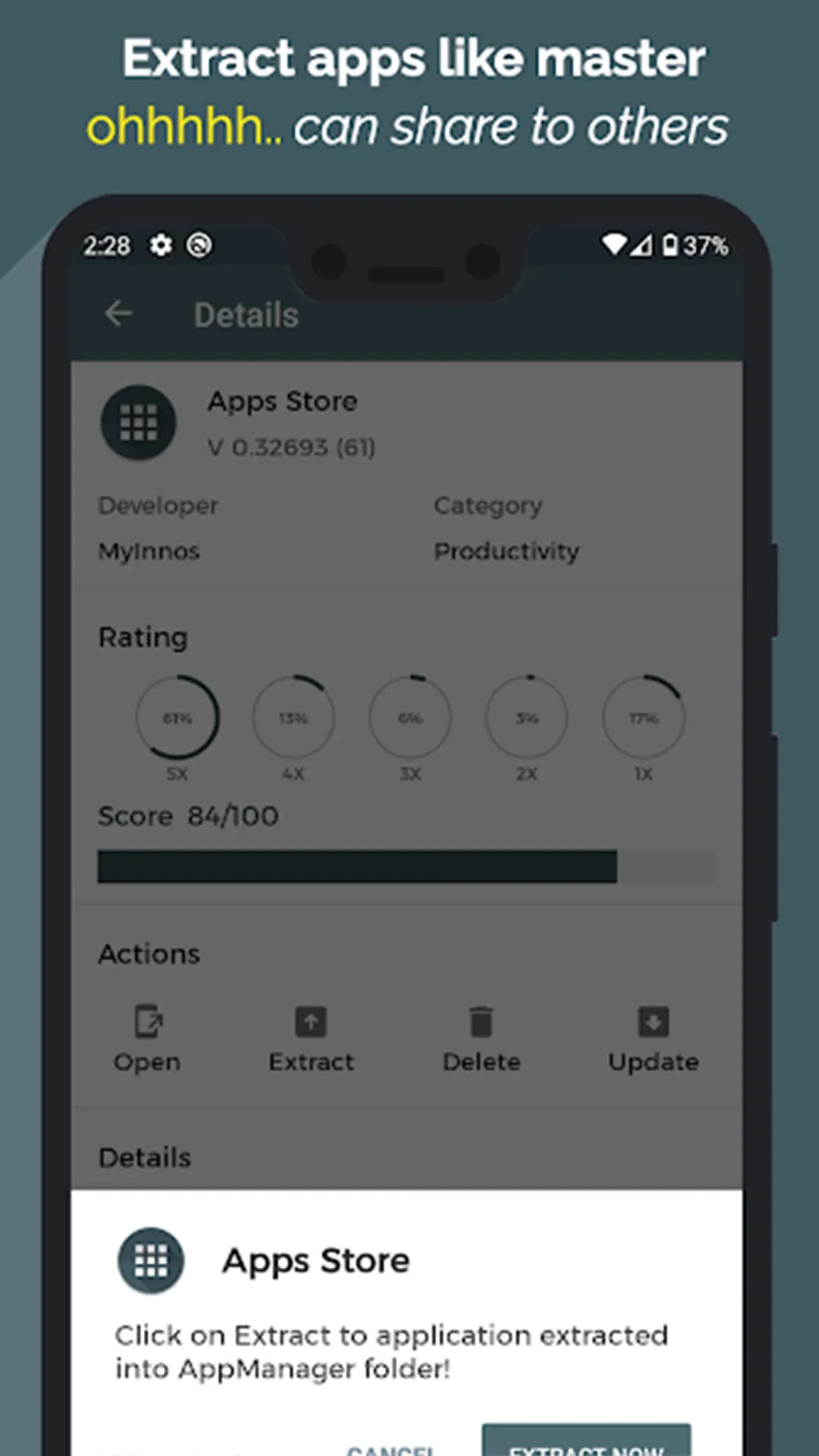
The Apps Manager presents itself as a unique and comprehensive tool designed to enhance the user experience with applications on their devices. It distinguishes itself from conventional app management systems by offering a suite of features that extend beyond simply organizing and updating installed applications. The core functionality revolves around providing users with detailed insights into their installed apps, mirroring the information available on the Play Store but with added layers of utility and engagement. Users can access comprehensive details about each app, including developer information, permissions required, user reviews, and ratings. This detailed overview empowers users to make informed decisions about the apps they choose to keep on their devices, contributing to a more streamlined and efficient mobile experience. One of the standout features of the Apps Manager is its ability to allow users to try out apps without the need for installation. This feature is particularly appealing for users who frequently discover new apps but are hesitant to commit to downloading and installing them. By providing a trial period, users can explore the app's functionality and determine whether it aligns with their needs and preferences. This not only saves valuable storage space but also reduces the clutter of unused apps on the device. Furthermore, the app introduces a social dimension to app discovery and usage. It enables users to engage in anonymous discussions and chats about the apps installed on their devices. This feature fosters a community where users can share their experiences, provide feedback, and exchange tips and tricks related to specific apps. The anonymity aspect encourages open and honest communication, allowing users to express their opinions without fear of judgment or reprisal. This collaborative environment enhances the overall app experience by providing valuable insights and perspectives from fellow users. The Apps Manager aims to be a one-stop solution for managing and discovering apps, providing users with a comprehensive set of tools to optimize their mobile experience. By offering detailed app information, a try-before-you-install feature, and anonymous app discussions, the app empowers users to make informed decisions, explore new apps, and connect with other users in a meaningful way. The Apps Manager also incorporates several practical features to streamline app management. It allows users to easily search for apps within their installed collection, eliminating the need to scroll through lengthy lists. The ability to extract APK files and share them with others simplifies the process of sharing apps with friends and family. Additionally, the app provides quick access to app updates and detailed information about app size, memory usage, and package details, enabling users to maintain a clean and efficient device. The inclusion of recommended apps and games from users around the world adds another layer of discovery to the app. Users can explore these recommendations and try out the best-rated and most popular apps without having to download them. This feature is particularly useful for users who are looking for new and exciting apps to try but are unsure where to start. The Apps Manager serves as a curated marketplace, highlighting the best apps available and allowing users to experience them firsthand before committing to installation. By combining comprehensive app management features with innovative discovery and social elements, the Apps Manager aims to transform the way users interact with apps on their devices. It empowers users to make informed decisions, explore new apps, connect with other users, and optimize their overall mobile experience. This multifaceted approach positions the Apps Manager as a valuable tool for both casual and power users alike. The app's commitment to user privacy is evident in its emphasis on anonymous app discussions, creating a safe and comfortable environment for users to share their opinions and experiences. This focus on privacy aligns with the growing awareness of data security and user rights, making the Apps Manager a responsible and trustworthy app management solution.
The Apps Manager distinguishes itself by enabling users to try out recommended applications and games from a global user base without requiring installation. This functionality addresses a common pain point for smartphone users: the hesitation to download and install numerous apps, many of which may not meet their expectations or prove useful in the long run. By offering a trial period, the Apps Manager allows users to evaluate an app's features, performance, and overall suitability before committing valuable storage space and risking potential security vulnerabilities. This approach not only saves time and resources but also promotes a more discerning and informed app selection process. The app's recommendation engine curates a list of top-rated and trending apps from around the world, providing users with a diverse range of options to explore. Whether it's a productivity tool, a creative outlet, or an engaging game, the Apps Manager offers a gateway to discover hidden gems that might otherwise go unnoticed. Users can seamlessly try out these recommended apps, experiencing their functionality firsthand without the commitment of installation. This feature is particularly beneficial for users who are constantly seeking new and innovative apps to enhance their mobile experience. The ability to play movies, TV shows, and games without installation further expands the app's entertainment capabilities. Users can access a vast library of content and enjoy it directly within the Apps Manager, eliminating the need to download and manage individual media files. This feature is ideal for users who frequently stream content or enjoy playing games on their mobile devices, providing a convenient and streamlined entertainment experience. The Apps Manager serves as a centralized hub for accessing a wide range of entertainment options, without the burden of managing multiple apps and files. This focus on convenience and accessibility makes the app a valuable companion for users who are always on the go. Furthermore, the Apps Manager offers a smart app guide that provides users with all the necessary information and features without consuming excessive time or resources. This guide simplifies the app discovery and management process, making it easy for users to find the apps they need and optimize their device's performance. The guide provides clear and concise instructions on how to use the app's various features, ensuring that users can quickly and easily navigate the app's interface. This user-friendly design makes the Apps Manager accessible to users of all technical skill levels. The app's commitment to providing a seamless and efficient user experience is evident in its intuitive interface and comprehensive feature set. The Apps Manager is designed to be a valuable tool for users who want to get the most out of their mobile devices, without sacrificing performance or convenience. The app's focus on discovery, entertainment, and efficiency makes it a standout app management solution in the crowded mobile marketplace. By offering a unique combination of features and a user-friendly design, the Apps Manager is poised to become an indispensable tool for smartphone users around the world. The ability to try apps without installation, access a vast library of entertainment content, and streamline app management makes the app a valuable addition to any mobile device. The Apps Manager is a testament to the power of innovation in the mobile app space, demonstrating how technology can be used to enhance the user experience and simplify everyday tasks.
The Apps Manager introduces a unique social dimension to app usage through its anonymous chat and discussion feature. This feature enables users to connect with one another and share their thoughts, experiences, and insights regarding the apps installed on their devices, all while maintaining their anonymity. This innovative approach fosters a sense of community and encourages open and honest communication about the apps that users rely on daily. The anonymity aspect is crucial, as it allows users to express their opinions without fear of judgment or reprisal. This is particularly important in the context of app reviews, where users may hesitate to share negative feedback if their identity is known. By providing a safe and anonymous platform, the Apps Manager empowers users to voice their concerns, offer constructive criticism, and share their experiences with others. This feedback can be invaluable for both app developers and fellow users, helping to improve app quality and inform decision-making. The chat and discussion feature also serves as a valuable resource for troubleshooting issues and finding solutions to common problems. Users can connect with others who have encountered similar challenges and exchange tips, tricks, and workarounds. This collaborative environment can save users time and frustration, as they can leverage the collective knowledge of the community to resolve issues quickly and efficiently. The ability to share app recommendations and discover new apps through user discussions further enhances the app discovery process. Users can learn about hidden gems that might otherwise go unnoticed and receive personalized recommendations based on the experiences of other users. This social element adds a layer of trust and credibility to the app discovery process, as users are more likely to try out apps that have been recommended by their peers. The Apps Manager's anonymous chat and discussion feature transforms app usage from a solitary activity into a social and collaborative experience. It fosters a sense of community, encourages open communication, and empowers users to share their knowledge and experiences with one another. This innovative approach not only enhances the app experience but also contributes to a more informed and engaged user base. The app's commitment to user privacy and anonymity is evident in its design and functionality. The Apps Manager prioritizes the protection of user data and ensures that all communications are conducted in a safe and secure environment. This focus on privacy aligns with the growing awareness of data security and user rights, making the app a responsible and trustworthy app management solution. The Apps Manager's anonymous chat and discussion feature is a testament to the power of social interaction in the mobile app space, demonstrating how technology can be used to connect users and enhance their overall experience. By fostering a sense of community and encouraging open communication, the app is transforming the way users interact with apps and one another. The app's commitment to user privacy and anonymity makes it a valuable and trustworthy resource for smartphone users around the world. The ability to connect with other users, share experiences, and discover new apps through anonymous discussions makes the Apps Manager a truly unique and innovative app management solution.