




Church Center App
by Planning Center
Connecting congregants with their church
A closer look
Overview
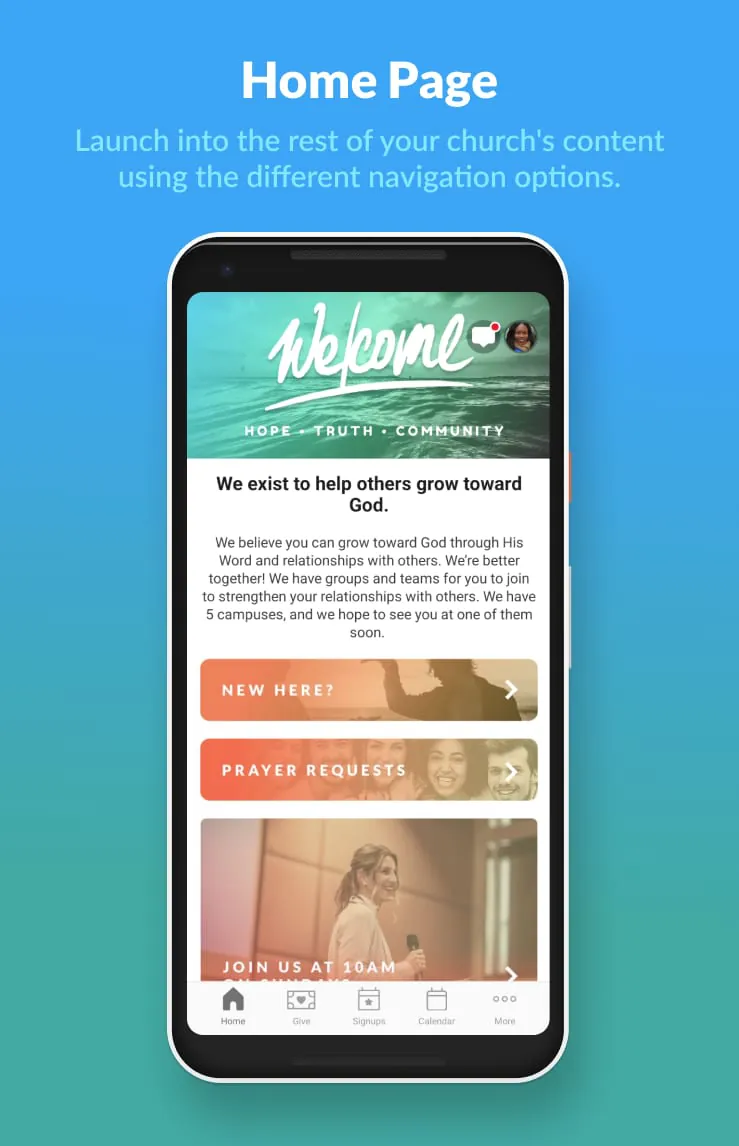
Church Center App is a free mobile application created by Planning Center that helps church members stay connected with their congregation’s life and activities in one simple, easy-to-use platform. Designed for both iPhone and Android devices, it provides direct access to event calendars, group information, giving options, and personal check-in features without needing to contact church staff directly. Whether someone wants to register for an upcoming event, manage their volunteer schedule, or give securely online, the Church Center App makes participation smoother, faster, and more convenient for everyone involved.
Key Features
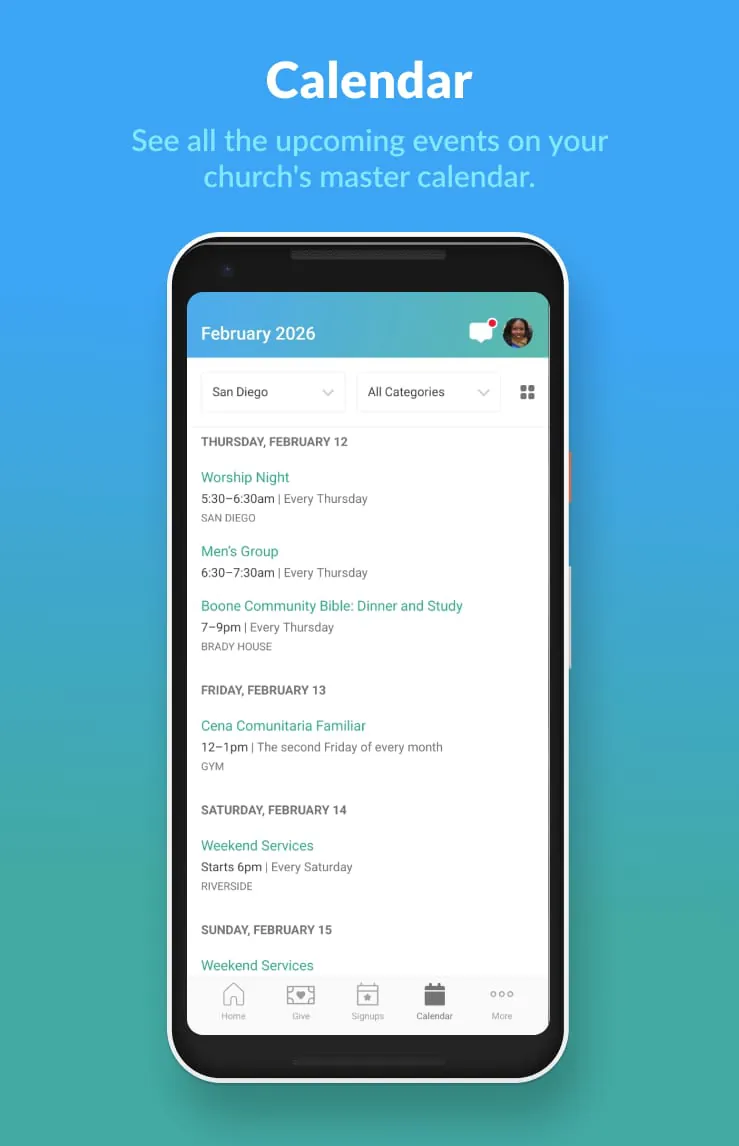
- Instant access to your church’s event calendar and registration system.
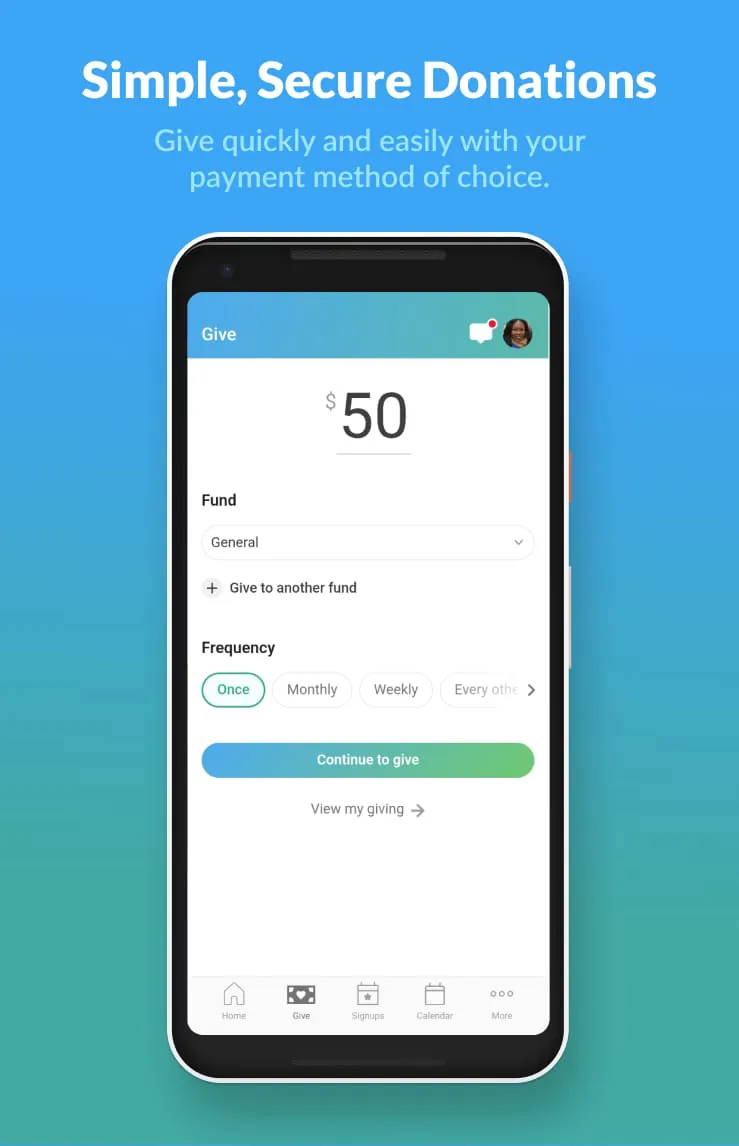
- Secure online giving with options to set up recurring donations.
- Personal profile management to update contact details and preferences.
- Easy check-in for services, events, and children’s ministries.
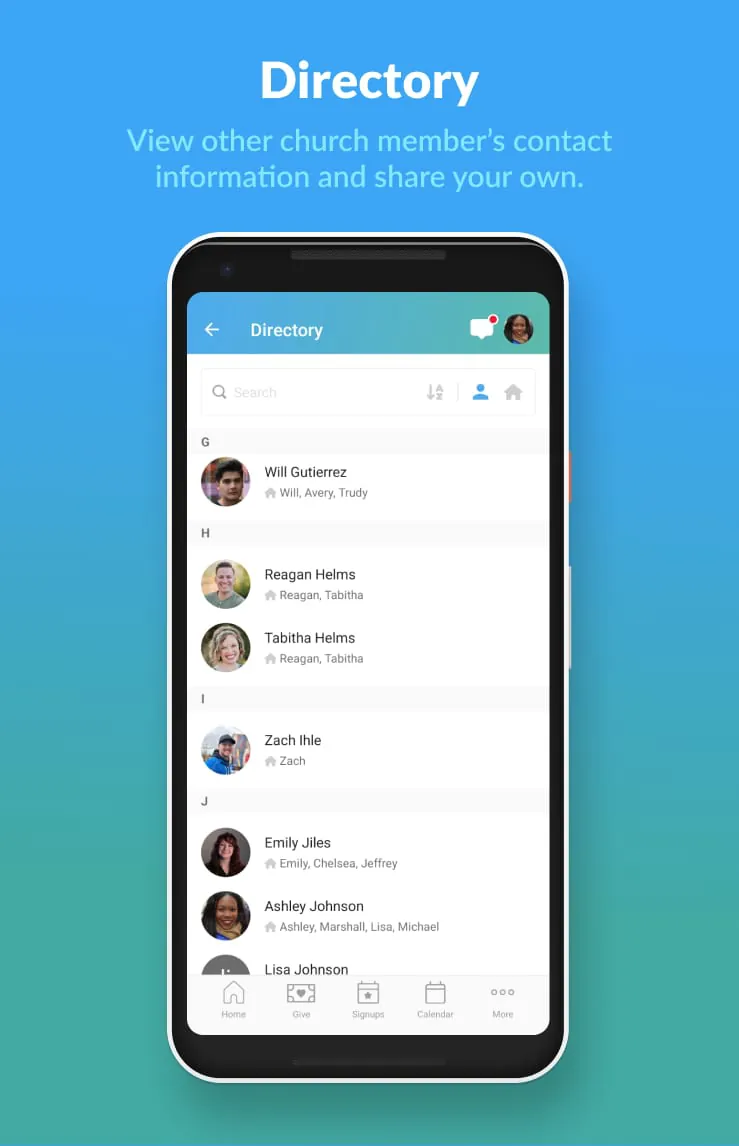
- Group directories to find and join small groups within your church community.
Pros & Cons
- Pros: User-friendly interface, quick setup process, integrates seamlessly with Planning Center products, and supports multiple languages.
- Cons: Requires your church to already use Planning Center software; some advanced features may need admin permissions.
Functions
- Event Registration – Sign up for church activities directly from your phone.
- Giving Management – Make one-time or recurring donations securely.
- Volunteer Scheduling – View and confirm your service times.
- Directory Access – Find contact information for church members (if enabled).
- Check-In Services – Quickly check in yourself and your family upon arrival.
How to Use
Click the button "Check All Versions" below to download and install it. After installation, open the app and search for your church by name or zip code. Once located, you can log in if you already have a Planning Center account, or create a new profile. From there, explore the menu to view upcoming events, make donations, join groups, and manage your personal information. Notifications can be enabled so you never miss important updates, and your check-in QR code will be ready for quick scanning at your next visit.
App Download
Get Church Center App from an official store or available APK channel.
Previous Versions
ZIP files require a Split APKs Installer (e.g., SAI) from Google Play to install. Steps: 1. Download SAI from Google Play; 2. Open SAI and tap "Install APKs"; 3. Select the ZIP file; 4. Complete installation.
Frequently Asked Questions
What is the latest version of Church Center App?
The latest version currently listed by Appspicked is unavailable, with information updated on Jun 6, 2026. Versions may vary by device, region, or rollout schedule, so users should also check Google Play or announcements from Planning Center.
Is Church Center App safe to download and use?
No website can guarantee that an app is completely risk-free. Appspicked recommends downloading Church Center App only from an official app store or a verified channel operated by Planning Center. Before installing, confirm the developer name, package ID com.ministrycentered.churchcenter, requested permissions, privacy policy, and download source.
Why can’t I find Church Center App in the App Store?
Church Center App may be unavailable because of regional restrictions, device incompatibility, account or age settings, a temporary removal, a name change, or because it has not been released for that platform. An Android package page does not necessarily mean that an iOS App Store version exists. Check Planning Center’s official website for current availability.
Where can I download or update Church Center App?
Use Google Play or another official download channel provided by Planning Center whenever possible. Appspicked provides app information and store links, but users should verify the destination domain and publisher before downloading or updating the app.
Why is the version shown on Appspicked different from the app-store version?
The information on Appspicked may represent the most recently indexed snapshot. App stores sometimes release updates gradually or display different versions according to region, device, operating system, or testing group. The official store listing should be treated as the final reference.
Which devices and operating systems support Church Center App?
Church Center App is listed for Android, with a reported minimum requirement of Not specified. Actual compatibility may also depend on the device model, region, available storage, hardware features, and installed system components.
Is Church Center App free?
The initial download may be free, but subscriptions, advertising, paid features, or in-app purchases may still apply. Prices and available purchases can vary by country and version. Check the payment information displayed by Google Play before completing a transaction.
What should I do if Church Center App cannot be installed or updated?
Check the network connection, storage space, operating-system version, account region, and device compatibility. Restart the device and try again through the official store. If the problem continues, consult the support resources provided by Planning Center.









