


V3.0.2

- Package Name
- jp.co.celsys.clipstudiopaint.googleplay
- Version Name
- V3.0.2
- Version Code
- V3.0.2
- File Size
- 638.15 MB
- Update time
- 2024-4-10



by CELSYS,Inc.
Unleash your drawing and painting potential
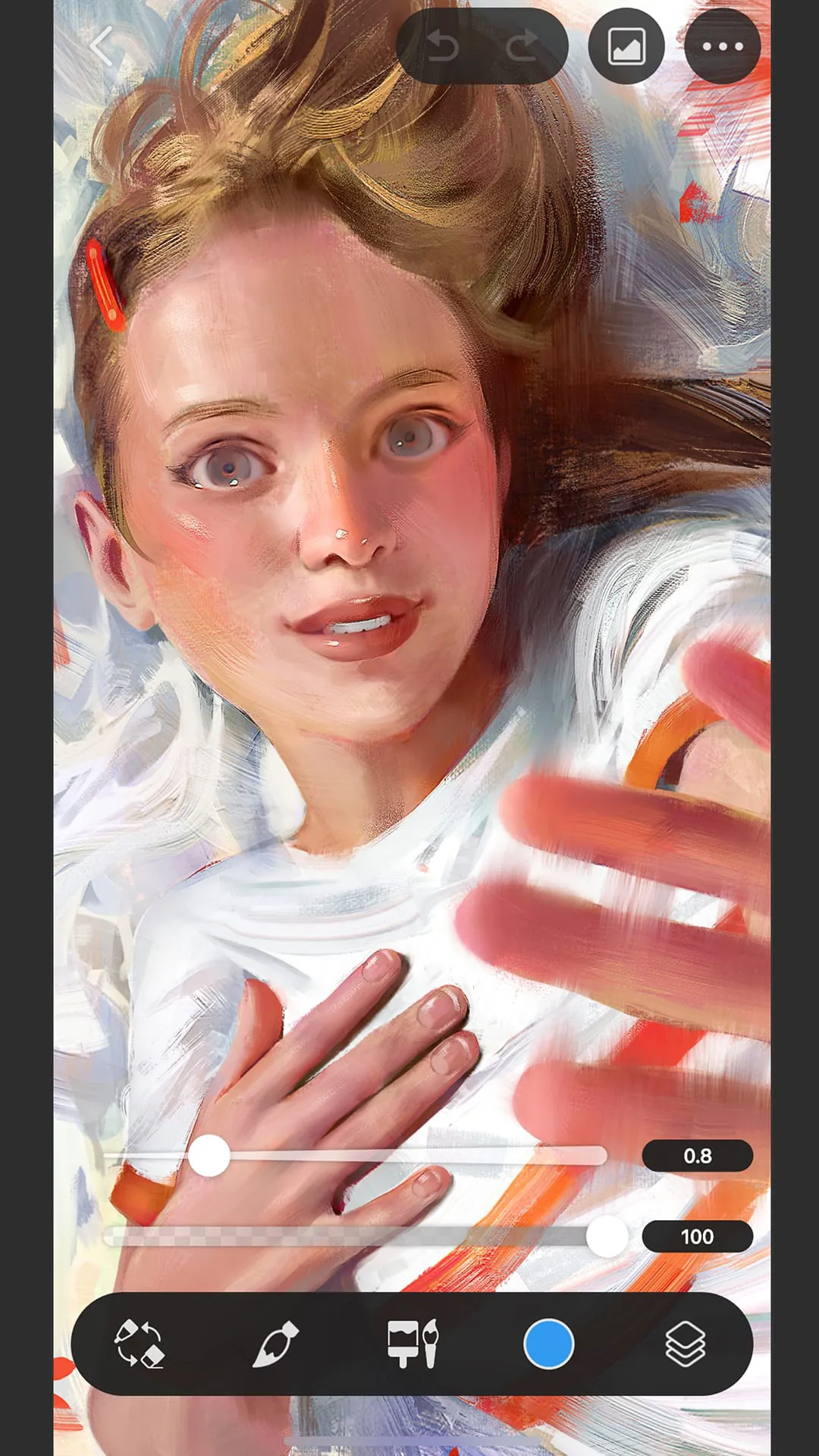
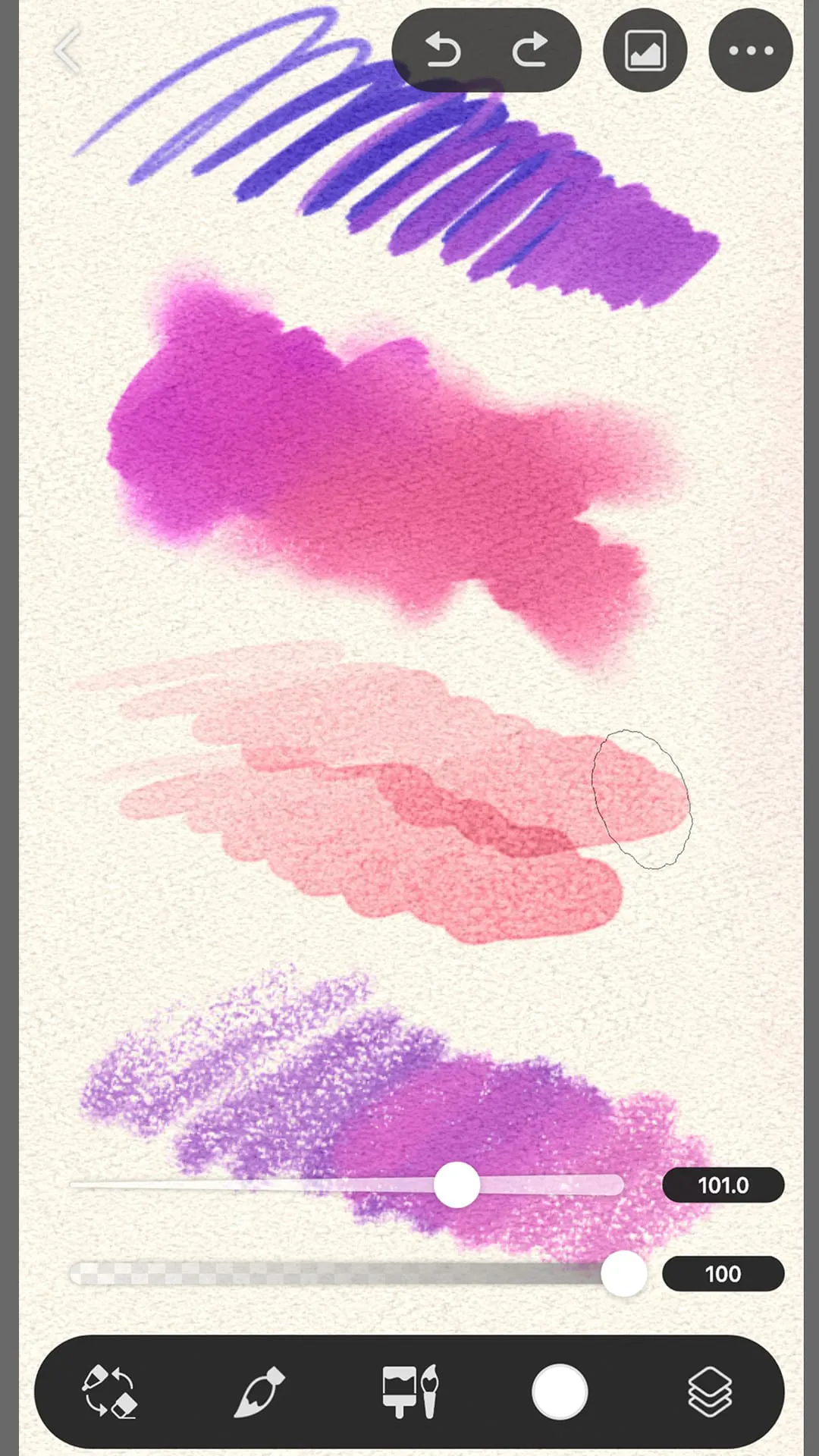
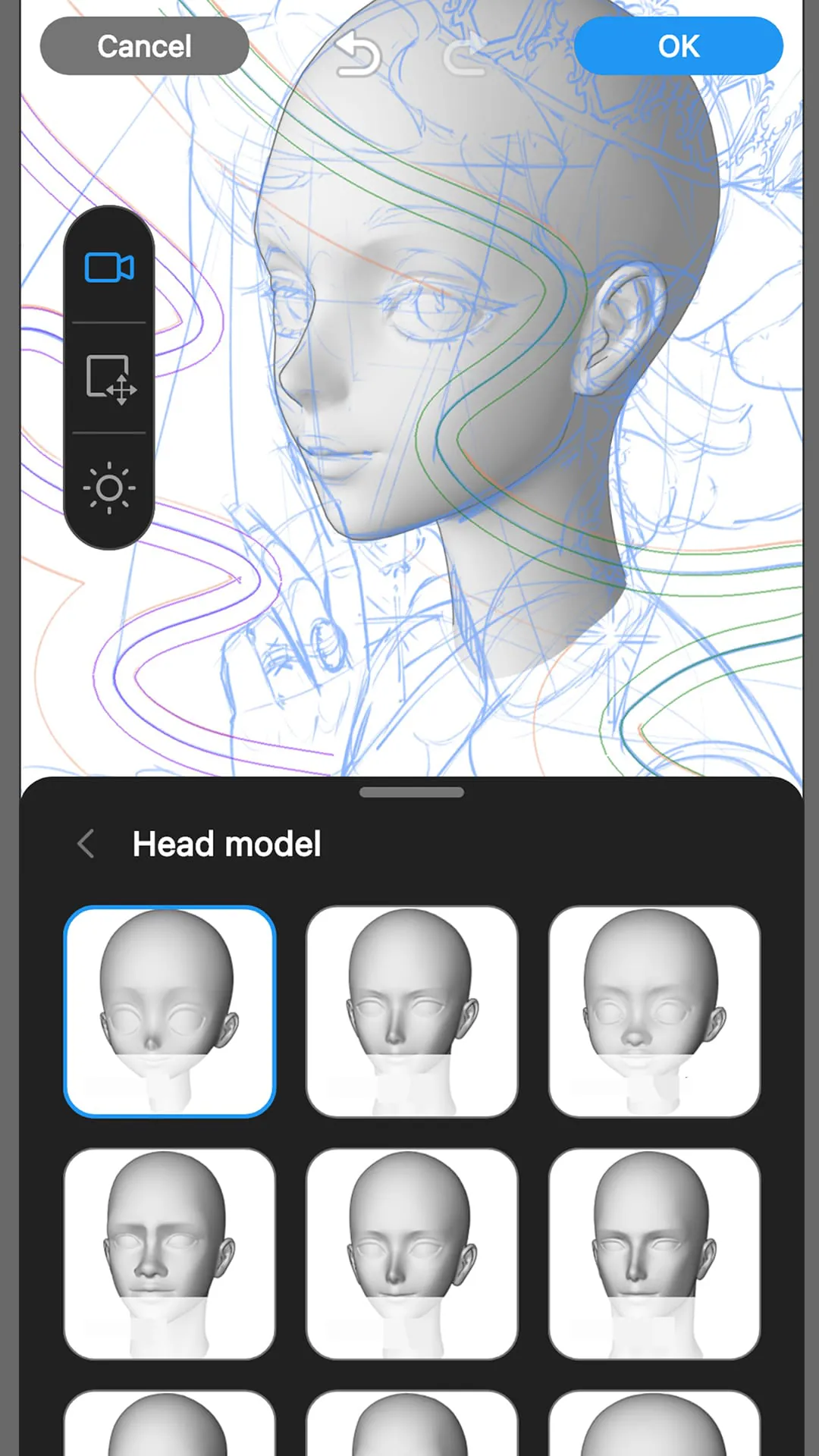
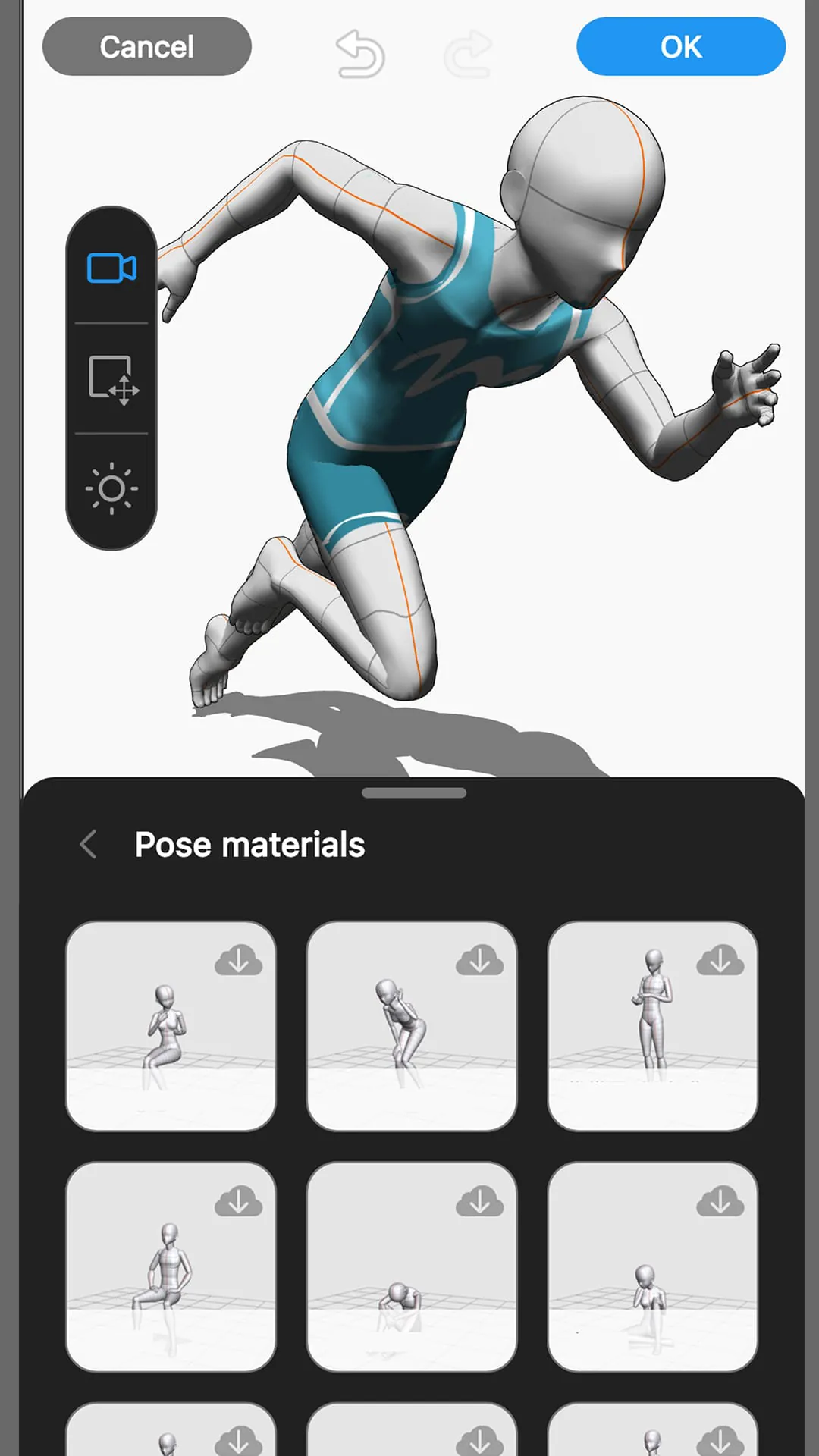
Clip Studio Paint is a powerful digital painting and illustration application developed by CELSYS, widely recognized as a premier creative tool for artists specializing in comics, manga, illustrations, and animation. It stands out for its sophisticated brush engine and vector-based inking tools, providing a natural and professional-grade drawing experience that caters to both hobbyists and industry professionals seeking precision and versatility in their work.
The application is packed with specialized features designed for serious creators. It boasts an extensive library of customizable brushes that realistically mimic traditional media like ink, watercolor, and oil paint. A defining feature is its robust set of comic and manga creation tools, including specialized panel rulers, screentones, and text options. Furthermore, it supports advanced 3D modeling and posing references that artists can manipulate to build complex scenes and perfect anatomy, streamlining the entire illustration process from sketch to final artwork.
Clip Studio Paint's functionality extends far beyond basic drawing. It is a comprehensive suite for digital art production, featuring full illustration and painting tools, multi-page comic management, and frame-by-frame animation capabilities. Key functions include advanced layer management with blending modes, perspective rulers, texture blending, and a powerful color mixing palette. The EX version adds critical production features like batch page export, advanced animation timeline editing, and the ability to manage long-form comic projects with hundreds of pages efficiently.
Click the button "Check All Versions" below to download and install it. Once installed, new users should begin by exploring the default workspace and trying the basic brush and eraser tools on a new canvas. It is highly recommended to utilize the official tutorials and vast asset library within the app to find free brushes and materials. A practical workflow involves sketching with a rough pencil brush, refining line art using the vector layers, applying flat colors on separate layers, and finally adding shadows, highlights, and textures. Regularly saving custom workspaces and favorite brushes will significantly speed up your personal creative process over time.
Get Clip Studio Paint from an official store or available APK channel.
ZIP files require a Split APKs Installer (e.g., SAI) from Google Play to install. Steps: 1. Download SAI from Google Play; 2. Open SAI and tap "Install APKs"; 3. Select the ZIP file; 4. Complete installation.
The latest version currently listed by Appspicked is V3.0.2, with information updated on May 19, 2026. Versions may vary by device, region, or rollout schedule, so users should also check Google Play or announcements from CELSYS,Inc..
No website can guarantee that an app is completely risk-free. Appspicked recommends downloading Clip Studio Paint only from an official app store or a verified channel operated by CELSYS,Inc.. Before installing, confirm the developer name, package ID jp.co.celsys.clipstudiopaint.googleplay, requested permissions, privacy policy, and download source.
Clip Studio Paint may be unavailable because of regional restrictions, device incompatibility, account or age settings, a temporary removal, a name change, or because it has not been released for that platform. An Android package page does not necessarily mean that an iOS App Store version exists. Check CELSYS,Inc.’s official website for current availability.
Use Google Play or another official download channel provided by CELSYS,Inc. whenever possible. Appspicked provides app information and store links, but users should verify the destination domain and publisher before downloading or updating the app.
The information on Appspicked may represent the most recently indexed snapshot. App stores sometimes release updates gradually or display different versions according to region, device, operating system, or testing group. The official store listing should be treated as the final reference.
Clip Studio Paint is listed for Android, with a reported minimum requirement of Not specified. Actual compatibility may also depend on the device model, region, available storage, hardware features, and installed system components.
The initial download may be free, but subscriptions, advertising, paid features, or in-app purchases may still apply. Prices and available purchases can vary by country and version. Check the payment information displayed by Google Play before completing a transaction.
Check the network connection, storage space, operating-system version, account region, and device compatibility. Restart the device and try again through the official store. If the problem continues, consult the support resources provided by CELSYS,Inc..









