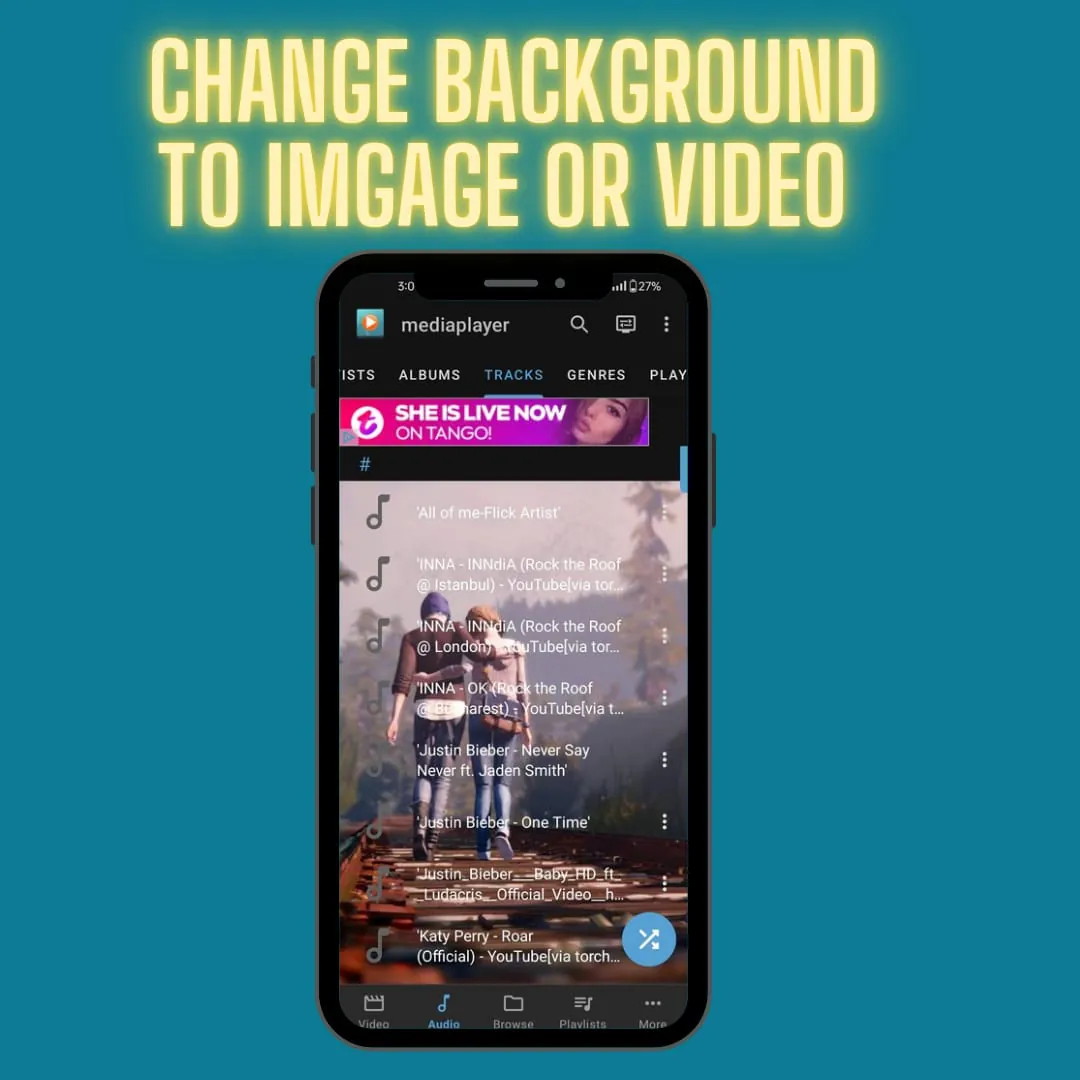
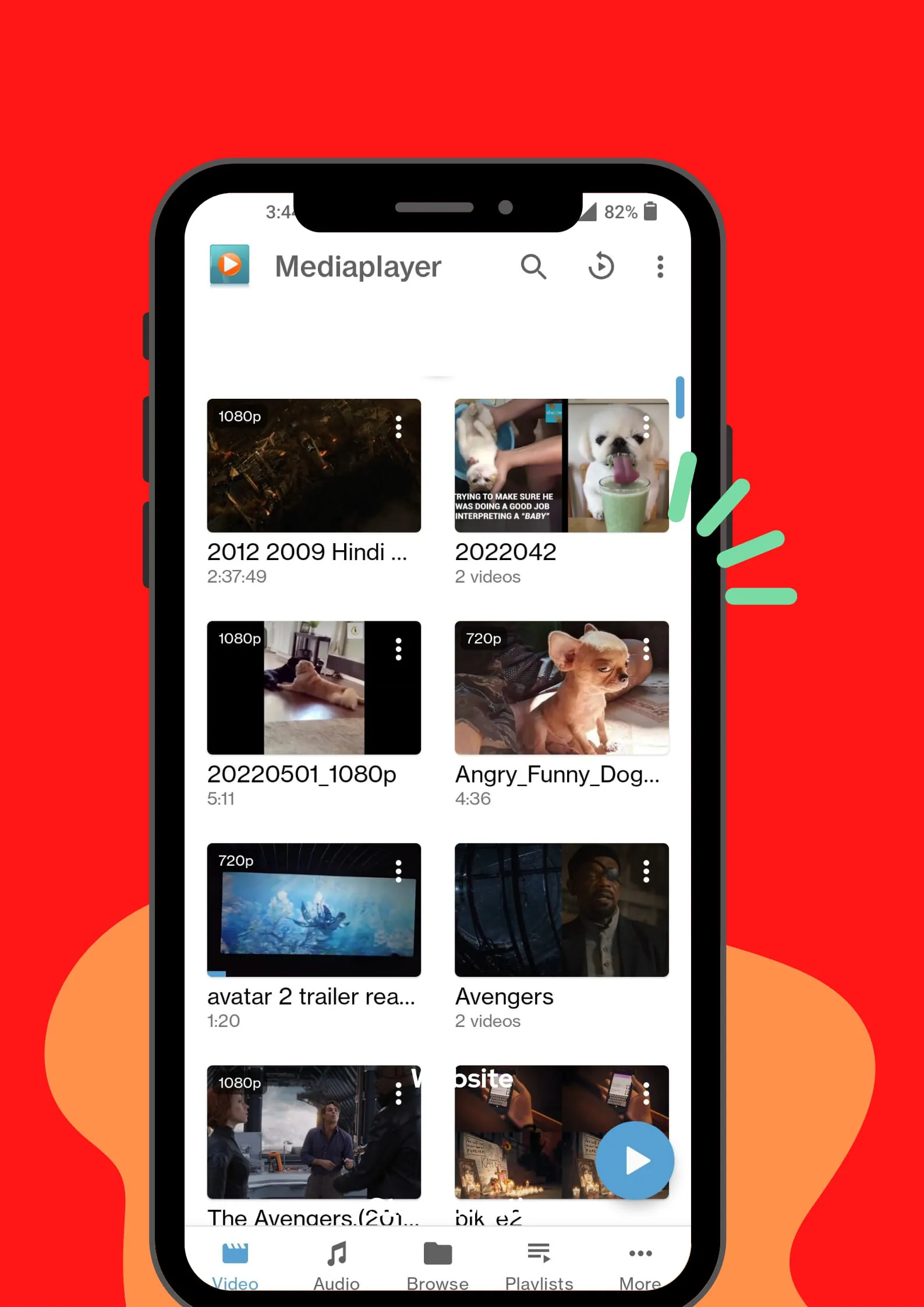
Media Player Classic (MPC) stands out as a versatile and free multimedia player for Android devices, offering a comprehensive solution for playing various video and audio formats. Its capabilities extend beyond local playback, encompassing network streaming and DVD playback, positioning it as a central hub for diverse media consumption. The player's user-friendly interface ensures accessibility for users of all technical levels, while its feature-rich design caters to more advanced users seeking customization and control. MPC supports a wide array of video and audio formats, including popular containers like MKV, MP4, AVI, MOV, Ogg, FLAC, TS, M2TS, Wv, and AAC, eliminating the need for users to install multiple codecs or players. This broad format support ensures compatibility with virtually any media file encountered. Beyond format compatibility, MPC offers a range of features that enhance the viewing and listening experience. Subtitle support allows users to enjoy foreign films and TV shows with ease, while multiple audio track selection provides flexibility for different language versions or audio commentaries. Closed caption support further enhances accessibility for viewers with hearing impairments. The inclusion of DVD playback capabilities transforms Android devices into portable DVD players, enabling users to watch their favorite DVDs on the go. MPC's media library organizes audio and video files, simplifying media management and playback. Auto-rotation, aspect ratio adjustments, and gesture controls for volume, brightness, and seeking provide a customizable and intuitive user experience. The audio control widget offers convenient access to playback controls, while headset control support allows for hands-free operation. Cover art display and a complete audio media library further enhance the music listening experience. The app requires specific permissions to function correctly, including access to media files for playback, network access for streaming, and microphone access for voice search on Android TV devices. These permissions are essential for MPC to deliver its full range of features and functionality. Overall, Media Player Classic is a compelling choice for Android users seeking a free, versatile, and feature-rich multimedia player. Its broad format support, comprehensive feature set, and user-friendly interface make it an excellent option for both casual and advanced users. The app's ability to play virtually any video or audio file, stream media from network sources, and play DVDs sets it apart from other media players on the market. With its focus on accessibility and customization, Media Player Classic provides a truly personalized media consumption experience. Whether you're watching movies, listening to music, or streaming content from the web, MPC has you covered. Its intuitive interface and powerful features make it a must-have app for any Android user who enjoys consuming media on their mobile devices. The developers of Media Player Classic have clearly prioritized user experience, creating an app that is both easy to use and packed with features. Its regular updates and ongoing support ensure that it remains a top contender in the crowded field of Android media players. The app's commitment to open-source principles and its lack of intrusive advertising further enhance its appeal, making it a trustworthy and reliable choice for users who value privacy and control over their digital experiences. In conclusion, Media Player Classic is a standout multimedia player for Android that offers a winning combination of features, performance, and user-friendliness. Its broad format support, comprehensive feature set, and customizable interface make it an excellent choice for anyone who wants to enjoy their media on the go.
The absence of any mention of potential drawbacks or limitations of Media Player Classic in the provided text creates a somewhat unbalanced portrayal of the application. A more comprehensive analysis would delve into aspects such as resource usage, compatibility issues with specific Android devices, and potential security vulnerabilities. While the text highlights the app's broad format support, it doesn't address the possibility of occasional codec-related problems or the need for users to manually install specific codecs for less common formats. Similarly, while the app is described as user-friendly, the text doesn't acknowledge the potential learning curve associated with some of its more advanced features, such as subtitle customization or network streaming setup. Furthermore, the text's emphasis on the app's free nature might overshadow the possibility of in-app advertisements or requests for donations, which could detract from the user experience. It's also important to consider the app's performance on older or less powerful Android devices. While MPC may run smoothly on newer devices with ample processing power and memory, it could experience lag or stuttering on older devices, particularly when playing high-resolution video files. The text's claim that MPC is the best video and music player for Android is a subjective statement that should be qualified. While MPC undoubtedly offers a strong feature set and performs well in many areas, it's not necessarily the best choice for every user. Other media players, such as VLC or MX Player, may offer specific features or advantages that make them better suited to certain users' needs. For example, VLC is known for its cross-platform compatibility and its ability to play virtually any media format, while MX Player offers advanced hardware acceleration and subtitle customization options. A more objective analysis would acknowledge the strengths and weaknesses of MPC in relation to its competitors, allowing users to make a more informed decision based on their individual requirements. The text's discussion of permissions could also be expanded to address potential privacy concerns. While the text explains why MPC needs access to media files, network, and microphone, it doesn't delve into the potential risks associated with granting these permissions. For example, users should be aware that granting network access could allow the app to transmit data to remote servers, while granting microphone access could potentially allow the app to record audio without their knowledge. A more thorough analysis would advise users to carefully review the app's privacy policy and to consider the potential implications of granting each permission. In addition, the text could benefit from a discussion of the app's update frequency and developer support. Regular updates are essential for addressing bugs, adding new features, and ensuring compatibility with the latest Android versions. Responsive developer support can be invaluable for users who encounter problems or have questions about the app. A more comprehensive analysis would assess the app's update history and the availability of developer support, providing users with a better understanding of the app's long-term viability and reliability.
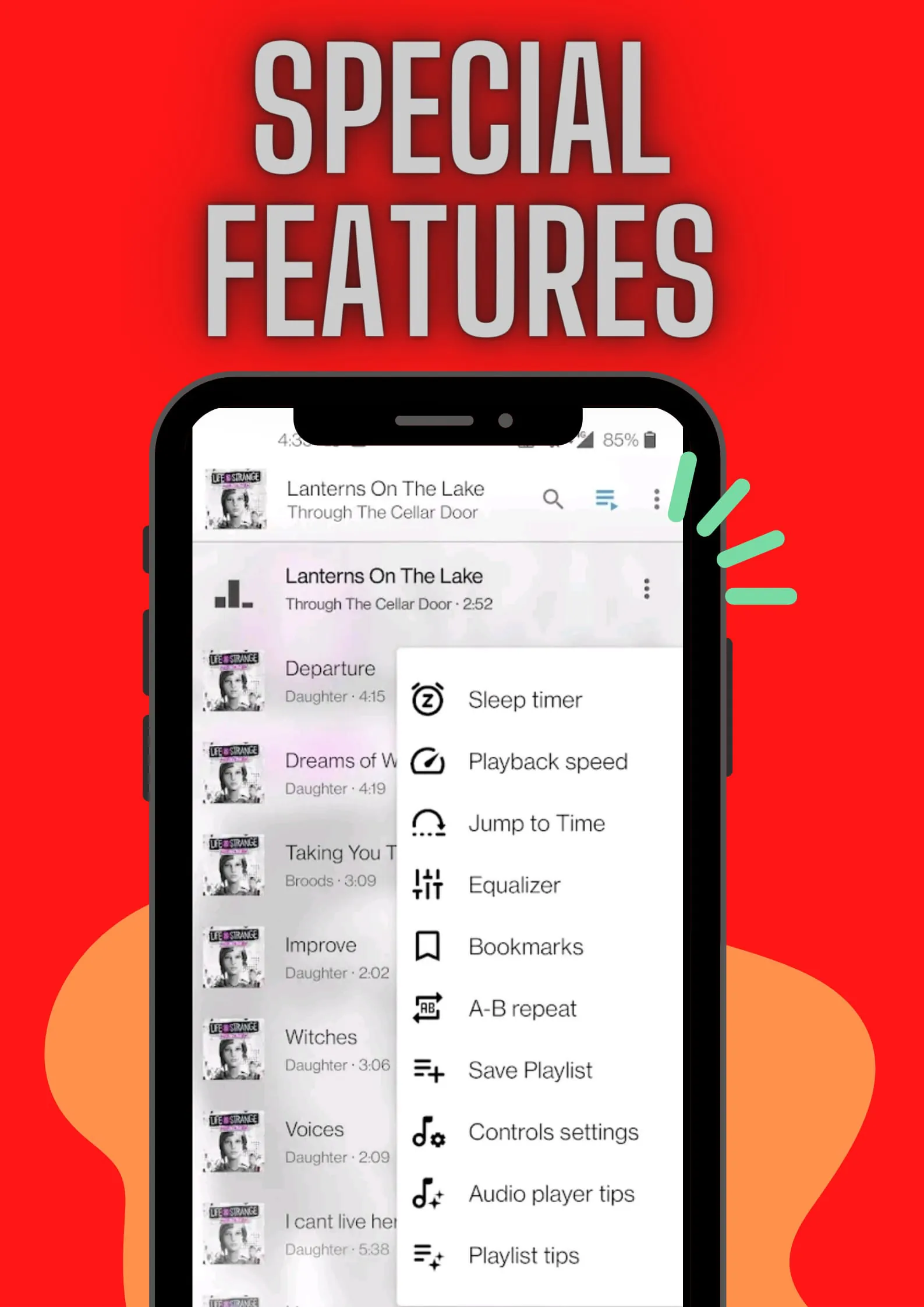
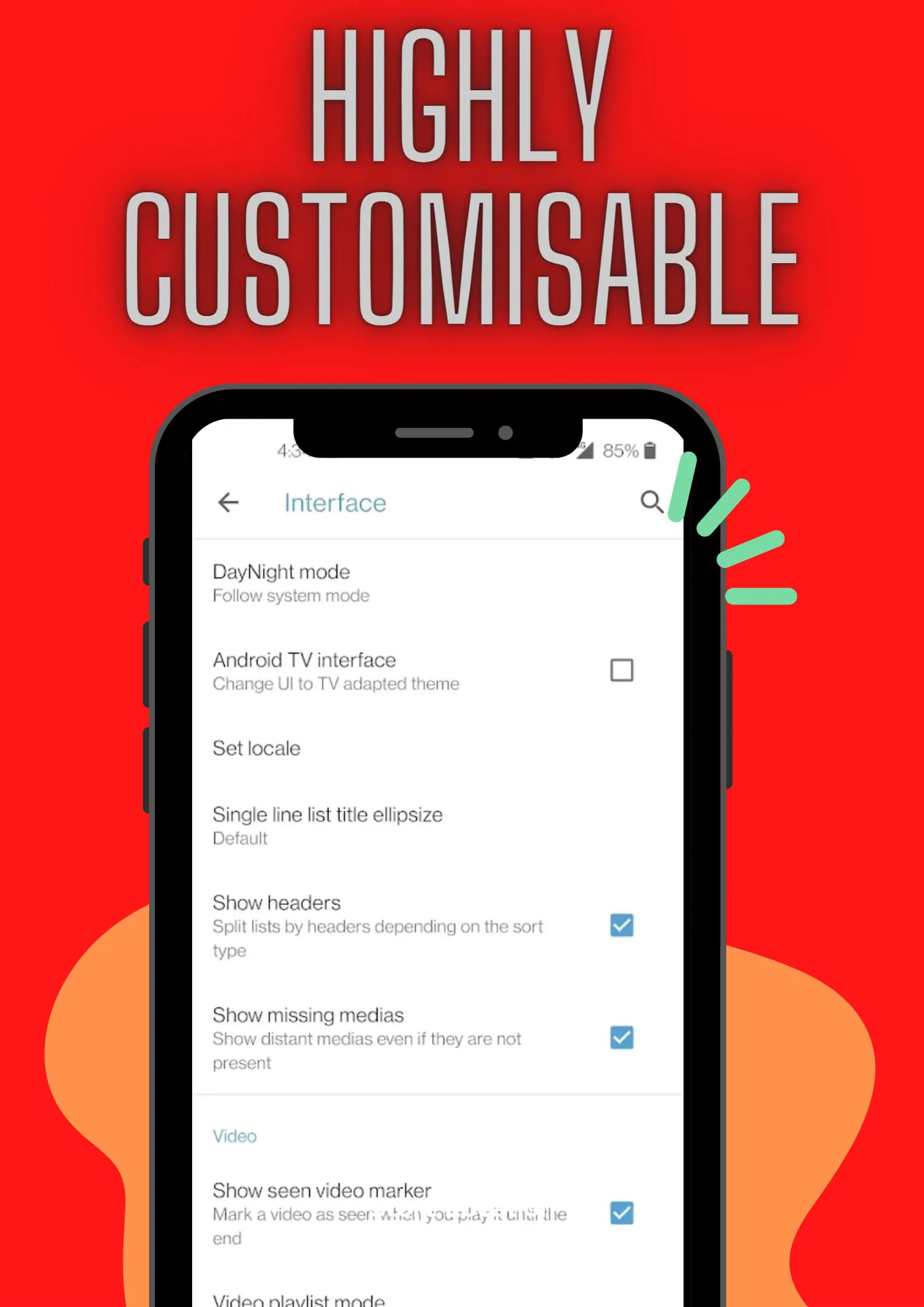
Expanding on the features of Media Player Classic, it is important to highlight the degree of customization available to the user, allowing for a tailored media consumption experience. The ability to adjust aspect ratios is crucial for accommodating various video formats and screen sizes, ensuring that the picture is displayed correctly without distortion. This is particularly relevant in today's diverse media landscape, where content is created and distributed in a multitude of aspect ratios. Gesture controls provide an intuitive way to manage playback, volume, and brightness, offering a seamless and efficient user experience. These controls eliminate the need to fumble with on-screen buttons, allowing users to focus on the content itself. The inclusion of a widget for audio control is a welcome addition, enabling users to manage playback without having to open the app itself. This is particularly useful when listening to music in the background or while multitasking. Support for audio headset controls further enhances the hands-free experience, allowing users to control playback, volume, and calls without having to touch their device. The display of cover art is a small but significant detail that enhances the aesthetic appeal of the app, making it more visually engaging and user-friendly. The complete audio media library provides a centralized location for managing and organizing music files, simplifying the process of finding and playing favorite tracks. The text also mentions that Media Player Classic supports auto-rotation, which ensures that the video is always displayed in the correct orientation, regardless of how the device is held. This is a fundamental feature that enhances the viewing experience and prevents users from having to manually adjust the screen orientation. In addition to its core features, Media Player Classic also offers a range of advanced options for customizing the playback experience. Users can adjust the playback speed, enabling them to speed up or slow down videos as needed. They can also adjust the audio equalization, allowing them to fine-tune the sound to their liking. The app also supports the use of external subtitles, which can be useful for watching videos in different languages or for adding subtitles to videos that don't have them. Media Player Classic is also designed to be lightweight and efficient, minimizing its impact on system resources. This is particularly important for users with older or less powerful devices, as it ensures that the app runs smoothly without draining the battery. The app is also regularly updated with bug fixes and performance improvements, ensuring that it remains a reliable and stable media player. The developers of Media Player Classic are committed to providing a high-quality user experience, and they actively solicit feedback from users to help them improve the app. This commitment to user satisfaction is evident in the app's positive reviews and its large and active user base. Overall, Media Player Classic is a comprehensive and feature-rich media player that offers a wide range of options for customizing the playback experience. Its user-friendly interface, support for a wide range of formats, and commitment to performance make it an excellent choice for anyone who wants to enjoy their media on the go.