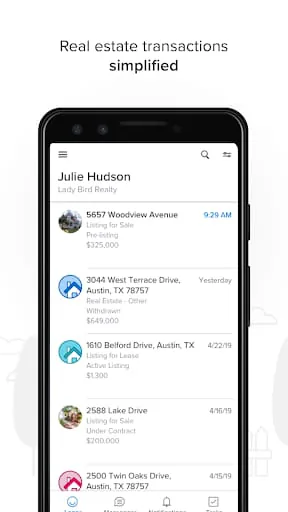
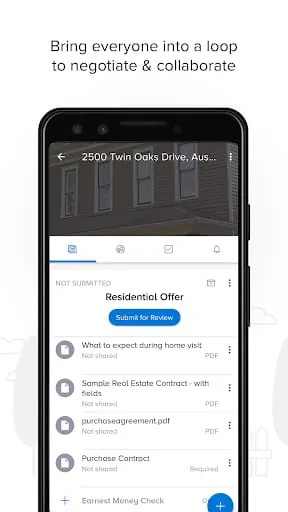
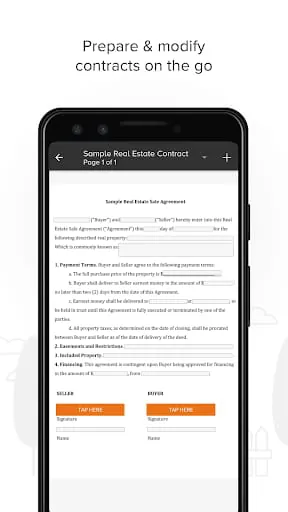
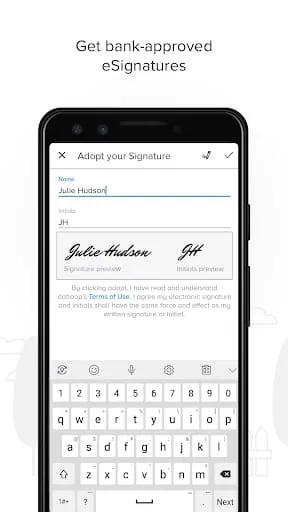
Dotloop is a comprehensive digital platform designed for real estate professionals, streamlining the entire transaction process by centralizing document management, electronic signatures, and team collaboration into a single, secure online workspace, thereby replacing traditional paper-based methods and significantly enhancing efficiency and transparency for agents, brokers, and their clients.
Key Features
The platform stands out with a robust set of features tailored for the modern real estate market. Its core functionality revolves around creating, sharing, and tracking digital transaction checklists known as "loops." These loops ensure every step, from initial offer to final closing, is completed in the correct order with the right documents. Integrated electronic signatures legally bind agreements instantly, while automated task assignments and notifications keep all parties aligned. A centralized communication feed within each transaction eliminates scattered emails and texts, keeping a clear audit trail of all comments and decisions.
Pros & Cons
Adopting Dotloop brings significant advantages but also presents certain considerations. On the positive side, it dramatically reduces paperwork, minimizes errors, and accelerates closing times by allowing remote, mobile-friendly collaboration. The transparency it provides builds greater trust with clients. However, some users note a learning curve when first navigating the interface. Additionally, while it integrates with many major real estate brokerage and association systems, adapting it into a small team or individual agent's existing workflow may require an adjustment period. The value is most fully realized when all transaction participants actively use the platform.
Functions
The platform's functions are interconnected to manage the lifecycle of a real estate deal comprehensively.
- Document Handling: Upload, store, organize, and edit PDFs and other file types within a secure transaction folder.
- E-Signing: Send documents for legally binding digital signatures from any device, with detailed completion tracking.
- Task & Workflow Management: Create customizable checklists with deadlines and assign specific steps to agents, clients, or lenders.
- Team Collaboration: Invite members to a shared loop, with role-based permissions and in-context commenting.
- Transaction Tracking: View real-time status updates on document views, signatures, and task completions.
How to Use
Click the button "Check All Versions" below to download and install it. To begin using Dotloop, you typically access it via a web browser or its mobile app. After logging in with credentials often provided by your brokerage, you can start a new transaction "loop" and name it for your client or address. The next step involves uploading the necessary documents, such as disclosure forms or purchase agreements, into the loop. You then assign tasks to team members and set up the signing order for contracts. Finally, invite your clients and other parties to the loop, where they can review documents, sign electronically, and communicate, with you monitoring progress from your dashboard every step of the way.





 APK
APK  Google Play
  iOS
iOS  4.70
4.70