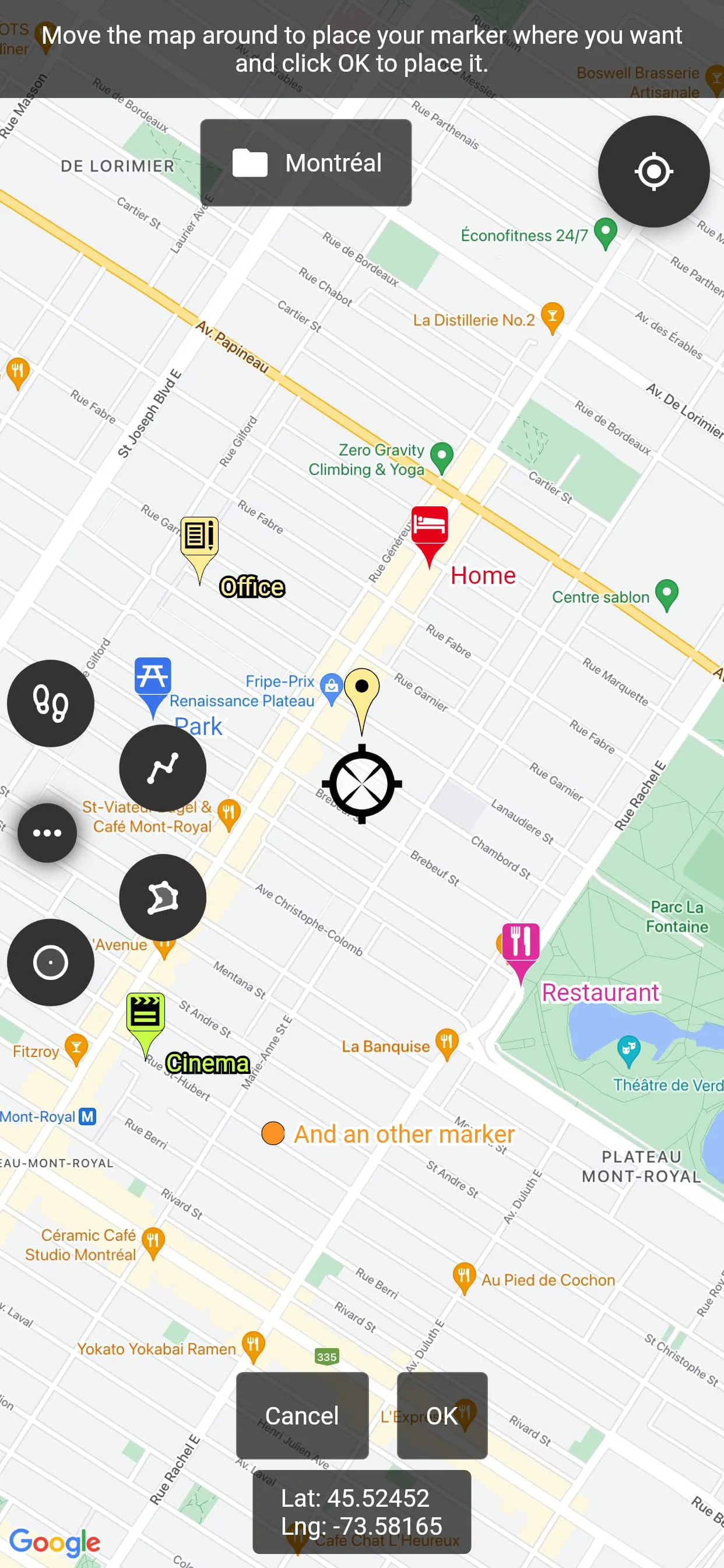
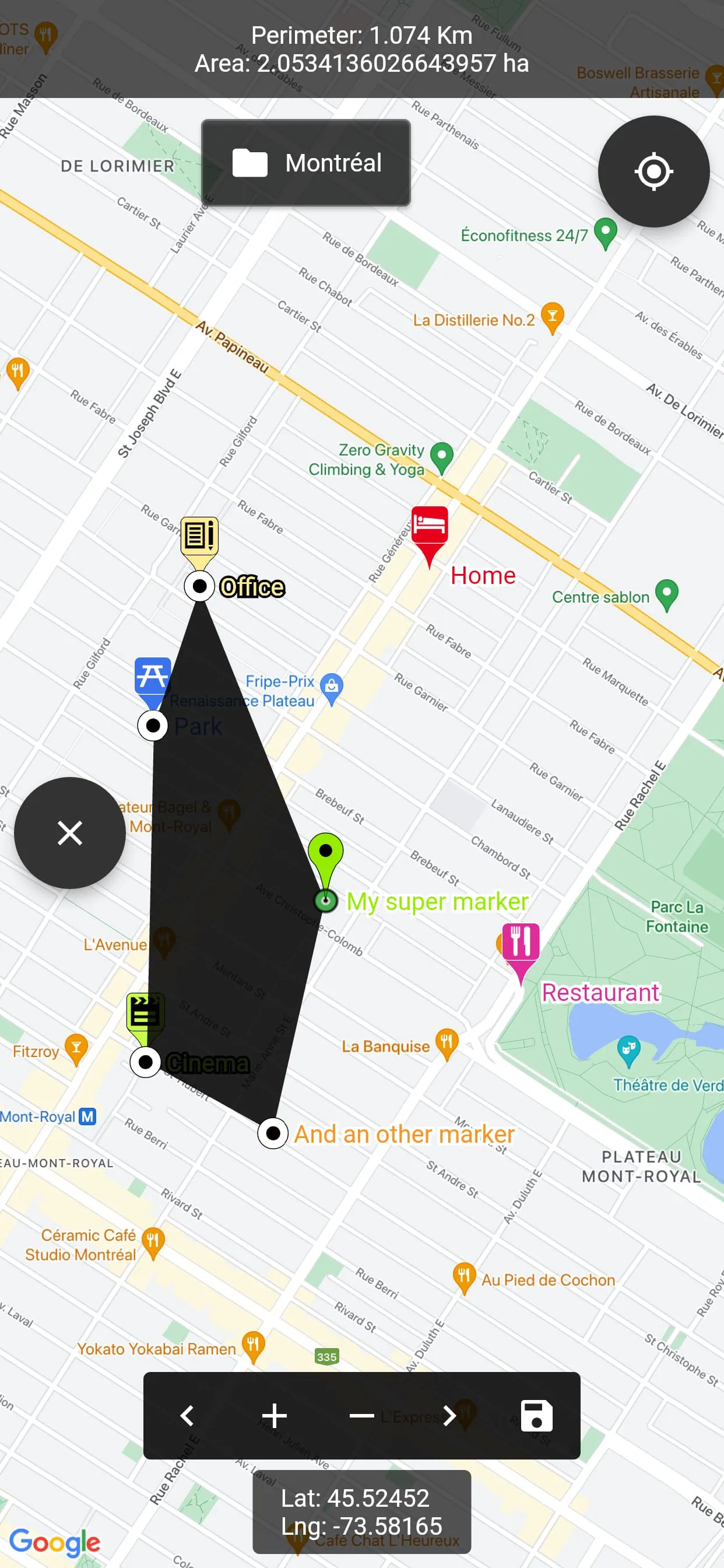
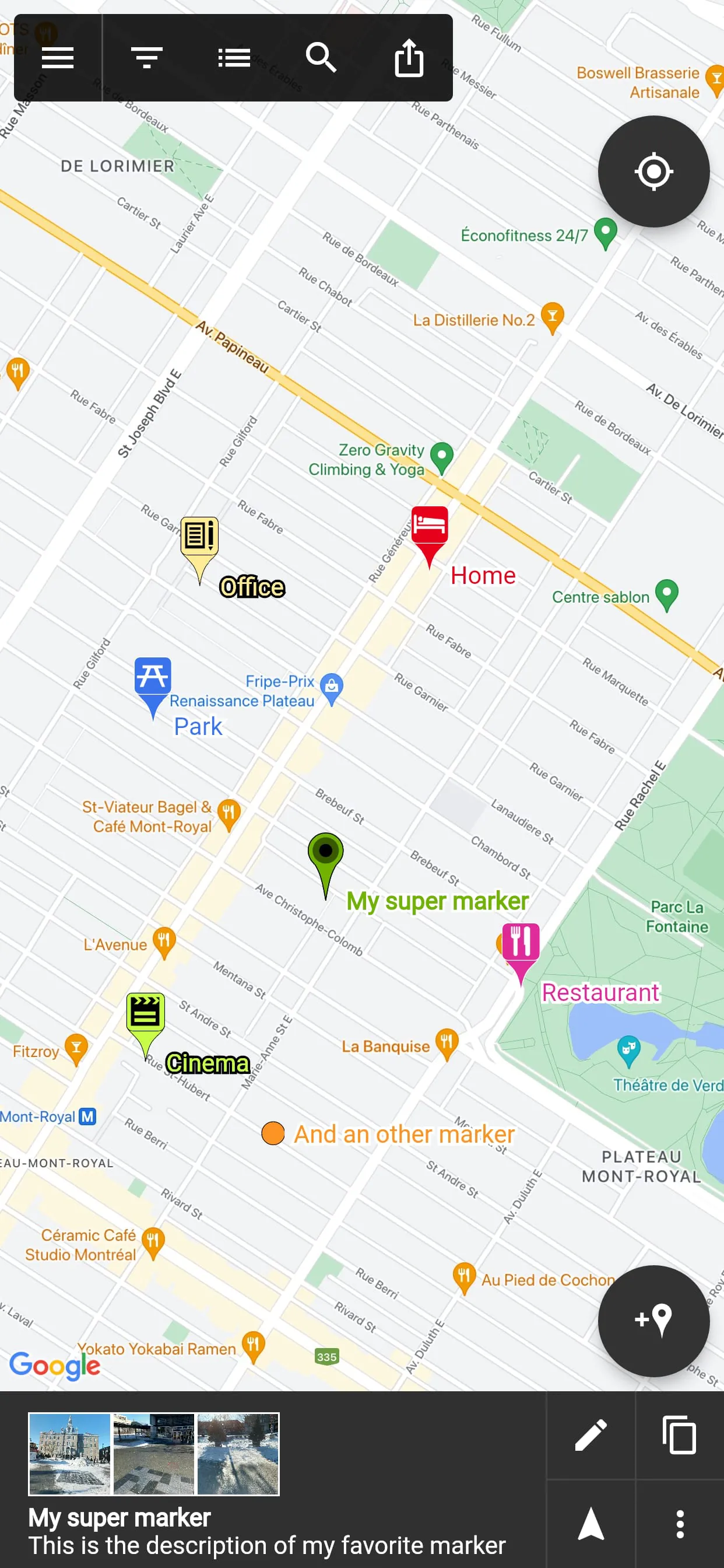
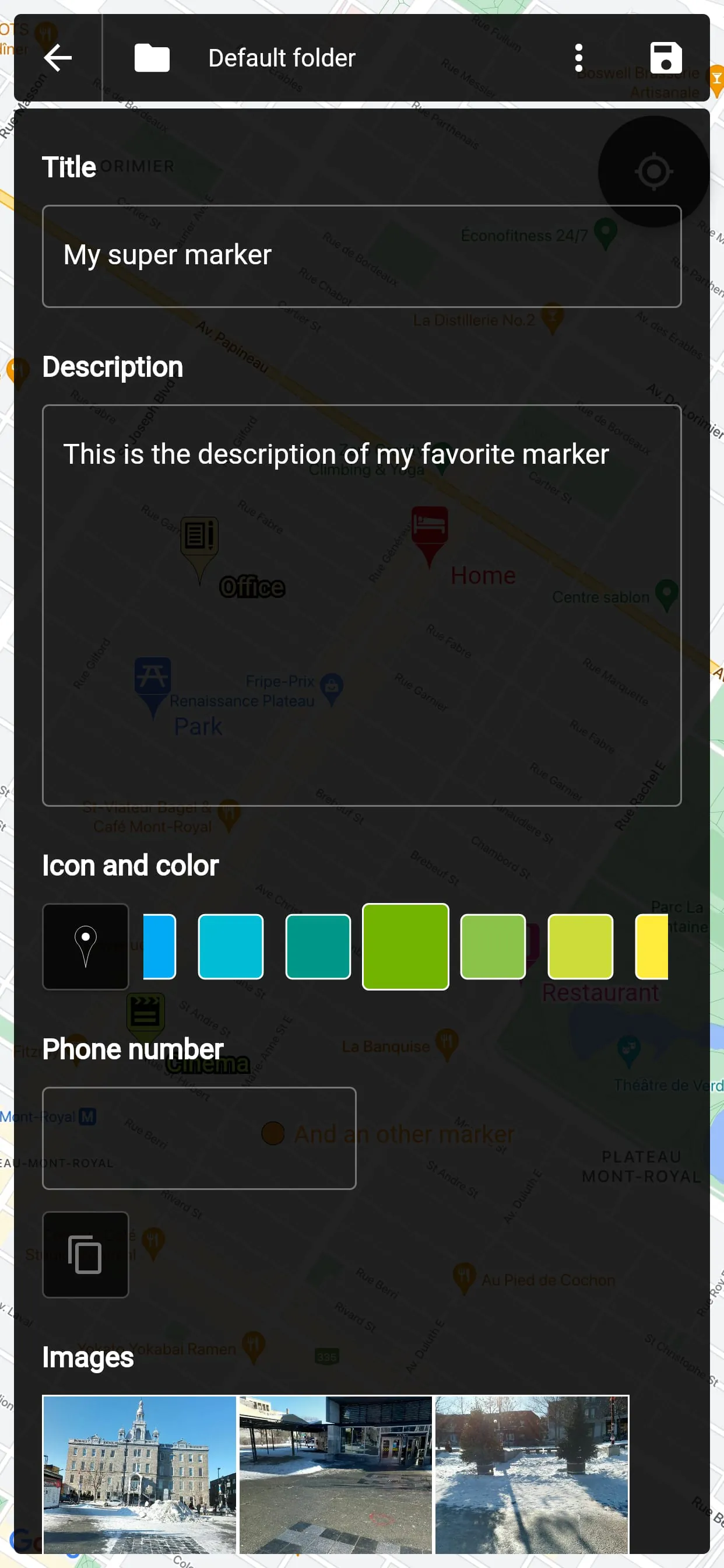
This application leverages Google Maps and other data sources to provide users with a robust mapping experience, even in the absence of an active internet connection. The core functionality revolves around the ability to place and manage markers on a map, enhancing location-based awareness and organization. Users encountering any issues with the application are encouraged to contact the developer via email for assistance, emphasizing a commitment to user support and problem resolution. The feature set is extensive, starting with the crucial capability to utilize offline map files, which can be acquired independently and integrated into the application for seamless map viewing without an internet connection. This offline functionality is particularly valuable for users in areas with limited or unreliable connectivity, such as remote locations or during international travel. Each marker placed on the map can be customized with a variety of attributes, including a title, description, date, color, icon, and associated pictures, allowing for detailed annotation and personalization. The markers can be freely moved around the map, providing flexibility in placement and organization. Furthermore, users can organize their markers into different folders, facilitating efficient management and categorization based on project, location, or any other relevant criteria. The application also includes a text-searchable marker list, enabling users to quickly browse and locate specific markers within their collection. This search functionality enhances usability and reduces the time required to find and access relevant location data. The application supports searching for places from various sources and creating new markers directly from the search results, streamlining the process of adding new locations to the map. Users can also open a marker's location in any other map application already installed on their device, offering interoperability and flexibility in choosing their preferred mapping platform. For navigation, the application features an integrated compass that allows users to navigate to a marker's location, providing real-time directional guidance. The GPS coordinates of a marker can be easily displayed and copied to the clipboard with a single click, facilitating sharing and integration with other applications or systems. If available, the application can also display a marker's address, providing additional contextual information. The application includes specialized marker types for specific tasks, such as path-markers for measuring distances, polygon-surface-markers for measuring perimeter and area, and circle-surface-markers for measuring perimeter and area of circular regions. These features enhance the application's utility for surveying, planning, and other spatial analysis tasks. The application can also create GPS tracks recorded from the device's location, allowing users to document their movements and create detailed travel logs. The ability to share a captured image of the current map allows users to easily share their location or annotations with others. Markers can be shared as KML files, a widely supported format for geospatial data, ensuring compatibility with other mapping applications and platforms. The application also supports importing markers from QR codes, simplifying the process of transferring marker data from printed materials or digital displays. The application allows importing and exporting markers from/to KML or KMZ files, facilitating data exchange with other mapping software such as Google Earth. The application can import Google Maps favorite locations (those marked with a star), allowing users to seamlessly integrate their existing saved locations into the application. The exported KML files are compatible with most other map software, ensuring that the data can be easily used in other applications. The application allows custom fields for markers to be created of different types: Checkbox, Date, Email, Text, Multi-choice, Phone, Web link. For convenience, users can create templates for custom fields per folder, and the child markers will inherit their parent folder's custom fields.
The application provides premium features that extend its functionality and offer enhanced capabilities for users who require more advanced tools. These premium features are available through a one-time purchase, providing a lifetime upgrade on the user's Google account and allowing access to the premium features on an unlimited number of Android devices. This represents a cost-effective solution for users who plan to use the application extensively or across multiple devices. The first premium feature is the ability to save markers on the cloud with WebDAV, Google Drive, or Dropbox. This cloud synchronization ensures that the user's marker data is backed up and accessible from any device with an internet connection. This is particularly useful for users who work on multiple devices or who want to protect their data from loss or damage. Furthermore, the cloud synchronization feature enables collaboration with friends by sharing the map cloud folder with them. Anyone with access to the map folder can modify it, and changes will be synced to everyone using the folder. This collaborative capability makes the application a powerful tool for teamwork, allowing multiple users to contribute to the same map and share location-based information in real-time. The application also allows users to restore previous versions of their cloud map folder, providing a safety net in case of accidental data loss or unwanted changes. This version control feature ensures that users can always revert to a previous state of their map if necessary. The premium version of the application is ad-free, providing a cleaner and more focused user experience. This eliminates distractions and allows users to concentrate on their mapping tasks without interruption. The application requires several permissions to function properly, including access to the device's location to locate the user on the map, access to external storage to export, save, and import files, read Google services configuration to use Google Maps, call phone for being able to one-click-call a phone number entered in a marker details, and internet access for Google Maps to display the map. These permissions are necessary for the application to provide its full range of features and services. The application also uses in-app purchases for users to purchase the premium upgrade, allowing them to access the advanced features described above. This provides a convenient and secure way for users to unlock the full potential of the application.
The application's design emphasizes user-friendliness and accessibility, making it suitable for a wide range of users with varying levels of technical expertise. The intuitive interface and clear instructions guide users through the process of placing, managing, and organizing markers, ensuring a smooth and efficient workflow. The application's versatility makes it valuable for a variety of applications, including travel planning, field research, surveying, and location-based collaboration. The ability to use offline maps is particularly beneficial for users who travel to areas with limited internet connectivity or who need to conserve data usage. The customization options for markers allow users to tailor the application to their specific needs and preferences, creating a personalized mapping experience. The cloud synchronization and collaboration features make the application a powerful tool for teams working on location-based projects, enabling them to share information and coordinate their efforts in real-time. The inclusion of specialized marker types for measuring distances, perimeters, and areas enhances the application's utility for professionals in fields such as surveying, construction, and environmental management. The application's support for KML files ensures compatibility with a wide range of other mapping software and platforms, facilitating data exchange and integration with existing workflows. The ability to import Google Maps favorite locations allows users to seamlessly transition from Google Maps to the application, preserving their existing saved locations. The custom fields for markers are of different types: Checkbox, Date, Email, Text, Multi-choice, Phone, Web link. Custom fields can be created per folder: the child markers will inherit their parent folder's custom fields. The application's commitment to user support, as evidenced by the developer's willingness to provide assistance via email, demonstrates a focus on customer satisfaction and continuous improvement. Overall, the application is a comprehensive and versatile mapping tool that offers a wide range of features for managing and organizing location-based information. Its offline capabilities, customization options, cloud synchronization, and collaborative features make it a valuable asset for individuals and teams alike.