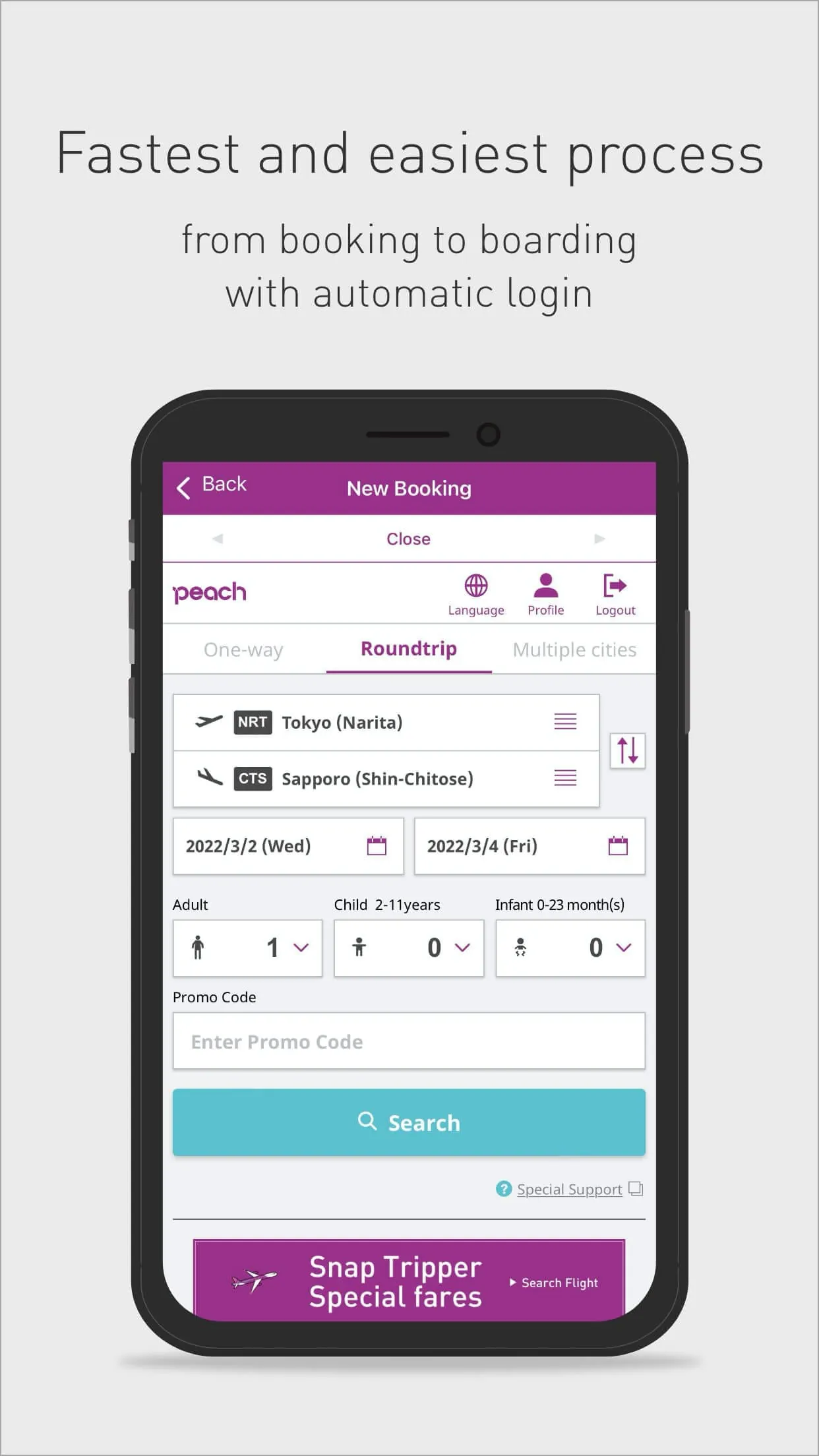
The Peach app streamlines the entire travel process, from booking to boarding, aiming to provide users with the fastest and most convenient experience possible. By offering automatic login, the app eliminates the repetitive task of entering credentials each time, saving users valuable time and effort when making reservations. This feature ensures that users remain logged in after their initial login, enabling them to bypass the cumbersome process of repeatedly inputting their Peach account details. The app also automatically syncs all booking-related information, further simplifying subsequent procedures. This automatic synchronization ensures that users do not have to manually re-enter their information for each step of their journey, making the entire experience more efficient and user-friendly. The app's design focuses on minimizing the amount of time and effort required from the user, creating a seamless and hassle-free experience. The emphasis on convenience is evident throughout the app's features, with each function designed to simplify and expedite the travel process. By automating login and information syncing, the Peach app allows travelers to concentrate on enjoying their trip rather than dealing with tedious administrative tasks. Furthermore, the app introduces a new auto check-in feature that further enhances convenience. By setting preferences in advance, users can automatically check in on the day of their flight via the app. This feature removes the need to manually check in, saving time and reducing stress, especially during busy travel periods. The auto check-in function is designed to be intuitive and user-friendly, requiring minimal setup and providing maximum benefit. The Peach app's commitment to streamlining the travel experience is evident in its user-centric design, which prioritizes simplicity and efficiency. By offering automatic login, seamless information syncing, and auto check-in, the app transforms the way users book and manage their flights, making travel easier and more enjoyable. The app's focus on automation and convenience reflects Peach's dedication to providing its customers with the best possible travel experience, ensuring that every journey is as smooth and stress-free as possible. The Peach app is more than just a booking tool; it is a comprehensive travel companion that simplifies every step of the journey, from initial reservation to final boarding. Its user-friendly interface and innovative features make it an essential tool for anyone flying with Peach, offering a seamless and efficient way to manage all aspects of their travel plans.
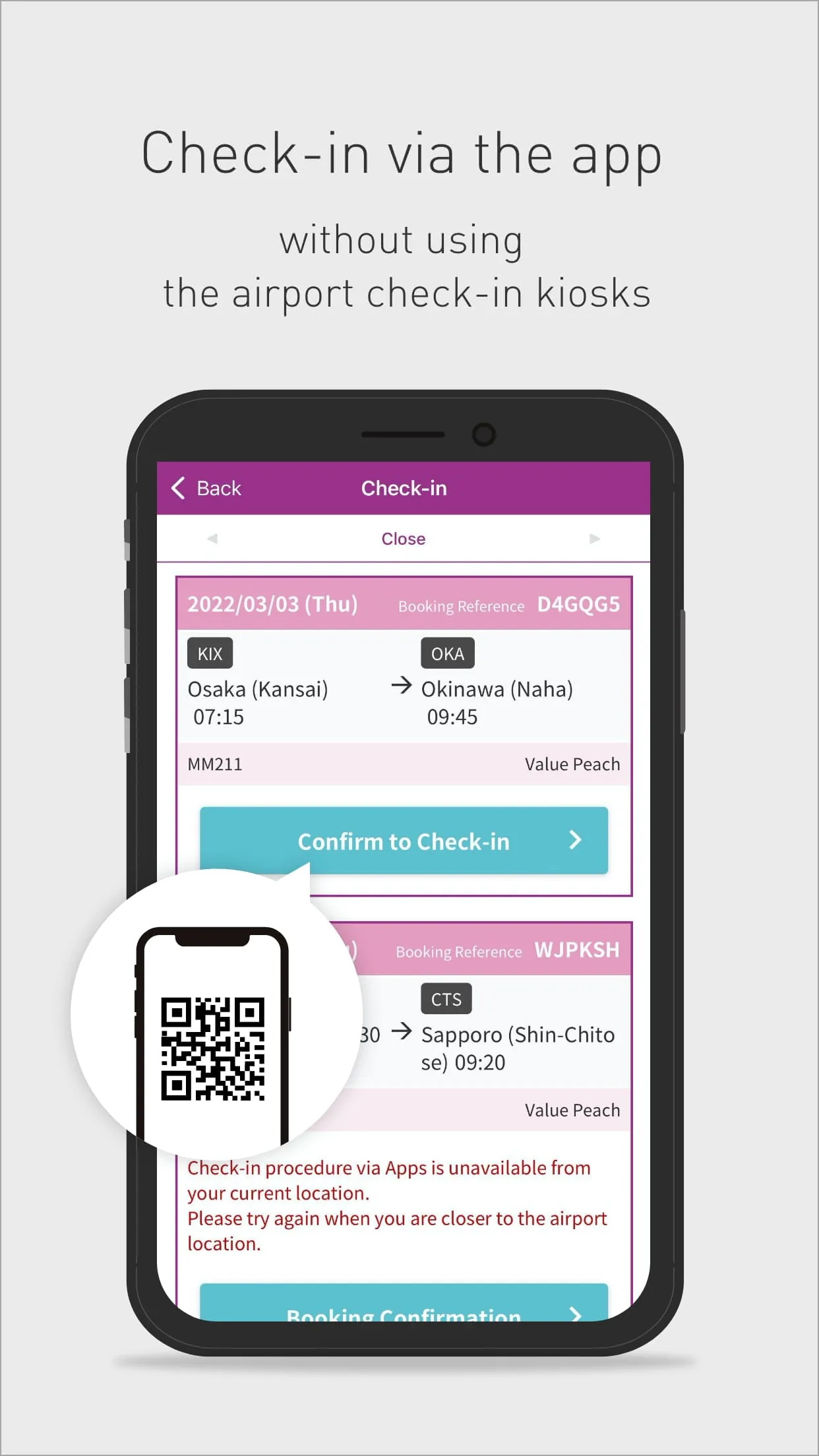
The Peach app offers the convenience of checking in from anywhere, eliminating the need to wait in long queues at the airport. This feature allows passengers to complete their check-in process at their convenience, whether they are at home, in a hotel, or on their way to the airport. This flexibility provides a significant advantage, especially during peak travel times when airport lines can be lengthy and time-consuming. By offering remote check-in, the Peach app empowers travelers to manage their time more effectively and reduce stress associated with airport procedures. The app ensures that all domestic flights support the check-in feature, allowing passengers to avoid lines and proceed directly to security or their departure gate. This seamless check-in process is designed to enhance the overall travel experience, making it more enjoyable and less stressful. The elimination of physical queues not only saves time but also reduces the potential for delays and missed flights. Passengers can check in at their own pace, ensuring they have ample time to complete all necessary procedures before boarding. The Peach app's check-in feature is intuitive and easy to use, guiding passengers through each step of the process with clear instructions and prompts. This user-friendly design ensures that even first-time users can quickly and easily complete their check-in without any difficulties. The app also provides real-time updates and notifications, keeping passengers informed of any changes or important information related to their flight. This proactive communication ensures that travelers are always aware of the latest developments, allowing them to adjust their plans accordingly. Furthermore, the Peach app's remote check-in feature promotes a more efficient and streamlined airport experience. By reducing the number of passengers waiting in lines, the app helps to alleviate congestion and improve the overall flow of traffic through the airport. This benefits not only Peach passengers but also other travelers and airport staff, creating a more pleasant and efficient environment for everyone. The Peach app's commitment to providing a seamless and convenient travel experience is evident in its innovative check-in feature, which transforms the way passengers manage their pre-flight procedures.
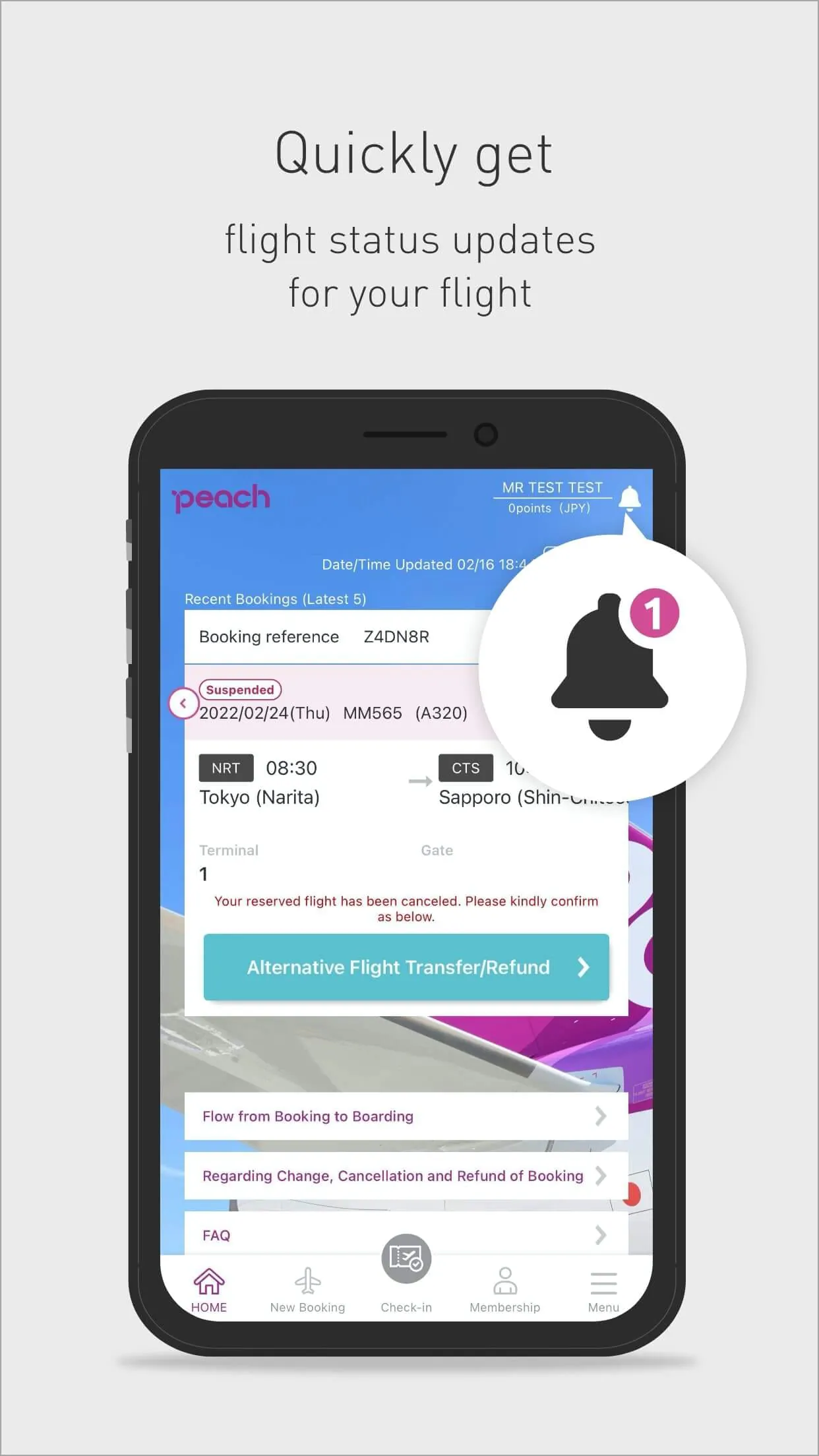
The Peach app provides real-time flight information directly to users' smartphones, keeping them updated on the status of their flight and any potential changes. This feature allows passengers to monitor their flight's progress and receive timely notifications about delays, gate changes, or other important updates. The app's ability to deliver real-time information ensures that travelers are always informed and prepared, minimizing the potential for surprises or disruptions. The home screen of the app displays essential details about the user's booked flight, including departure time, arrival time, gate number, and any other relevant information. This centralized display of information makes it easy for passengers to quickly access the details they need without having to search through multiple screens or emails. The app also provides push notifications, alerting users to any changes in their flight schedule or other important updates. These notifications are delivered directly to the user's smartphone, ensuring that they are always aware of the latest information. The push notification feature is particularly useful for travelers who are on the go, as it allows them to stay informed even when they are not actively using the app. By providing real-time flight information and push notifications, the Peach app empowers passengers to take control of their travel experience and make informed decisions. The app's commitment to transparency and communication ensures that travelers are always aware of the latest developments, reducing stress and enhancing their overall journey. The Peach app's real-time flight information feature is designed to provide peace of mind to travelers, knowing that they have access to the most up-to-date information about their flight. This feature is particularly valuable for those who are traveling on tight schedules or who are concerned about potential delays or disruptions. The app's ability to deliver timely and accurate information ensures that travelers are always prepared and can make informed decisions about their travel plans. In addition to providing real-time flight information, the Peach app also offers other useful features such as baggage tracking, airport maps, and customer support. These additional features further enhance the app's value as a comprehensive travel companion, providing users with everything they need to manage their journey from start to finish.