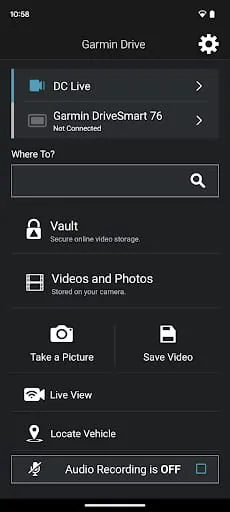
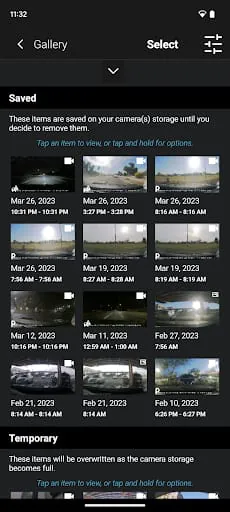
Garmin Drive is a smart companion app designed to enhance your driving experience by seamlessly connecting your smartphone with compatible Garmin navigation devices. It provides real-time updates, personalized route suggestions, and essential driving alerts to help you stay safe and informed on the road. With its intuitive interface, Garmin Drive ensures that drivers can focus more on the journey and less on managing their GPS.
Key Features
- Real-Time Traffic Updates – Avoid congestion with live traffic alerts and alternate route suggestions.
- Driver Alerts – Receive notifications for sharp curves, speed changes, railroad crossings, and more.
- Live Parking Information – Find nearby parking spots with availability and pricing details.
- TripAdvisor Integration – Discover highly rated restaurants, attractions, and hotels along your route.
- Weather Updates – Stay ahead of storms and changing conditions with up-to-date forecasts.
Pros & Cons
- Pros:
- Easy integration with Garmin GPS devices.
- Reliable offline navigation support when paired with a device.
- Helpful safety alerts improve driver awareness.
- Frequent map and software updates.
- Cons:
- Requires a compatible Garmin device for full functionality.
- Limited features when used without a connected GPS unit.
- Some features may require an active smartphone data connection.
Functions
- Syncs with Garmin devices via Bluetooth or USB.
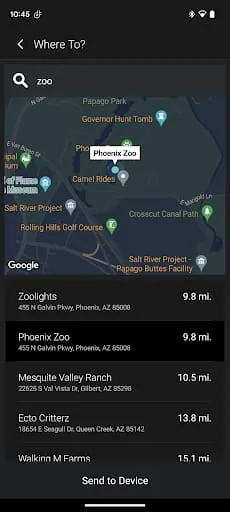
- Allows route planning and saving favorite destinations.
- Sends real-time weather, traffic, and parking data to your Garmin navigator.
- Provides voice-guided directions when used alongside compatible hardware.
- Offers points of interest (POI) search powered by TripAdvisor and Foursquare.
How to Use
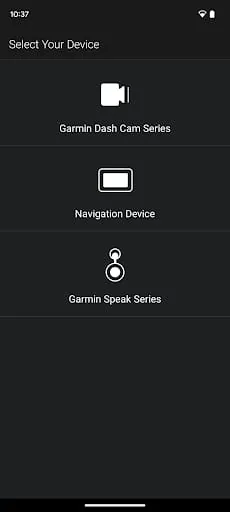
Click the button "Check All Versions" below to download and install it. After installation, open the app and pair it with your Garmin device through Bluetooth or a USB connection. Grant the necessary permissions for location and notifications to enable real-time updates. You can then plan routes directly from your phone, send them to your Garmin navigator, and receive alerts during your drive. Regularly check for updates within the app to ensure you have the latest maps and features.




 APK
APK  Google Play
  iOS
iOS  4.00
4.00