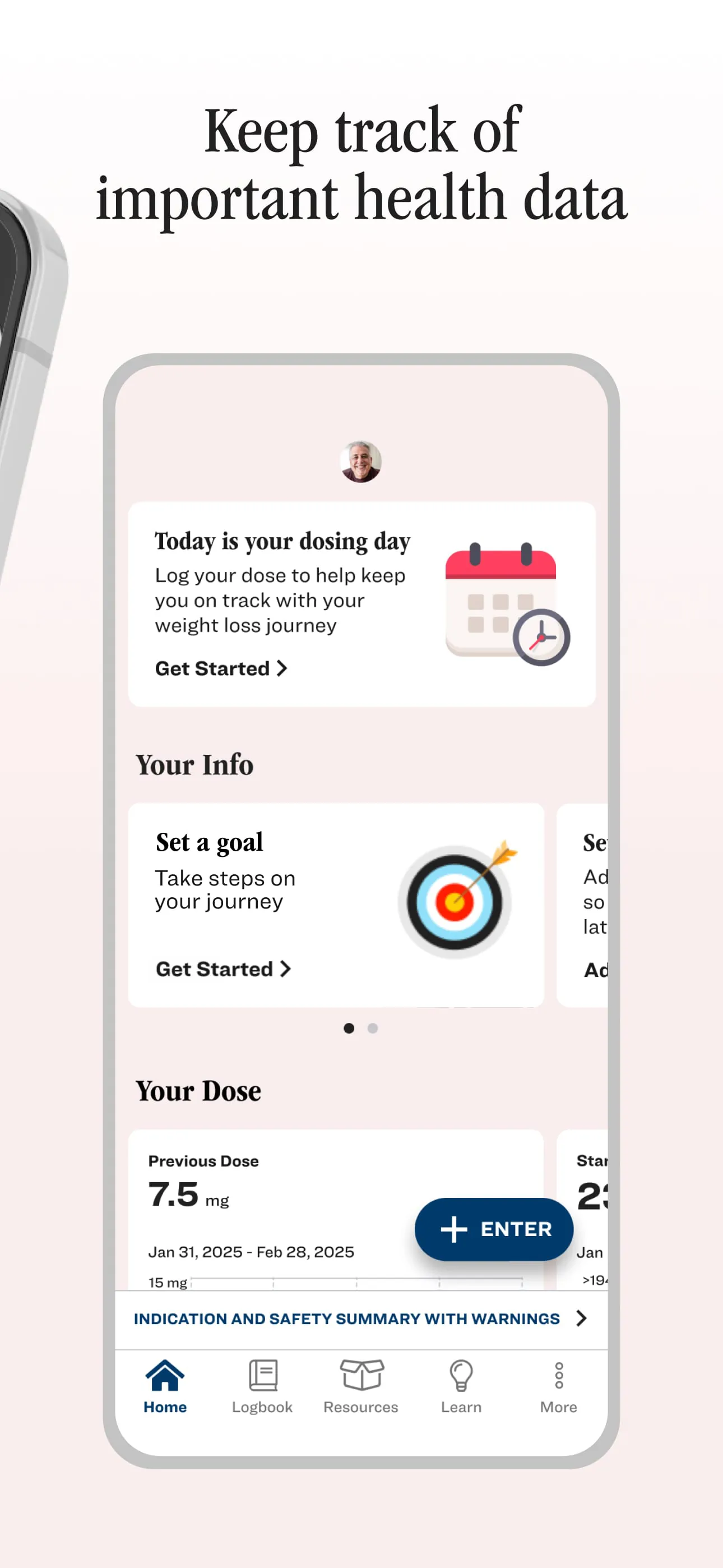
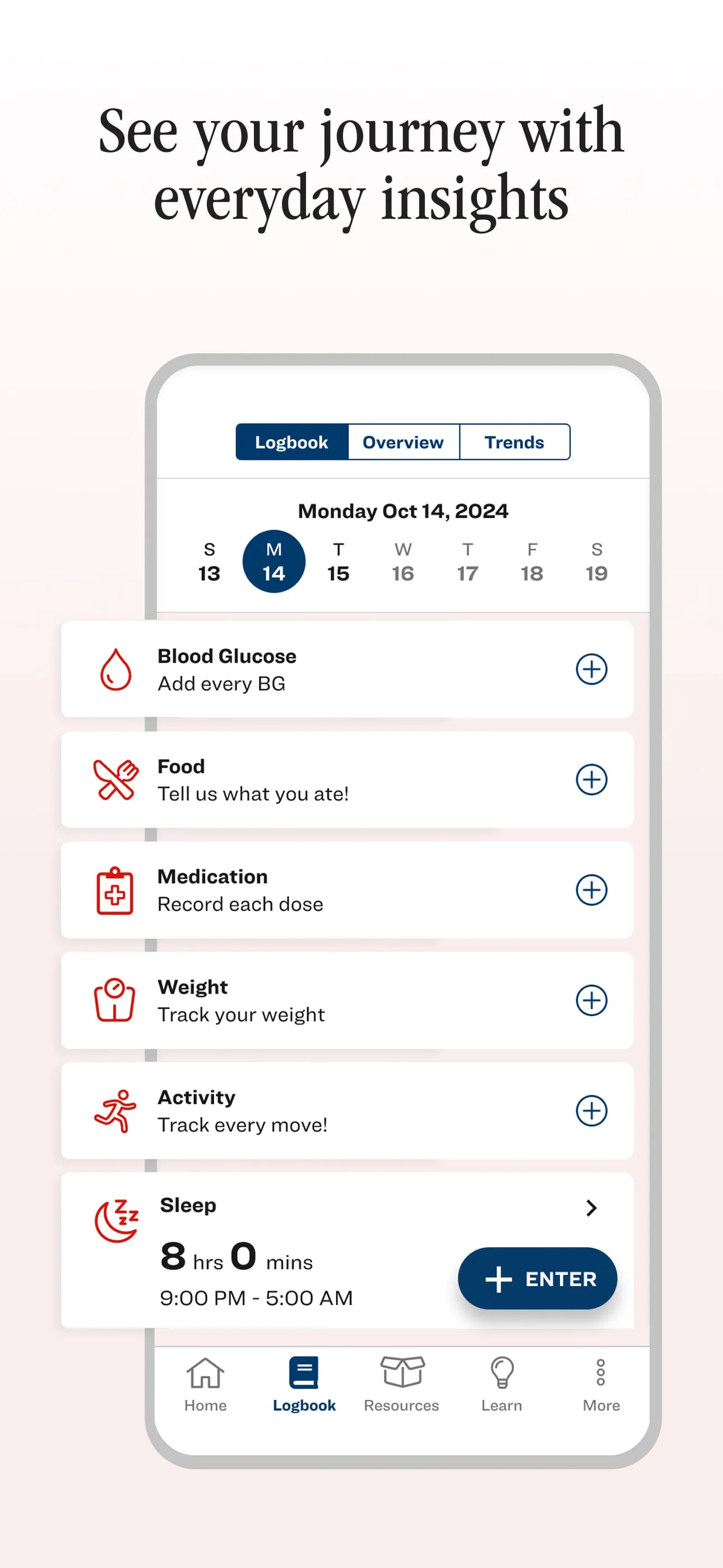
Lilly Health™ is a comprehensive support system designed to aid individuals undergoing treatment with Zepbound® (tirzepatide) or Mounjaro® (tirzepatide). This platform offers personalized information, education, and insights to ensure patients feel fully supported throughout their treatment journey, all at no cost. The core functionality of Lilly Health™ revolves around empowering patients with the tools and resources necessary to actively participate in their healthcare management. The Lilly Health™ mobile app serves as the central hub for accessing these resources, offering a range of features customized to the user's specific treatment and condition. These features include a logbook for tracking medications, activity levels, and other relevant health data; personalized support through tailored information and timely notifications; customizable alerts to help maintain adherence to medication schedules; visual representations of trends and progress to facilitate informed discussions with healthcare providers; medicine support, including access to savings information and dose tracking; connectivity with smart devices and apps for seamless data integration; and a content library filled with helpful articles, healthy recipes, and guided movement videos. By consolidating these functionalities into a single, user-friendly app, Lilly Health™ aims to simplify the treatment process and promote better health outcomes. The logbook feature allows users to meticulously record their medication intake, physical activities, dietary habits, and any other relevant health metrics. This comprehensive tracking enables both patients and their healthcare providers to identify patterns, monitor progress, and make necessary adjustments to the treatment plan. The personalized support system delivers targeted information and education based on the individual's specific condition and treatment regimen, ensuring they receive the most relevant and up-to-date guidance. Timely notifications serve as reminders for medication doses, appointments, and other important tasks, helping patients stay on track and maintain momentum throughout their treatment journey. The app's ability to visualize trends and progress through charts and custom time ranges empowers patients to actively participate in their care by providing them with a clear understanding of their health status. This information can then be shared with their healthcare providers to facilitate more informed and productive discussions. Medicine support features, such as access to savings information and dose tracking, help patients manage the practical aspects of their treatment, while the ability to connect with smart devices and apps allows for seamless data integration, further streamlining the tracking process. Finally, the content library provides patients with a wealth of resources to support their overall health and well-being, including articles, recipes, and exercise videos. Lilly Health™ is exclusively available to U.S. residents aged 18 and older and is not intended to replace the care and advice of a licensed healthcare provider. It is essential for patients to consult with their healthcare provider for all medical analysis and treatment plans. For any questions or additional support, users can contact Lilly's dedicated support line.
The features of the Lilly Health™ mobile app are designed to provide a holistic approach to patient support, encompassing medication management, lifestyle adjustments, and access to relevant information. The logbook feature stands out as a particularly valuable tool, enabling patients to maintain a detailed record of their daily activities, medication adherence, and overall well-being. This comprehensive tracking system allows for a more nuanced understanding of individual responses to treatment, facilitating personalized adjustments and interventions. By diligently recording their medication intake, patients can ensure they are consistently adhering to their prescribed regimen, minimizing the risk of missed doses or errors. The ability to track physical activity levels provides insights into the impact of exercise on their overall health and well-being, encouraging them to adopt a more active lifestyle. Similarly, monitoring dietary habits allows patients to identify potential areas for improvement and make informed choices about their nutrition. The personalized support system delivers tailored information and education based on the patient's specific condition and treatment plan, addressing their unique needs and concerns. This personalized approach ensures that patients receive the most relevant and up-to-date guidance, empowering them to make informed decisions about their health. Timely notifications serve as a crucial reminder system, helping patients stay on track with their medication schedules, appointments, and other essential tasks. These notifications can be customized to suit individual preferences and routines, further enhancing their effectiveness. The app's ability to visualize trends and progress through charts and custom time ranges provides patients with a clear and concise overview of their health status. This visual representation of data allows them to easily identify patterns, track improvements, and gain a better understanding of their overall well-being. The ability to share this information with their healthcare providers facilitates more informed and productive discussions, leading to better treatment outcomes. Medicine support features, such as access to savings information and dose tracking, help patients navigate the financial and logistical aspects of their treatment. By providing access to savings programs and resources, Lilly Health™ aims to alleviate the financial burden of medication costs, making treatment more accessible and affordable. The dose tracking feature allows patients to monitor their medication dosage and adherence, ensuring they are taking the correct amount at the prescribed intervals. The ability to connect with smart devices and apps seamlessly integrates data from various sources, providing a more comprehensive view of the patient's health. This integration allows for the automatic tracking of activity levels, sleep patterns, and other relevant metrics, eliminating the need for manual data entry. The content library offers a wealth of resources to support patients' overall health and well-being, including articles, recipes, and exercise videos. These resources provide valuable information and guidance on various topics, such as healthy eating, exercise, stress management, and mental health. The availability of healthy recipes and guided movement videos encourages patients to adopt a healthier lifestyle and make positive changes to their daily routines.
In essence, Lilly Health™ functions as a digital companion, offering continuous support and guidance to individuals managing their health with Zepbound® or Mounjaro®. The platform's design prioritizes user experience, ensuring that patients can easily navigate the app and access the features they need. The emphasis on personalized support, timely reminders, and data visualization empowers patients to take an active role in their treatment, fostering a sense of ownership and responsibility for their health outcomes. The inclusion of a comprehensive content library further enhances the platform's value, providing patients with access to a wealth of information and resources to support their overall well-being. The app's ability to connect with smart devices and apps streamlines the data collection process, allowing for a more accurate and comprehensive understanding of the patient's health status. This integration eliminates the need for manual data entry, freeing up patients to focus on other aspects of their treatment. The customizable alerts feature ensures that patients never miss a dose of their medication, helping them stay on track with their treatment plan. These alerts can be tailored to individual preferences and routines, further enhancing their effectiveness. The visual representation of trends and progress provides patients with a clear and concise overview of their health status, empowering them to make informed decisions about their care. The ability to share this information with their healthcare providers facilitates more productive and collaborative discussions, leading to better treatment outcomes. The medicine support features, such as access to savings information and dose tracking, help patients navigate the financial and logistical aspects of their treatment, reducing stress and improving adherence. By providing access to savings programs and resources, Lilly Health™ aims to make treatment more accessible and affordable for all patients. The dose tracking feature allows patients to monitor their medication dosage and adherence, ensuring they are taking the correct amount at the prescribed intervals. The logbook feature serves as a centralized repository for all relevant health data, enabling patients to track their medication intake, physical activity levels, dietary habits, and other important metrics. This comprehensive tracking system allows for a more nuanced understanding of individual responses to treatment, facilitating personalized adjustments and interventions. The personalized support system delivers tailored information and education based on the patient's specific condition and treatment plan, addressing their unique needs and concerns. This personalized approach ensures that patients receive the most relevant and up-to-date guidance, empowering them to make informed decisions about their health. Ultimately, Lilly Health™ represents a significant step forward in patient support, leveraging technology to empower individuals to take control of their health and well-being. By providing access to personalized information, timely reminders, and comprehensive tracking tools, the platform aims to improve treatment adherence, promote healthier lifestyle choices, and enhance overall patient outcomes.