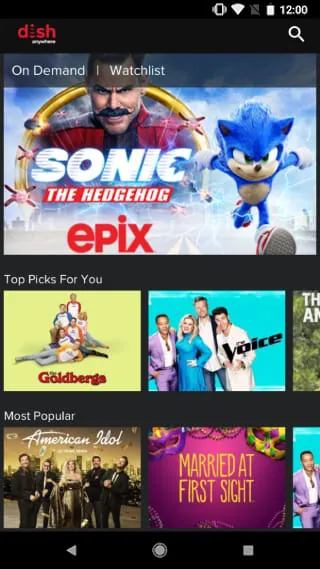
DISH Anywhere is an official application developed by DISH Network, designed to transform your smartphone, tablet, or computer into a portable satellite television receiver. It allows existing DISH subscribers to stream live TV, on-demand content, and recorded shows from their Hopper or DVR device to their mobile screens over an internet connection, effectively enabling viewers to enjoy their home TV subscription anywhere with Wi-Fi or cellular data access.
Key Features
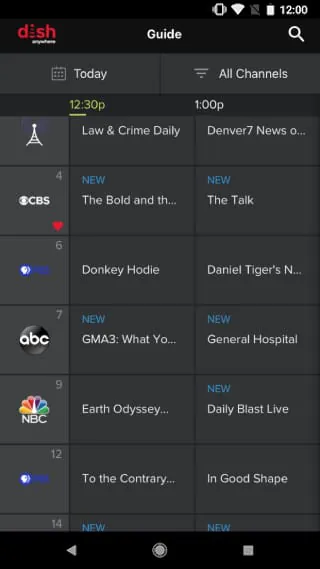
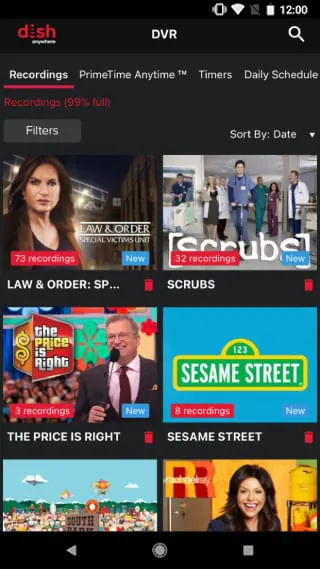
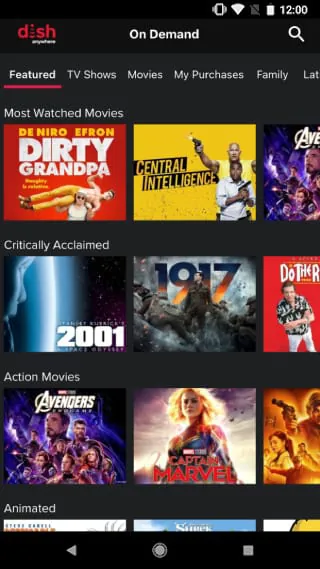
The app provides a comprehensive and feature-rich experience that mirrors the home viewing setup. Subscribers can access their full channel lineup live, manage their DVR recordings remotely, and explore a vast on-demand library. A standout feature is the ability to download select shows and movies to a mobile device for offline viewing, which is perfect for travel. The user interface is intuitive, offering integrated program guides and personalized recommendations to help discover new content easily.
Pros & Cons
When evaluating DISH Anywhere, users will find several advantages and some limitations to consider.
- Pros: The app offers incredible flexibility for watching subscribed content on the go, and the remote DVR management is highly convenient. The download feature for offline playback is a significant benefit. For existing customers, it provides excellent value as a free extension of their service.
- Cons: Full functionality is exclusively available to DISH satellite subscribers with a compatible Hopper DVR, so it's not a standalone service. Streaming quality can be dependent on the strength of the available internet connection. Some channel restrictions may apply for live streaming due to specific network agreements.
Functions
DISH Anywhere serves as a versatile multimedia hub, consolidating several key functions into one application.
- Live TV Streaming: Watch your subscribed channels in real-time on a mobile device.
- Remote DVR Control: Schedule, manage, and play back recordings from your home Hopper DVR from anywhere.
- On-Demand Library: Browse and watch thousands of movies and TV show episodes.
- Offline Downloads: Save selected content directly to your device for viewing without an internet connection.
- Integrated Program Guide: Use the familiar TV guide to see what's on and plan your viewing.
How to Use
Click the button "Check All Versions" below to download and install it. Once the app is installed on your device, you simply need to open it and log in using your existing DISH Network account credentials. For the best experience, ensure your home Hopper DVR is connected to the internet and powered on. You can then browse the live guide, tap on a channel to start streaming, or navigate to the "My DVR" section to access your recordings. To download content, look for the download icon next to available on-demand shows or DVR recordings.





 APK
APK  Google Play
  iOS
iOS  4.80
4.80