




WHOOP
by WHOOP
Your personalized fitness and health coach
A closer look
Overview
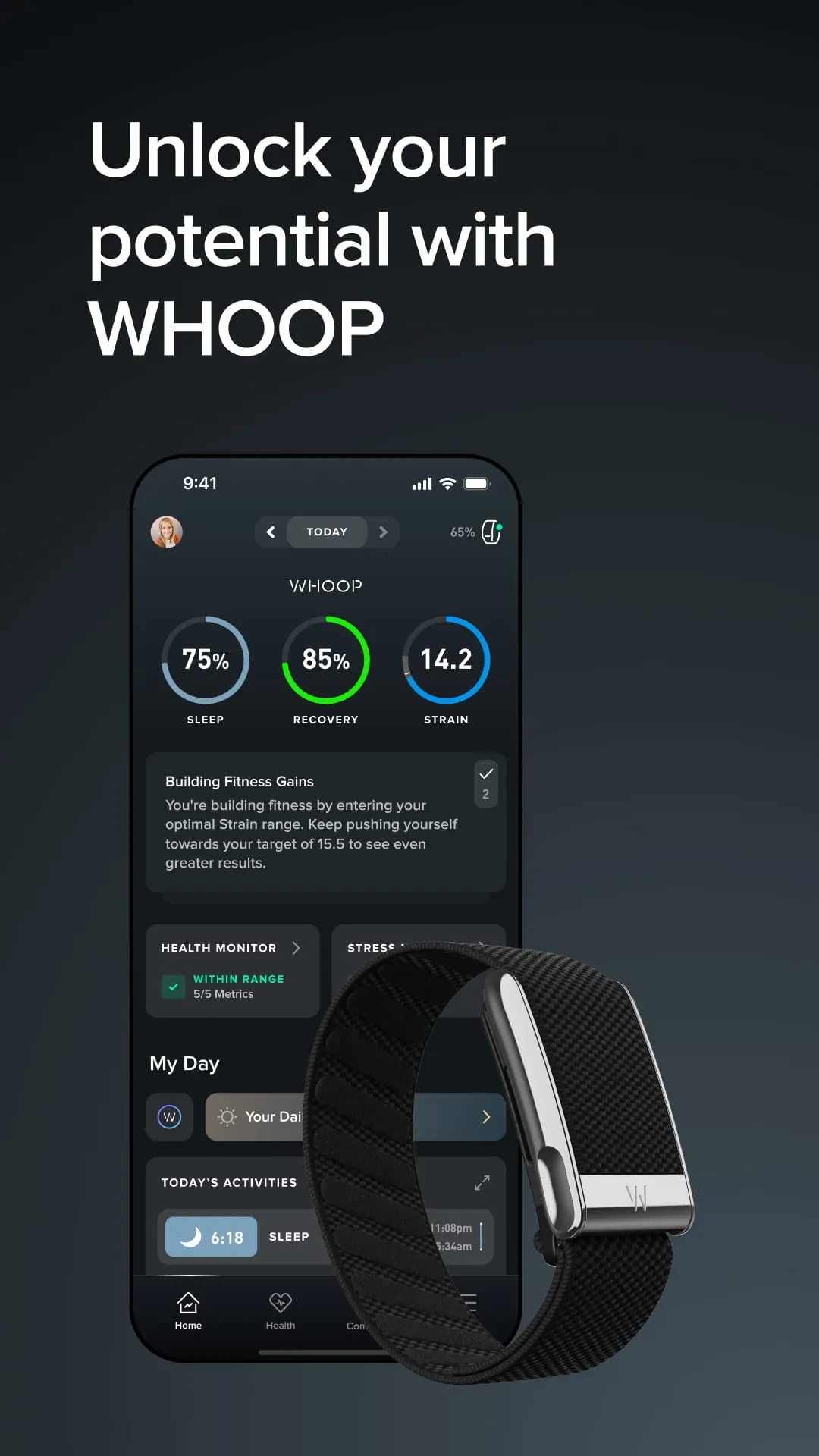
WHOOP is a comprehensive health and fitness membership platform centered around a sophisticated wearable strap that continuously monitors your physiological data, including heart rate variability, sleep stages, and recovery metrics, to provide personalized insights and daily recommendations aimed at optimizing your performance, recovery, and overall well-being through its dedicated smartphone application.
Key Features
The core of WHOOP lies in its powerful analytics and actionable feedback. It goes beyond simple step counting to calculate a daily Strain score based on cardiovascular load and a Recovery score that assesses your body's readiness to perform. Its sleep coach analyzes your sleep cycles and provides a precise sleep need target. Perhaps its most distinctive feature is the Journal, where you can log behaviors to see their personalized impact on your metrics over time.
Pros & Cons
- Pros: The depth of physiological data and recovery insights is unparalleled for athletes. The subscription includes the hardware, so you get free strap upgrades. It has a minimal, lightweight design that’s comfortable for 24/7 wear and sleep tracking. The behavioral journal offers incredibly valuable, personalized correlation data.
- Cons: The ongoing monthly membership fee can be expensive for some users. The strap lacks a screen, so all data must be viewed in the app. It does not track activities like weight lifting as effectively as cardio. The focus on metrics can feel overly analytical for casual fitness enthusiasts.
Functions
- Continuous Monitoring: Tracks heart rate, heart rate variability (HRV), resting heart rate, respiratory rate, and skin temperature around the clock.
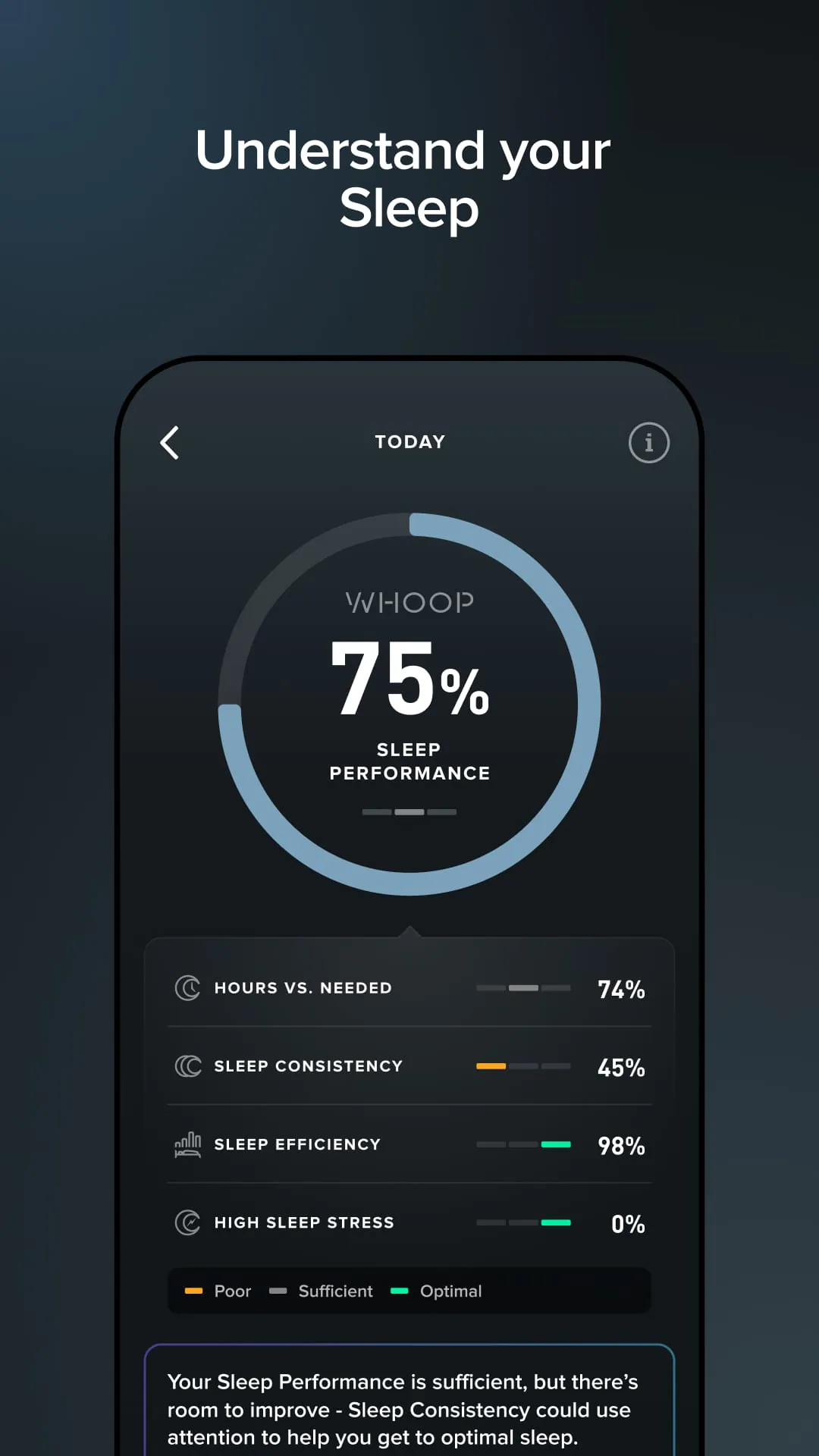
- Sleep Analysis: Automatically detects sleep stages (light, deep, REM) and disturbances, providing a detailed sleep performance score and coaching.
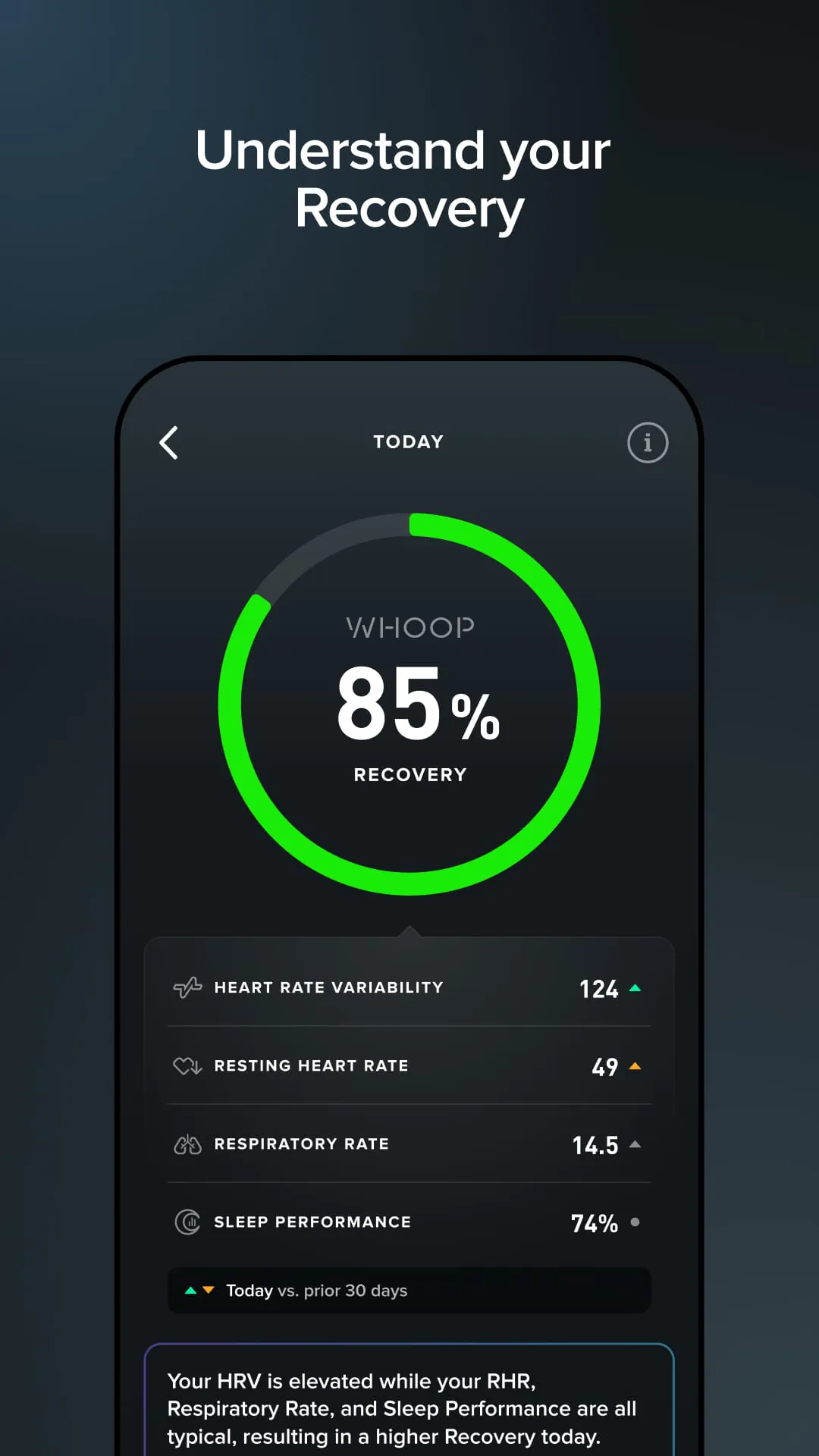
- Recovery Measurement: Each morning, it generates a Recovery score (from 0% to 100%) indicating your body’s readiness for strain.
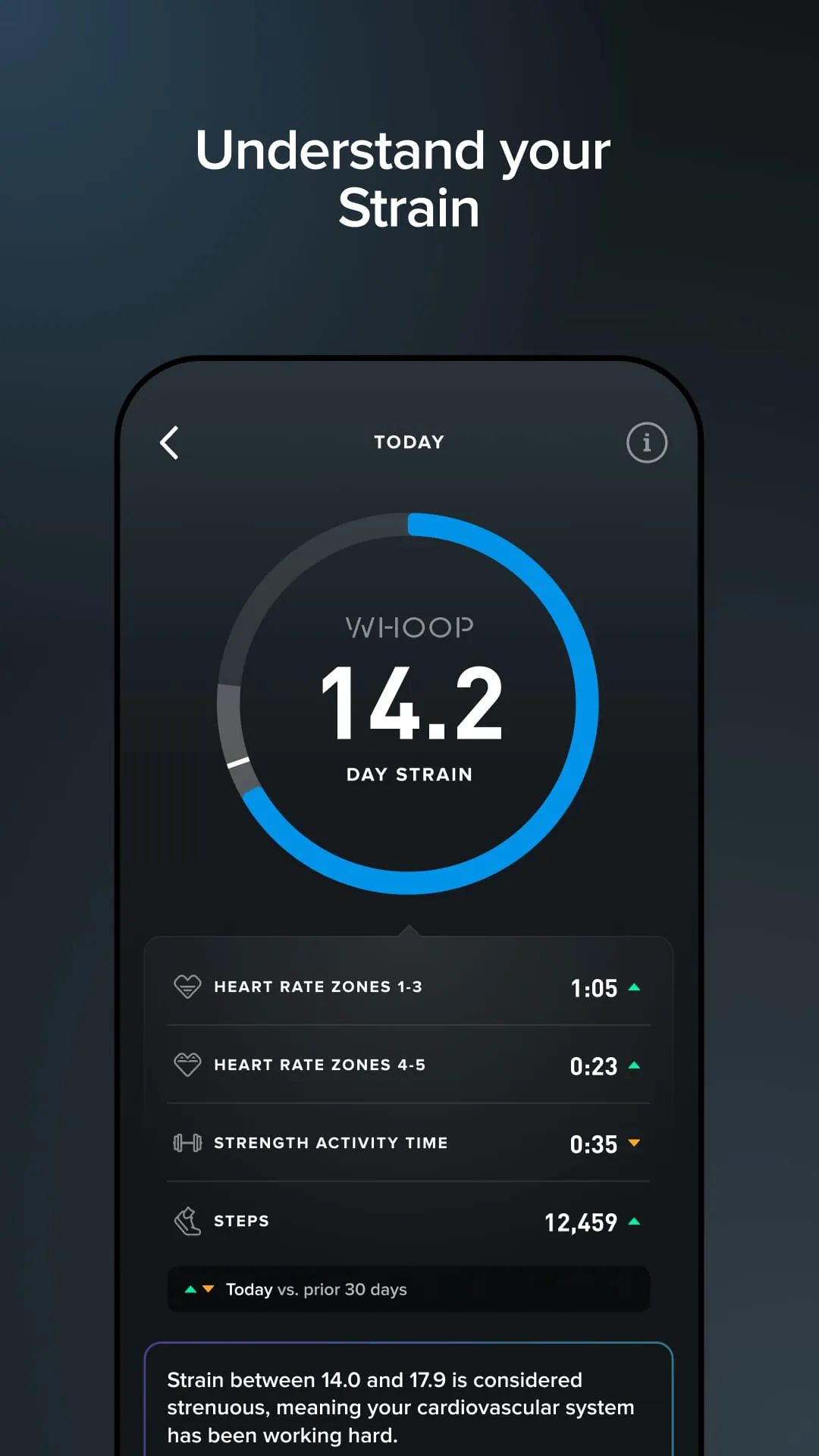
- Strain Tracking: Calculates a daily Strain score based on cardiovascular exertion, personalized to your current fitness level and recovery.
- Behavioral Journal: Allows you to log dozens of habits (e.g., caffeine, medication, late meals) to see their statistical impact on your health metrics.
How to Use
Click the button "Check All Versions" below to download and install it. Once the WHOOP app is installed on your smartphone, you will need to create an account and subscribe to the membership. You will then pair your WHOOP strap with the app via Bluetooth. Wear the strap consistently, preferably on your wrist or bicep, for optimal data collection. Each morning, review your Recovery score and Sleep Performance in the app, and use the recommendations to guide your day’s activities. Log your behaviors in the Journal section and engage in your workouts; the app will automatically track strain and provide weekly and monthly performance assessments.
App Download
Get WHOOP from an official store or available APK channel.
Previous Versions
ZIP files require a Split APKs Installer (e.g., SAI) from Google Play to install. Steps: 1. Download SAI from Google Play; 2. Open SAI and tap "Install APKs"; 3. Select the ZIP file; 4. Complete installation.
Frequently Asked Questions
What is the latest version of WHOOP?
The latest version currently listed by Appspicked is unavailable, with information updated on May 16, 2026. Versions may vary by device, region, or rollout schedule, so users should also check Google Play or announcements from WHOOP.
Is WHOOP safe to download and use?
No website can guarantee that an app is completely risk-free. Appspicked recommends downloading WHOOP only from an official app store or a verified channel operated by WHOOP. Before installing, confirm the developer name, package ID com.whoop.android, requested permissions, privacy policy, and download source.
Why can’t I find WHOOP in the App Store?
WHOOP may be unavailable because of regional restrictions, device incompatibility, account or age settings, a temporary removal, a name change, or because it has not been released for that platform. An Android package page does not necessarily mean that an iOS App Store version exists. Check WHOOP’s official website for current availability.
Where can I download or update WHOOP?
Use Google Play or another official download channel provided by WHOOP whenever possible. Appspicked provides app information and store links, but users should verify the destination domain and publisher before downloading or updating the app.
Why is the version shown on Appspicked different from the app-store version?
The information on Appspicked may represent the most recently indexed snapshot. App stores sometimes release updates gradually or display different versions according to region, device, operating system, or testing group. The official store listing should be treated as the final reference.
Which devices and operating systems support WHOOP?
WHOOP is listed for Android, with a reported minimum requirement of Not specified. Actual compatibility may also depend on the device model, region, available storage, hardware features, and installed system components.
Is WHOOP free?
The initial download may be free, but subscriptions, advertising, paid features, or in-app purchases may still apply. Prices and available purchases can vary by country and version. Check the payment information displayed by Google Play before completing a transaction.
What should I do if WHOOP cannot be installed or updated?
Check the network connection, storage space, operating-system version, account region, and device compatibility. Restart the device and try again through the official store. If the problem continues, consult the support resources provided by WHOOP.









