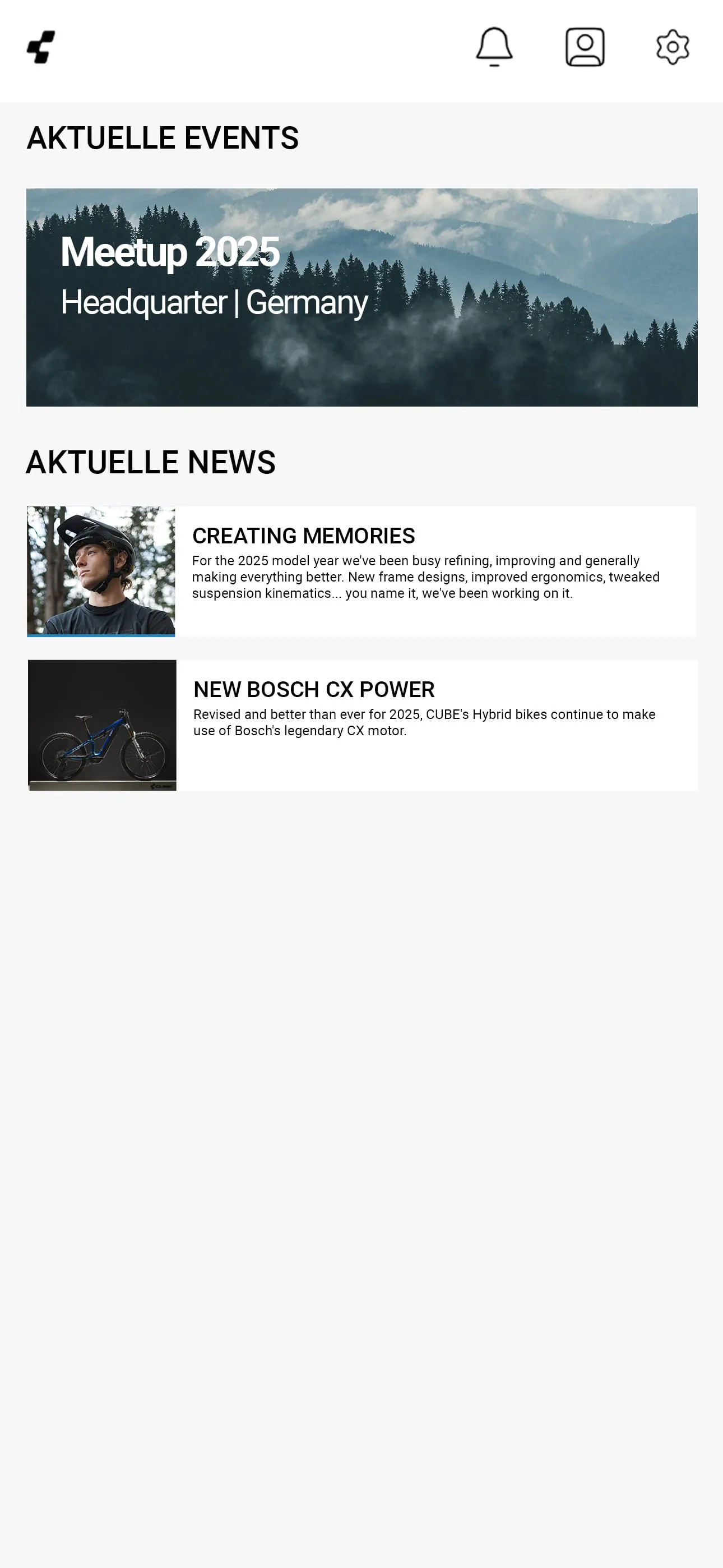
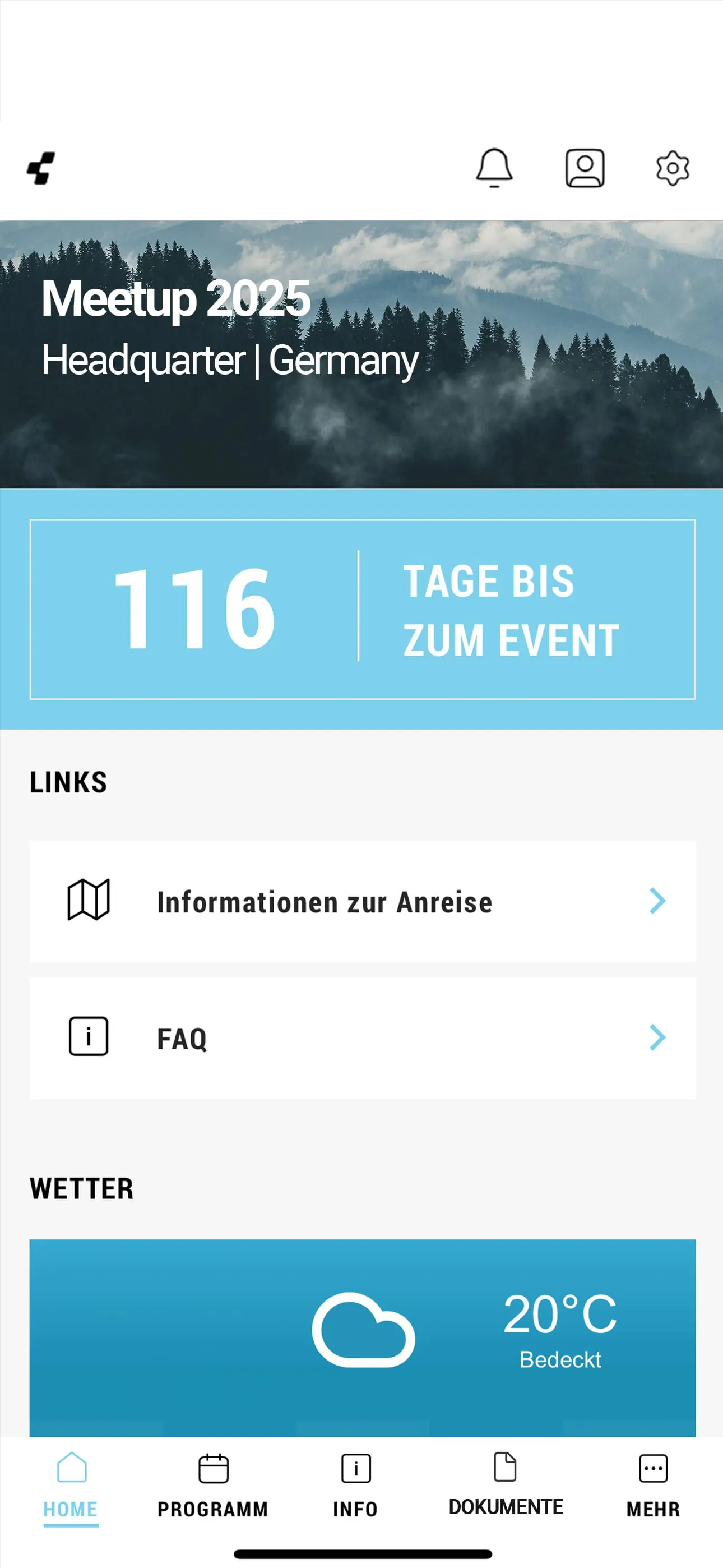
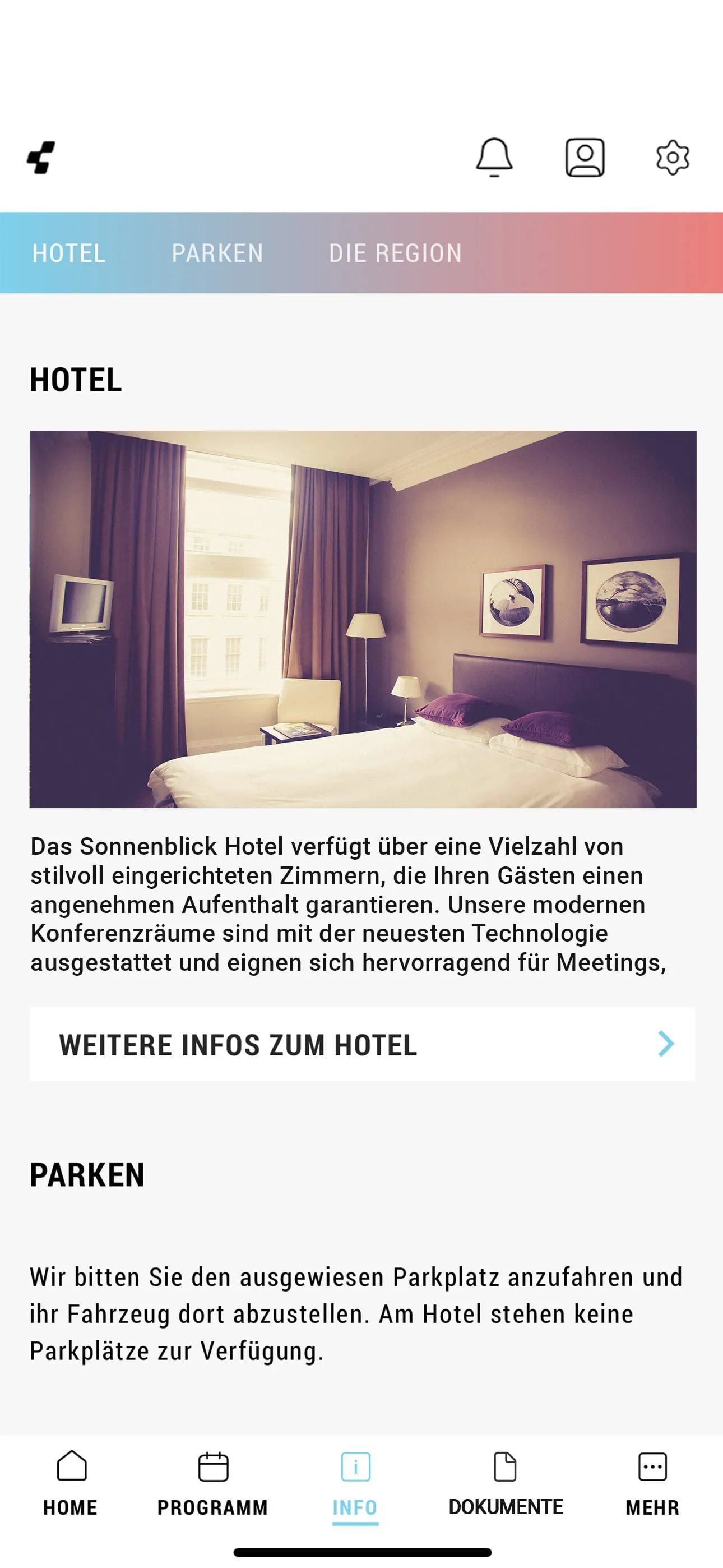
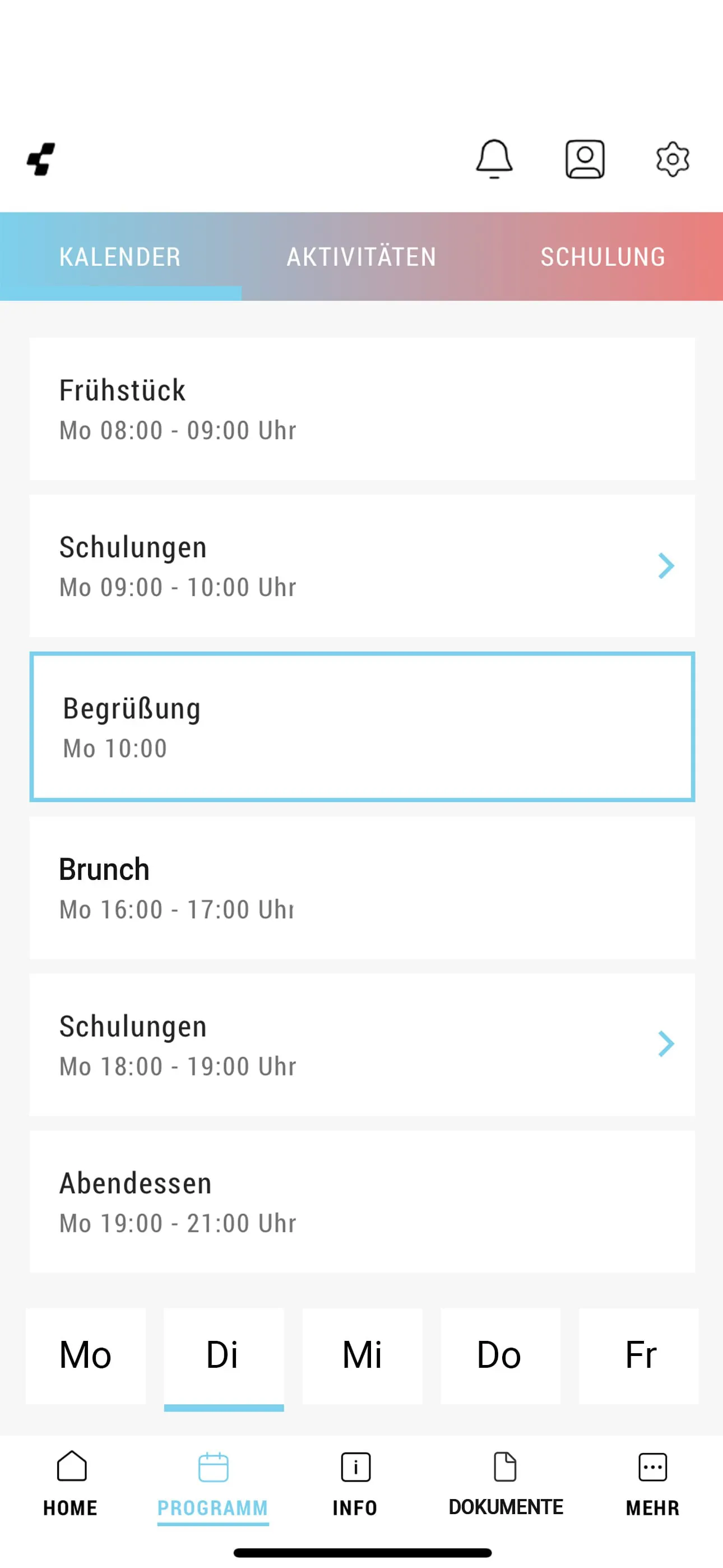
The event app is designed to keep users well-informed about various events, providing all relevant information at a glance and enhancing the overall event experience. It offers a range of features aimed at optimizing event attendance and engagement. The core functionality revolves around delivering comprehensive event details, including dates, times, and program schedules. This ensures that attendees have a clear understanding of when and where events are taking place, as well as the activities and sessions that are planned. The app's ability to consolidate all essential event information in one place eliminates the need for attendees to search through multiple sources, streamlining the process of staying informed. Furthermore, the app includes a personalized calendar feature, enabling users to keep track of all program items and efficiently plan their day. This is particularly useful for events with multiple sessions or activities occurring simultaneously, as it allows attendees to prioritize and schedule the events that are most relevant to their interests. The calendar integration ensures that attendees do not miss out on key sessions and can make the most of their time at the event. In addition to event schedules, the app provides detailed venue information, including maps and directions, to facilitate easy navigation. This is especially beneficial for events held at large or unfamiliar venues, as it helps attendees to quickly locate specific areas or booths. The venue information feature reduces the likelihood of attendees getting lost or disoriented, contributing to a more stress-free and enjoyable event experience. Moreover, the app offers a product overview, allowing users to learn about the products being showcased at the event and plan their product tests. This feature is particularly valuable for trade shows or product launch events, where attendees may be interested in exploring new products or services. The product overview enables attendees to identify the products that are of most interest to them and schedule demonstrations or trials accordingly. The event app also includes a news section, providing users with the latest updates on developments and offers from CUBE. This ensures that attendees are kept informed of any changes to the event schedule, new product announcements, or special promotions. The news section helps to maintain attendee engagement throughout the event and keeps them up-to-date on all the important happenings. The event app is designed to enhance the event experience by providing all the necessary information in a convenient and accessible format. It streamlines the process of planning and attending events, ensuring that attendees can make the most of their time and stay informed of all the latest developments. The app's features are tailored to meet the needs of both event organizers and attendees, creating a more engaging and efficient event environment. The availability of information such as event schedules, venue maps, product overviews, and news updates contributes to a seamless and enjoyable event experience for all participants. The event app is an essential tool for anyone attending or organizing events, as it provides a comprehensive platform for communication, planning, and engagement. It serves as a valuable resource for staying informed, connecting with other attendees, and maximizing the overall event experience. The app's user-friendly interface and intuitive navigation make it easy to use, regardless of technical expertise. Its seamless integration with event schedules and other relevant information ensures that attendees have all the necessary resources at their fingertips. The event app is a testament to the power of technology in enhancing event experiences and fostering greater engagement among participants. By providing a centralized platform for event information, communication, and planning, it empowers attendees to make the most of their time and stay connected throughout the event. The app is an invaluable asset for any event organizer looking to create a more engaging, informative, and efficient event environment.
The event app's focus on providing comprehensive event information is a key differentiator, setting it apart from other event-related applications. The level of detail provided, including dates, times, program schedules, and venue information, ensures that attendees have all the necessary resources to plan and navigate the event effectively. This comprehensive approach reduces the likelihood of confusion or missed opportunities, allowing attendees to focus on engaging with the event content and networking with other participants. The integration of a personalized calendar feature further enhances the app's usability, enabling attendees to customize their event experience and prioritize the sessions that are most relevant to their interests. The calendar integration ensures that attendees do not miss out on key sessions and can make the most of their time at the event. The app's ability to provide real-time updates and notifications is another valuable feature, ensuring that attendees are kept informed of any changes to the event schedule or new product announcements. This helps to maintain attendee engagement and ensures that they are always up-to-date on the latest happenings. The inclusion of a product overview section is particularly beneficial for trade shows or product launch events, where attendees may be interested in exploring new products or services. The product overview enables attendees to identify the products that are of most interest to them and schedule demonstrations or trials accordingly. This feature can significantly enhance the attendee experience, providing them with valuable insights into the latest industry trends and innovations. The event app's user-friendly interface and intuitive navigation make it easy to use, regardless of technical expertise. Its seamless integration with event schedules and other relevant information ensures that attendees have all the necessary resources at their fingertips. The app is designed to be accessible and user-friendly, ensuring that all attendees can easily navigate its features and find the information they need. The event app is a valuable tool for both event organizers and attendees, providing a comprehensive platform for communication, planning, and engagement. It streamlines the process of planning and attending events, ensuring that attendees can make the most of their time and stay informed of all the latest developments. The app's features are tailored to meet the needs of both event organizers and attendees, creating a more engaging and efficient event environment. The availability of information such as event schedules, venue maps, product overviews, and news updates contributes to a seamless and enjoyable event experience for all participants. The event app is an essential tool for anyone attending or organizing events, as it provides a comprehensive platform for communication, planning, and engagement. It serves as a valuable resource for staying informed, connecting with other attendees, and maximizing the overall event experience. The app's user-friendly interface and intuitive navigation make it easy to use, regardless of technical expertise. Its seamless integration with event schedules and other relevant information ensures that attendees have all the necessary resources at their fingertips. The event app is a testament to the power of technology in enhancing event experiences and fostering greater engagement among participants. By providing a centralized platform for event information, communication, and planning, it empowers attendees to make the most of their time and stay connected throughout the event.
The event app is not just a tool for providing information; it is a platform for enhancing the overall event experience. By providing attendees with all the necessary information at their fingertips, the app empowers them to make the most of their time and stay connected throughout the event. The app's features are designed to promote engagement, facilitate communication, and streamline the planning process. The integration of social media features, such as the ability to share event highlights and connect with other attendees, further enhances the app's value. This fosters a sense of community and encourages attendees to interact with each other, both during and after the event. The app's ability to collect feedback and analyze data provides event organizers with valuable insights into attendee behavior and preferences. This information can be used to improve future events and tailor them to meet the specific needs of attendees. The app's analytics capabilities also enable event organizers to track key metrics, such as attendee engagement, session attendance, and product interest. The event app is a dynamic and evolving platform that is constantly being updated with new features and improvements. This ensures that the app remains relevant and continues to meet the changing needs of event organizers and attendees. The app's development team is committed to providing a seamless and user-friendly experience, and they are constantly seeking feedback from users to improve the app's functionality and usability. The event app is a valuable asset for any event organizer looking to create a more engaging, informative, and efficient event environment. It is a testament to the power of technology in enhancing event experiences and fostering greater engagement among participants. By providing a centralized platform for event information, communication, and planning, it empowers attendees to make the most of their time and stay connected throughout the event. The app is an invaluable asset for any event organizer looking to create a more engaging, informative, and efficient event environment. The availability of information such as event schedules, venue maps, product overviews, and news updates contributes to a seamless and enjoyable event experience for all participants. The event app is an essential tool for anyone attending or organizing events, as it provides a comprehensive platform for communication, planning, and engagement. It serves as a valuable resource for staying informed, connecting with other attendees, and maximizing the overall event experience. The app's user-friendly interface and intuitive navigation make it easy to use, regardless of technical expertise. Its seamless integration with event schedules and other relevant information ensures that attendees have all the necessary resources at their fingertips. The event app is a testament to the power of technology in enhancing event experiences and fostering greater engagement among participants. By providing a centralized platform for event information, communication, and planning, it empowers attendees to make the most of their time and stay connected throughout the event.