My BMW is the official companion application for BMW vehicle owners, designed to seamlessly connect you with your car through your smartphone. It serves as a digital key and a comprehensive command center, allowing you to remotely monitor your vehicle's status, control various functions, and access a wide range of premium services, all aimed at enhancing the convenience and enjoyment of your BMW ownership experience.
Key Features
The app is packed with intelligent features that bring your BMW to your fingertips. It provides real-time information and remote control, transforming how you interact with your vehicle on a daily basis.
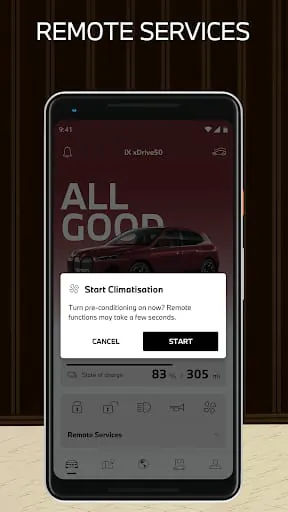
- Remote Services: Lock/unlock doors, activate the climate control, and flash the lights or honk the horn.
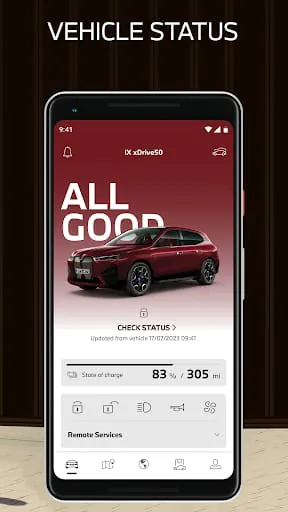
- Vehicle Status Monitor: Check fuel level, battery charge (for electrified models), door/window status, and current mileage.
- Digital Key: Use your compatible smartphone as a key to lock, unlock, and start your vehicle.
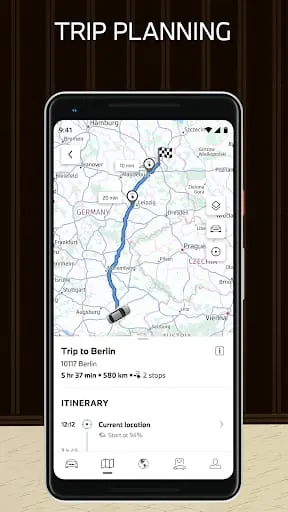
- Journey Management: View trip details, send destinations directly to your car's navigation system, and find your parked car's location.
- Service Support: Receive service notifications, schedule appointments, and access your digital service history.
Pros & Cons
While the app delivers significant value, user experiences can vary based on vehicle equipment and local market support.
- Pros: Offers remarkable convenience through remote commands and the Digital Key. The real-time vehicle status checks provide peace of mind. Integration with BMW services creates a unified ownership ecosystem.
- Cons: Feature availability heavily depends on your car's model, year, and optional equipment. Some users report occasional connectivity delays or app stability issues. Certain advanced functions may require a subscription after an initial trial period.
Functions
The application's functions extend beyond simple remote control to encompass security, planning, and personalization.
- Security & Assistance: Activate the theft alarm, trigger a remote 3D view (if equipped) to see your car's surroundings, and contact roadside assistance directly.
- Charging & Range Management: For electric and plug-in hybrid models, manage charging schedules, monitor charging status, and pre-condition the battery.
- Destination Planning: Search for points of interest, send addresses from your phone to the car, and utilize Google Street View within the app to preview destinations.
- Personal Profile: Store your driver profile settings, which can be synchronized to the vehicle upon entry.
How to Use
Click the button "Check All Versions" below to download and install it. After installation, you will need to log in with your BMW ID credentials, which is the same account used for other BMW services. The app will then guide you through adding your vehicle, typically by entering the last seven characters of your Vehicle Identification Number (VIN). Once paired, you can explore the various modules. For most remote functions, ensure your vehicle is in an area with cellular network coverage, and note that some commands may take a moment to execute as they are transmitted to the car. Regularly updating the app ensures access to the newest features and improvements.





 APK
APK  Google Play
  iOS
iOS  4.40
4.40
 Download








