




DYMO Connect
by DYMO
A closer look
Overview
DYMO Connect is a versatile desktop application developed by DYMO, designed to serve as the central software hub for managing and printing labels with compatible DYMO label printers. It provides a user-friendly interface for designing labels, accessing pre-designed templates, and printing everything from simple address tags to sophisticated barcode labels directly from your computer, streamlining organization and identification tasks in both home and office environments.
Key Features
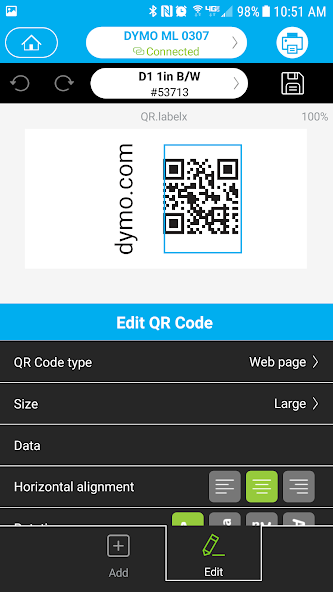
The application stands out with several core features that enhance label creation and management. It offers deep integration with a wide array of DYMO printer models, ensuring reliable hardware communication. Users can access a rich library of templates for various purposes, including shipping, filing, and name badges. The software supports importing data from spreadsheets for batch printing, a critical function for mail merges and inventory tagging. Additionally, it includes tools for creating custom barcodes and QR codes, adding a professional dimension to asset and product labeling.
Pros & Cons
Like any software, DYMO Connect presents a balance of strengths and limitations that users should consider.
- Pros: The interface is generally intuitive, making it accessible for beginners. Its tight integration with DYMO hardware guarantees stable printer performance. The template library is extensive and saves significant design time. The batch printing function is powerful for business applications. Regular updates from DYMO help maintain compatibility and add features.
- Cons: The software is primarily limited to DYMO brand printers, offering less flexibility for users with other brands. Some advanced design features may feel limited compared to full graphic design suites. The free version has basic functionality, with more advanced capabilities sometimes locked behind specific printer models or premium services.
Functions
DYMO Connect performs a range of specific functions centered around label production and printer management. Its primary role is to act as a design studio where users can create labels from scratch using text, shapes, images, and symbols. The software manages printer drivers and settings, handling tasks like calibration and label size detection. A key function is its database connectivity, allowing it to pull information from files like CSV or Excel to auto-populate multiple labels. It also provides tools for serialization, generating sequential numbers for labels, and includes a stand-alone address book for quickly printing contact information.
How to Use
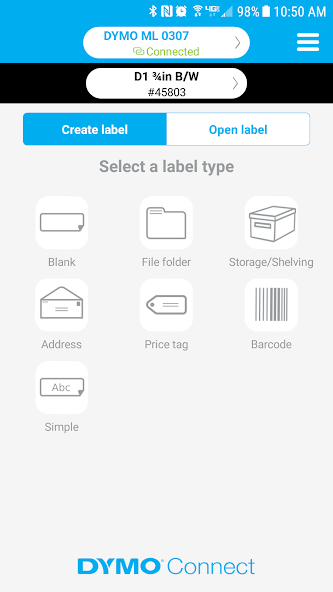
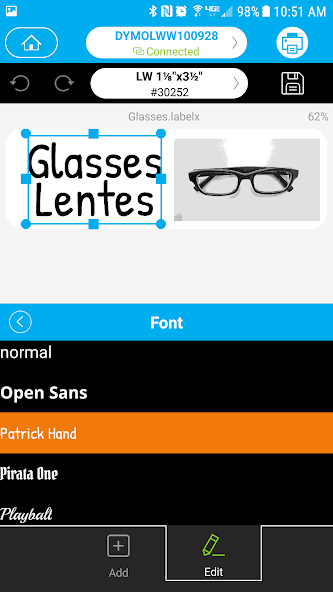
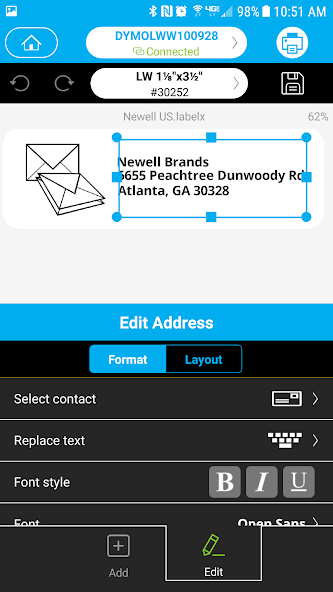
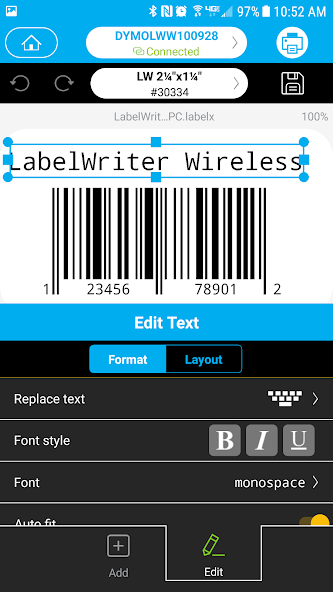
Click the button "Check All Versions" below to download and install it. Once installed, launch the application and connect your compatible DYMO label printer to the computer. The setup wizard will typically guide you through the initial configuration. To create a label, you can start by selecting a template from the library or choosing a blank label format. Use the toolbar to add text, modify fonts, and insert objects. For batch printing, use the "Import Data" function to link your spreadsheet. After designing your label, you can preview it on-screen and then send it directly to the printer with the print command. The software also allows you to save your custom designs for future use.
App Download
Get DYMO Connect from an official store or available APK channel.
Previous Versions
ZIP files require a Split APKs Installer (e.g., SAI) from Google Play to install. Steps: 1. Download SAI from Google Play; 2. Open SAI and tap "Install APKs"; 3. Select the ZIP file; 4. Complete installation.
Frequently Asked Questions
What is the latest version of DYMO Connect?
The latest version currently listed by Appspicked is unavailable, with information updated on May 14, 2026. Versions may vary by device, region, or rollout schedule, so users should also check Google Play / App Store or announcements from DYMO.
Is DYMO Connect safe to download and use?
No website can guarantee that an app is completely risk-free. Appspicked recommends downloading DYMO Connect only from an official app store or a verified channel operated by DYMO. Before installing, confirm the developer name, package ID com.DYMO.Mobile, requested permissions, privacy policy, and download source.
Why can’t I find DYMO Connect in the App Store?
DYMO Connect may be unavailable because of regional restrictions, device incompatibility, account or age settings, a temporary removal, a name change, or because it has not been released for that platform. An Android package page does not necessarily mean that an iOS App Store version exists. Check DYMO’s official website for current availability.
Where can I download or update DYMO Connect?
Use Google Play / App Store or another official download channel provided by DYMO whenever possible. Appspicked provides app information and store links, but users should verify the destination domain and publisher before downloading or updating the app.
Why is the version shown on Appspicked different from the app-store version?
The information on Appspicked may represent the most recently indexed snapshot. App stores sometimes release updates gradually or display different versions according to region, device, operating system, or testing group. The official store listing should be treated as the final reference.
Which devices and operating systems support DYMO Connect?
DYMO Connect is listed for Android / iOS, with a reported minimum requirement of Not specified. Actual compatibility may also depend on the device model, region, available storage, hardware features, and installed system components.
Is DYMO Connect free?
The initial download may be free, but subscriptions, advertising, paid features, or in-app purchases may still apply. Prices and available purchases can vary by country and version. Check the payment information displayed by Google Play / App Store before completing a transaction.
What should I do if DYMO Connect cannot be installed or updated?
Check the network connection, storage space, operating-system version, account region, and device compatibility. Restart the device and try again through the official store. If the problem continues, consult the support resources provided by DYMO.









