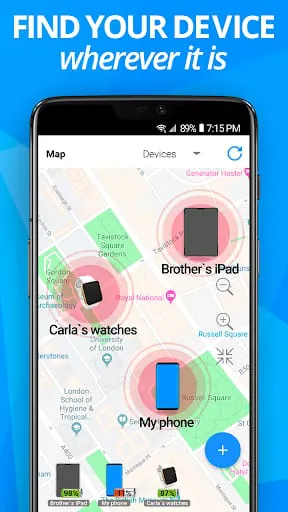
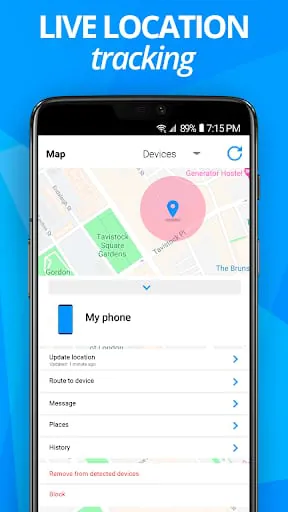
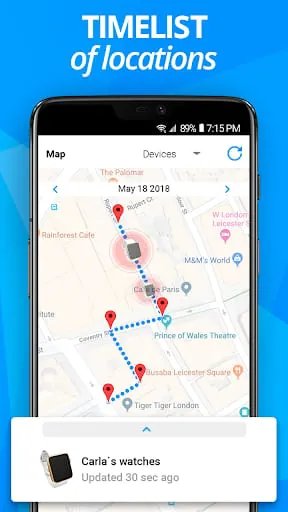
Find My Device is a location-tracking and device management application developed by Google, primarily designed to help users locate, secure, and manage their Android smartphones, tablets, and wearable devices. Through a web interface or another device, it provides real-time location tracking, remote locking, and data protection features, offering users peace of mind in the event of a misplaced or stolen device.
Key Features
The application stands out for its deep integration with the Android ecosystem. Its core functionality revolves around security and retrieval, allowing you to see your device's location on a map if it's powered on and connected. A particularly useful feature is the ability to make the device ring at full volume, even if it's set to silent, which is ideal for finding something misplaced nearby. For situations where recovery seems unlikely, the remote lock and data erase functions are crucial tools to protect your personal information.
Pros & Cons
When evaluating this tool, it presents a clear set of advantages and limitations.
- A significant pro is that it is a free, official service from Google, ensuring high reliability and security for Android users.
- Its seamless integration means it's often pre-enabled on devices with a Google account, requiring minimal setup.
- The interface is straightforward and accessible from any web browser.
- A primary con is its exclusive limitation to the Android ecosystem, offering no support for iOS or other platforms.
- Its effectiveness is heavily dependent on the lost device having an active internet connection (cellular data or Wi-Fi) and location services enabled.
- The remote erase function, while secure, is a final step that also prevents you from further tracking the device afterward.
Functions
The suite of functions provided by Find My Device is focused on device control and security.
- Locate Device: Displays the current or last known location of your device on a detailed map.
- Play Sound: Triggers a loud ringing sound for five minutes, helpful for finding a device under couch cushions or in another room.
- Secure Device: Lets you remotely lock your device with a custom PIN, password, or pattern, and can display a recovery message with your contact number on the lock screen.
- Erase Device: Offers the option to perform a factory reset remotely to delete all data, protecting sensitive information as a last resort.
- View Device Details: Shows information like the device model, battery level, and the Wi-Fi network it is connected to.
How to Use
Click the button "Check All Versions" below to download and install it. To begin using the service, ensure the feature is enabled on your Android device by going to Settings > Security > Find My Device. You must also be signed into your Google account and have location services active. When you need to locate a device, simply visit the Find My Device website from any browser or use the app on another Android device, sign in with the same Google account, and you will see a dashboard with all your registered devices. Select the lost device to see its location on the map and choose from the available actions like playing a sound, securing, or erasing the device. For best results, it is recommended to try these features when your device is safe to familiarize yourself with the process.





 APK
APK  Google Play
  iOS
iOS  3.00
3.00