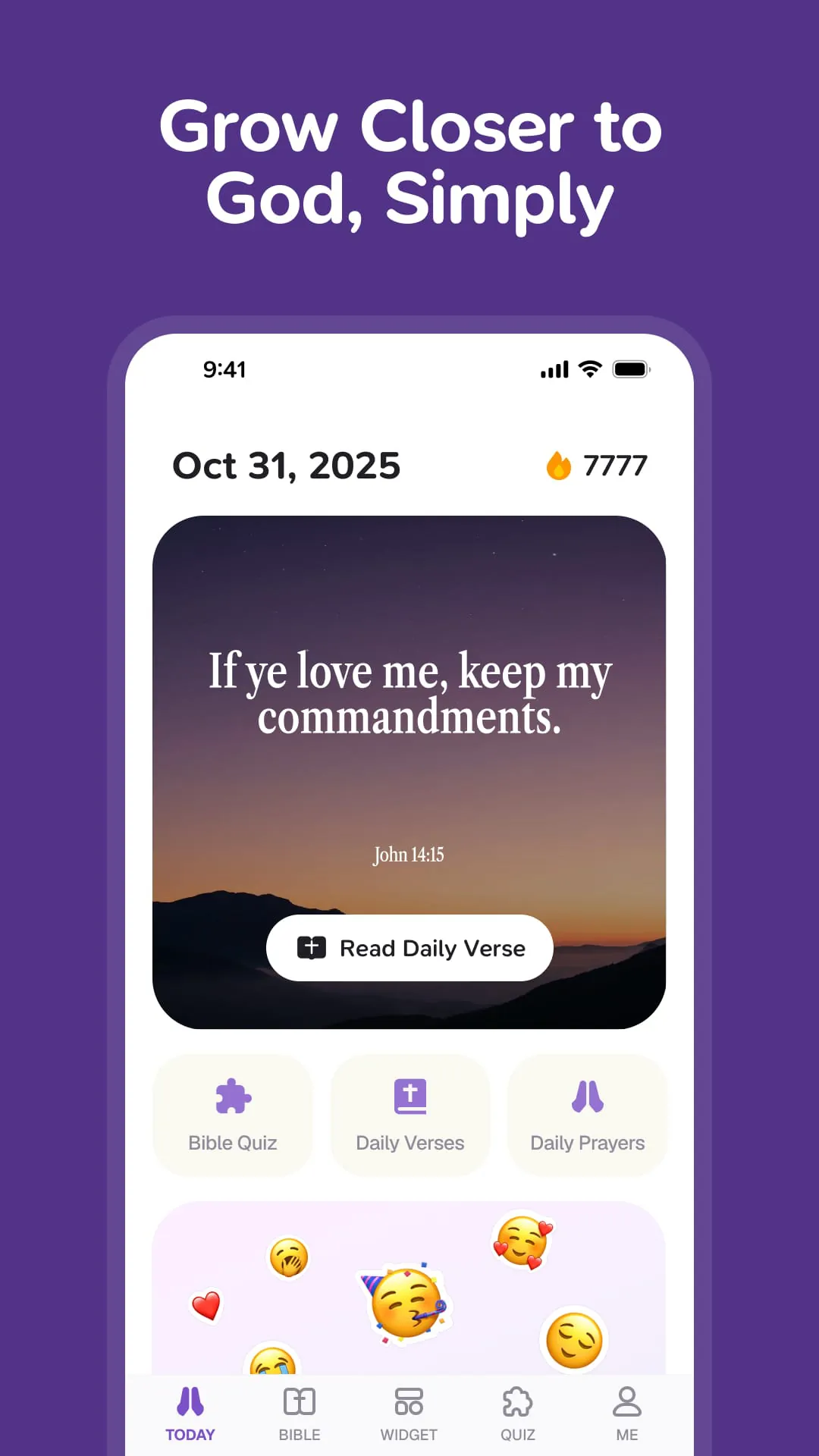
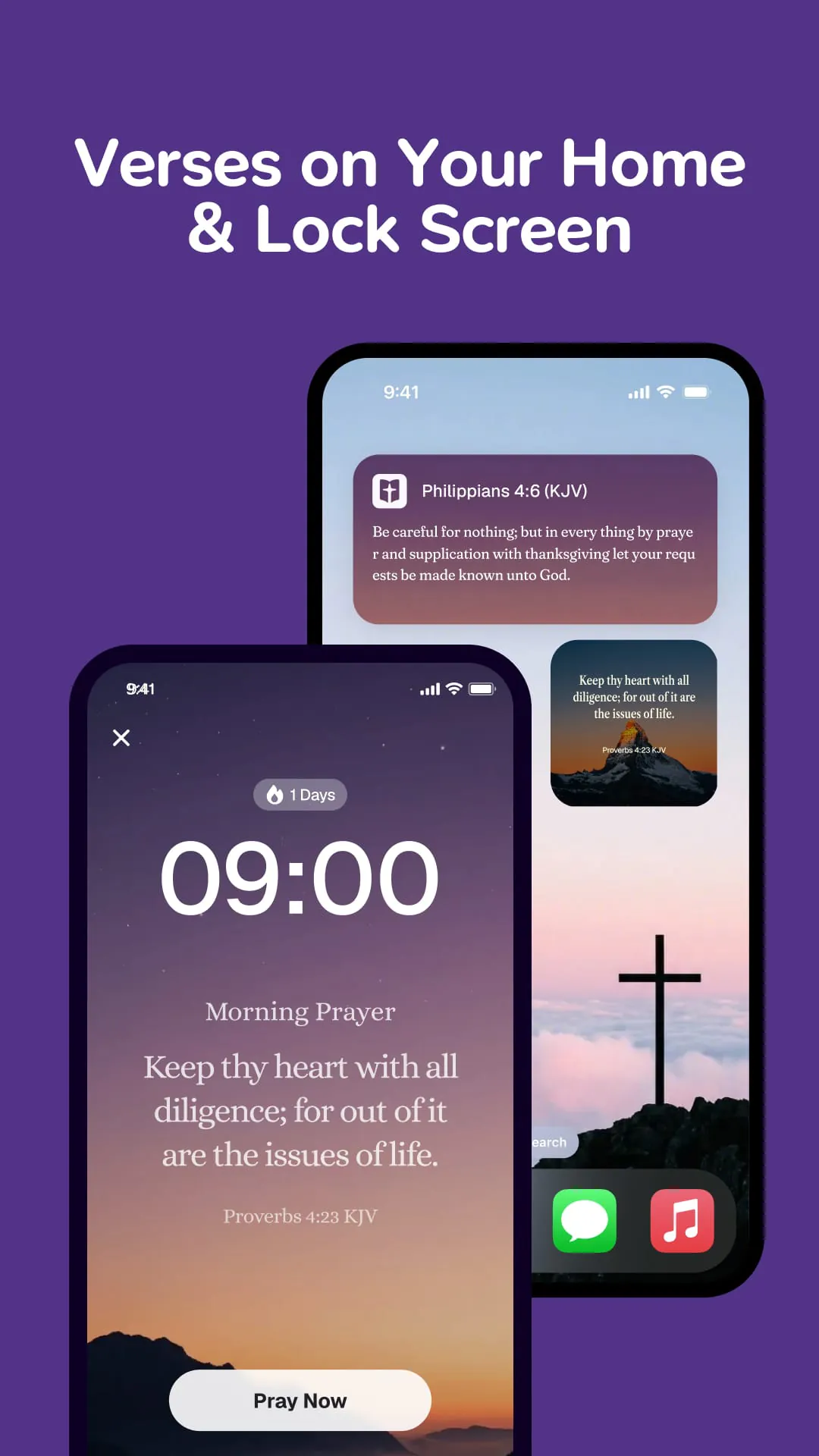
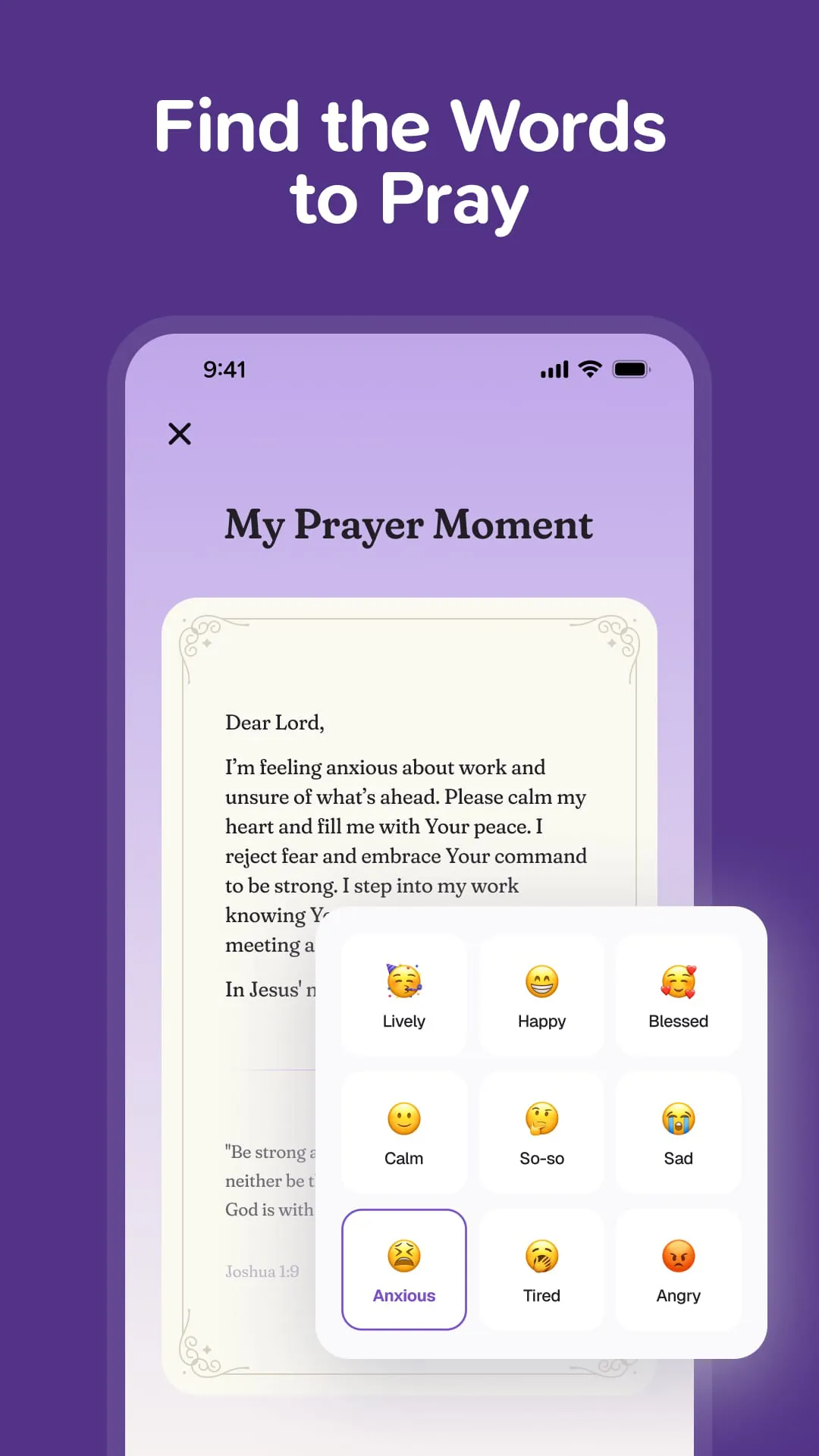
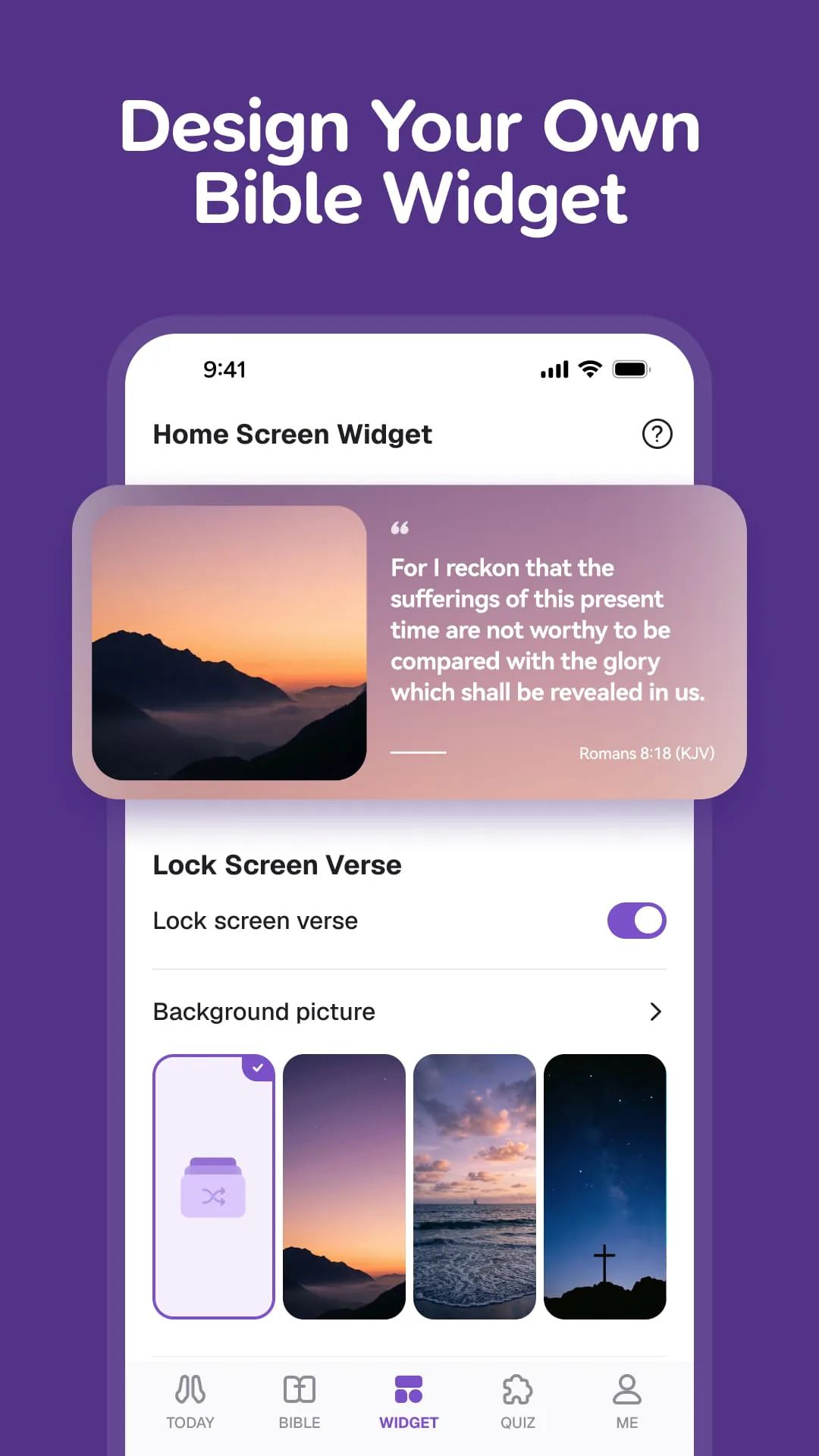
GlowVerse presents itself as a user-friendly spiritual application designed to foster a closer relationship with God through simple, accessible features. The app distinguishes itself by offering a peaceful alternative in a world often characterized by complexity and distraction. Eschewing intricate functionalities, GlowVerse focuses on delivering daily Bible verses, personalized prayer options, and convenient Bible access, all wrapped in a visually appealing interface. The core proposition of GlowVerse is to serve as a daily spiritual companion, providing users with tools and content to integrate faith into their everyday lives seamlessly. One of the central features of GlowVerse is its provision of daily verses tailored to different times of the day. The 'Morning Verse' aims to invigorate users with motivation and direction as they begin their day, offering a specific scripture intended to infuse energy and purpose into their activities. Conversely, the 'Evening Devotion' feature provides comforting words to calm the mind and soul before sleep, promoting relaxation and spiritual reflection at the end of the day. This deliberate structuring of daily content ensures that users have consistent touchpoints with scripture, fostering a habit of regular engagement with their faith. Recognizing the diverse emotional states individuals experience, GlowVerse incorporates a personalized prayer function that responds to users' feelings. By prompting users to identify their current mood—whether happy, anxious, sad, or grateful—the app generates a relevant verse and prayer designed to resonate with their specific emotional condition. This feature simulates the experience of confiding in a trusted friend who offers appropriate and comforting words, providing users with personalized support and guidance in moments of emotional need. The visual elements of GlowVerse are designed to enhance the user experience and reinforce faith-based reminders. Customizable widgets and wallpapers allow users to transform their phones into canvases of faith, displaying inspiring Bible verse images on their lock screens. This constant visual presence serves as a reminder of hope and spiritual encouragement each time users interact with their devices. Furthermore, users have the flexibility to select content that resonates with them, choosing from daily verses for peace, themed collections addressing specific needs, or engaging quiz questions for a more interactive experience. The app also offers a range of stunning backgrounds, such as sunsets, galaxies, and nature scenes, allowing users to personalize the app's aesthetic to their preferences, thereby creating a more engaging and meaningful experience. GlowVerse emphasizes the importance of establishing a lasting habit of faith by incorporating gentle reminders into its functionality. The 'Full-Screen Holy Alarm' feature wakes users with an inspiring Bible image and verse, replacing traditional jarring alarms with a more uplifting and spiritually oriented start to the day. Additionally, 'Smart Nudges' allow users to customize reminder times for push notifications and full-screen alarms, providing gentle prompts to pray and read scripture at their preferred intervals. This personalized scheduling ensures that users receive timely reminders without feeling overwhelmed, facilitating a consistent and sustainable practice of faith integration into their daily routines. Ultimately, GlowVerse seeks to provide a holistic and accessible platform for individuals to connect with their faith in a meaningful way, offering a blend of personalized content, visual inspiration, and gentle reminders to foster a lasting relationship with God.
GlowVerse extends its commitment to accessibility and convenience by offering multiple ways to engage with the Bible, catering to diverse lifestyles and preferences. The inclusion of an Audio Bible feature allows users to listen to God's Word while engaged in other activities such as driving, walking, or cooking, making it easier to incorporate scripture into busy schedules. The high-quality audio ensures a clear and engaging listening experience, allowing users to fully immerse themselves in the text. For those who prefer reading, GlowVerse provides a clean and intuitive reading interface designed to minimize distractions and enhance focus on the scripture. This thoughtful design reflects the app's dedication to providing a user-friendly experience that prioritizes spiritual engagement over technical complexity. Recognizing that learning can be enhanced through interactive and enjoyable methods, GlowVerse incorporates fun Bible quizzes and puzzles into its repertoire. These quizzes allow users to test their knowledge of the Bible in a lighthearted and engaging manner, while the puzzle feature rewards correct answers with pieces of beautiful Bible-themed images. This gamified approach to learning not only makes the process more entertaining but also encourages users to deepen their understanding of scripture in a memorable way. GlowVerse positions itself as more than just an app, emphasizing its role as a daily spiritual companion accessible and beneficial to users of all ages. Its simple and intuitive interface ensures ease of use for individuals regardless of their technical proficiency, while its beautiful design, characterized by calming colors and stunning pictures, creates a visually appealing and soothing experience. The app's commitment to accessibility extends to its pricing model, offering access to daily verses and Bible reading for free, thereby removing financial barriers to spiritual enrichment. By providing a combination of accessible features, engaging content, and a user-friendly design, GlowVerse aims to empower individuals to integrate faith into their daily lives seamlessly. The app's focus on simplicity and personalization ensures that users can tailor their experience to their unique needs and preferences, fostering a deeper and more meaningful connection with God. GlowVerse invites users to download the app and embark on a journey of spiritual growth and discovery. By starting the day with power, ending the day with peace, and bringing God's light into daily life, users can experience the transformative potential of faith in a tangible and accessible way. The app's call to action encourages users to illuminate their faith journey and embrace the opportunities for spiritual enrichment that GlowVerse provides. This invitation underscores the app's commitment to serving as a catalyst for personal and spiritual development, guiding users towards a more fulfilling and purposeful existence. The inclusion of links to the app's Terms of Use and Privacy Policy reflects GlowVerse's commitment to transparency and user privacy. By providing easy access to these documents, the app ensures that users are fully informed about their rights and responsibilities, fostering trust and confidence in the platform. This attention to detail underscores GlowVerse's dedication to providing a safe, secure, and ethical experience for its users, further solidifying its position as a reliable and trustworthy spiritual companion.
GlowVerse's approach to fostering spiritual growth centers around several core principles: accessibility, personalization, and consistent engagement. The app's user-friendly interface, combined with its diverse range of features, ensures that individuals of all ages and backgrounds can easily access and benefit from its content. By offering daily verses, personalized prayers, and multiple ways to engage with the Bible, GlowVerse caters to diverse preferences and lifestyles, making it easier for users to integrate faith into their daily routines. The emphasis on personalization allows users to tailor their experience to their unique needs and preferences. From selecting content that resonates with them to customizing reminder times and choosing visually appealing backgrounds, GlowVerse empowers users to create a spiritual environment that is both meaningful and engaging. This personalized approach fosters a deeper connection with the app and encourages users to actively participate in their spiritual growth. The app's commitment to consistent engagement is reflected in its features such as the 'Morning Verse,' 'Evening Devotion,' and 'Smart Nudges,' which provide regular touchpoints with scripture and prayer throughout the day. By incorporating these gentle reminders into its functionality, GlowVerse helps users establish a lasting habit of faith, ensuring that spiritual growth is not just a fleeting experience but an ongoing journey. GlowVerse's focus on simplicity and beauty also contributes to its effectiveness as a spiritual companion. The app's calming colors, stunning pictures, and clean interface create a visually appealing and soothing experience that encourages users to relax and connect with their faith. By minimizing distractions and prioritizing spiritual engagement, GlowVerse provides a sanctuary for users to find peace and inspiration in the midst of a busy world. The app's commitment to providing access to daily verses and Bible reading for free further underscores its dedication to accessibility. By removing financial barriers to spiritual enrichment, GlowVerse ensures that individuals from all walks of life can benefit from its content and participate in a community of faith. This inclusive approach reflects the app's mission to make spiritual growth accessible to everyone, regardless of their economic circumstances. GlowVerse's gamified approach to learning, with its Bible quizzes and puzzles, adds an element of fun and engagement to the process of spiritual growth. By rewarding correct answers with pieces of beautiful Bible-themed images, the app encourages users to deepen their understanding of scripture in a memorable and enjoyable way. This interactive approach not only makes learning more effective but also fosters a sense of accomplishment and motivation among users. Ultimately, GlowVerse seeks to empower individuals to light up their faith journey and embrace the transformative potential of a closer relationship with God. By providing a blend of accessible features, personalized content, and consistent engagement, the app serves as a catalyst for personal and spiritual development, guiding users towards a more fulfilling and purposeful existence. GlowVerse's commitment to transparency, user privacy, and ethical practices further solidifies its position as a reliable and trustworthy spiritual companion, ensuring that users can confidently embark on their journey of faith with peace of mind.