Open Menu
Google Meet
COMMUNICATION · ANDROID

Google Meet

by Google LLC

High quality video calling for Android & iOS phones, tablets, Google Nest & web.

4.40 ★
(1k+ reviews)
10B+
Downloads

A closer look

Google MeetGoogle MeetGoogle MeetGoogle Meet
ADVERTISEMENT

Overview

Google Meet is a secure video communication service developed by Google that enables users to host and join virtual meetings, webinars, and collaborative sessions directly from their browser or mobile device without requiring complex setups or software installations.

Key Features

  • High-definition video and audio calls with up to 250 participants depending on the plan.
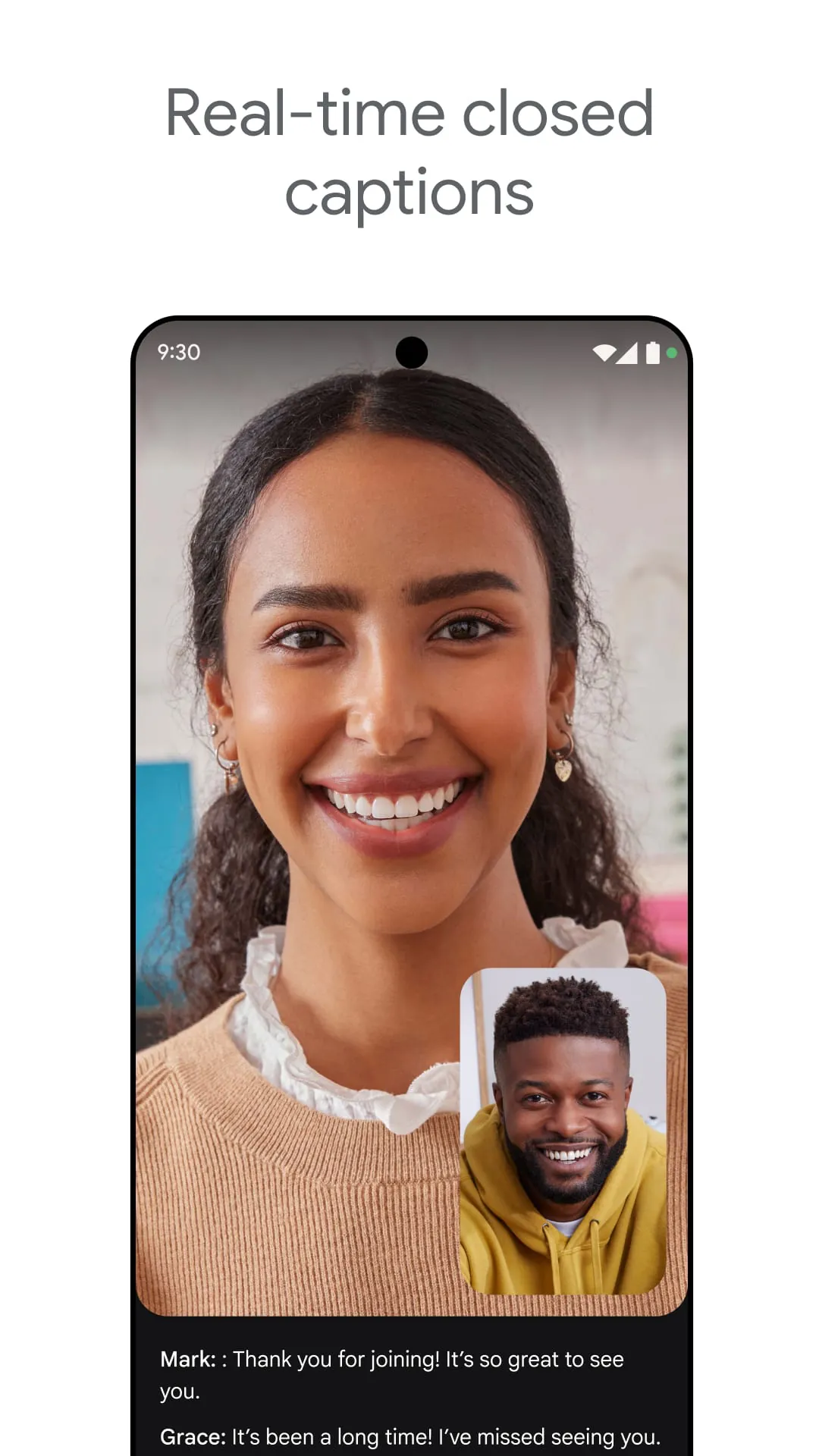
  • Real-time captions powered by Google’s speech recognition technology.
  • Screen sharing for presentations, documents, and collaborative work.
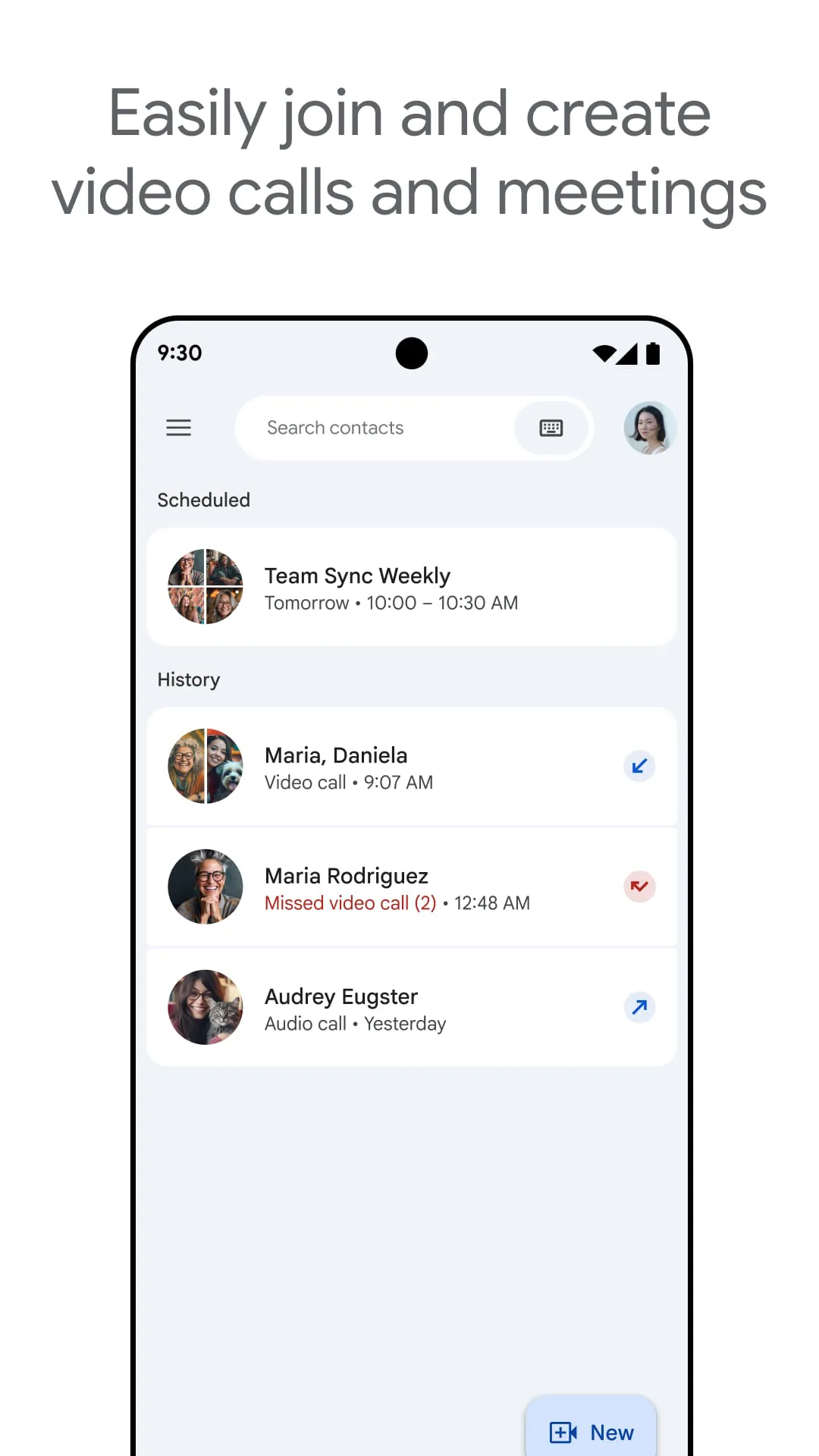
  • Integrated scheduling with Google Calendar and Gmail for seamless meeting organization.
  • Breakout rooms for dividing participants into smaller discussion groups.
  • Noise cancellation to minimize background distractions during calls.

Pros & Cons

  • Pros: Strong security with encryption, easy integration with Google Workspace, no need for additional plugins in most browsers, reliable performance even on lower bandwidth.
  • Cons: Advanced features often require a paid Google Workspace subscription, limited customization options compared to some competitors, and certain enterprise tools may not be intuitive for first-time users.

Functions

  • Host scheduled or instant video meetings with invite links.
  • Share screens, presentations, and individual application windows.
  • Use a virtual whiteboard for brainstorming and visual collaboration.
  • Record meetings directly to Google Drive for later review.
  • Engage participants with polls, Q&A, and chat messaging during calls.
  • Control attendance, mute participants, and manage permissions as a host.

How to Use

Click the button "Check All Versions" below to download and install it. Once installed, open the app or access it via your browser. Sign in with your Google account, then click “New Meeting” to start an instant session or “Join Meeting” to enter with a code or link. Adjust your camera and microphone settings before joining, and use the on-screen controls to share content, enable captions, or manage participants. After the meeting, you can review recordings saved automatically to your Google Drive.

ADVERTISEMENT

App Download

Get Google Meet from an official store or available APK channel.

Available for Android

Previous Versions

ZIP files require a Split APKs Installer (e.g., SAI) from Google Play to install. Steps: 1. Download SAI from Google Play; 2. Open SAI and tap "Install APKs"; 3. Select the ZIP file; 4. Complete installation.

V336.0.838832812.duo.android_20251201.01_p1
Download
Package Name
com.google.android.apps.tachyon
Version Name
V336.0.838832812.duo.android_20251201.01_p1
Version Code
V336.0.838832812.duo.android_20251201.01_p1
File Size
37.86 MB
Update time
2026-1-6
V290.0.721792915.duo.android_20250125.03_p3.s
Download
Package Name
com.google.android.apps.tachyon
Version Name
V290.0.721792915.duo.android_20250125.03_p3.s
Version Code
V290.0.721792915.duo.android_20250125.03_p3.s
File Size
130.2 MB
Update time
2025-1-31
V283.0.713749631.duo.android_20241208.16_p6.s
Download
Package Name
com.google.android.apps.tachyon
Version Name
V283.0.713749631.duo.android_20241208.16_p6.s
Version Code
V283.0.713749631.duo.android_20241208.16_p6.s
File Size
129.54 MB
Update time
2025-1-9
V197.0.540139067.duo.android_20230611.10_p3
Download
Package Name
com.google.android.apps.tachyon
Version Name
V197.0.540139067.duo.android_20230611.10_p3
Version Code
V197.0.540139067.duo.android_20230611.10_p3
File Size
97.8 MB
Update time
2023-6-16
V194.0.533905025.duo.android_20230521.16_p0.g
Download
Package Name
com.google.android.apps.tachyon
Version Name
V194.0.533905025.duo.android_20230521.16_p0.g
Version Code
V194.0.533905025.duo.android_20230521.16_p0.g
File Size
33.57 MB
Update time
2023-5-26
V192.0.530675571.duo.android_20230430.15_p3
Download
Package Name
com.google.android.apps.tachyon
Version Name
V192.0.530675571.duo.android_20230430.15_p3
Version Code
V192.0.530675571.duo.android_20230430.15_p3
File Size
96.92 MB
Update time
2023-5-16
V177.0.485451249.duo.android_20221002.73_p3.s
Download
Package Name
com.google.android.apps.tachyon
Version Name
V177.0.485451249.duo.android_20221002.73_p3.s
Version Code
V177.0.485451249.duo.android_20221002.73_p3.s
File Size
94.06 MB
Update time
2022-11-15
V177.0.486712320.duo.android_20221002.73_p4.s
Download
Package Name
com.google.android.apps.tachyon
Version Name
V177.0.486712320.duo.android_20221002.73_p4.s
Version Code
V177.0.486712320.duo.android_20221002.73_p4.s
File Size
94.06 MB
Update time
2022-11-14
V163.0.436542969.duo.android_20220320.14_p1
Download
Package Name
com.google.android.apps.tachyon
Version Name
V163.0.436542969.duo.android_20220320.14_p1
Version Code
V163.0.436542969.duo.android_20220320.14_p1
File Size
102.2 MB
Update time
2022-4-7
V162.0.434856097.duo.android_20220306.14_p2
Download
Package Name
com.google.android.apps.tachyon
Version Name
V162.0.434856097.duo.android_20220306.14_p2
Version Code
V162.0.434856097.duo.android_20220306.14_p2
File Size
102.1 MB
Update time
2022-3-21
V161.0.433010993.duo.android_20220220.14_p1
Download
Package Name
com.google.android.apps.tachyon
Version Name
V161.0.433010993.duo.android_20220220.14_p1
Version Code
V161.0.433010993.duo.android_20220220.14_p1
File Size
101.7 MB
Update time
2022-3-16
V160.0.430987172.duo.android_20220207.14_p3
Download
Package Name
com.google.android.apps.tachyon
Version Name
V160.0.430987172.duo.android_20220207.14_p3
Version Code
V160.0.430987172.duo.android_20220207.14_p3
File Size
101.0 MB
Update time
2022-3-7
V159.0.430347719.duo.android_20220123.13_p16
Download
Package Name
com.google.android.apps.tachyon
Version Name
V159.0.430347719.duo.android_20220123.13_p16
Version Code
V159.0.430347719.duo.android_20220123.13_p16
File Size
100.7 MB
Update time
2022-2-28
ADVERTISEMENT

Frequently Asked Questions

What is the latest version of Google Meet?

The latest version currently listed by Appspicked is V194.0.533905025.duo.android_20230521.16_p0.g, with information updated on May 21, 2026. Versions may vary by device, region, or rollout schedule, so users should also check Google Play or announcements from Google LLC.

Is Google Meet safe to download and use?

No website can guarantee that an app is completely risk-free. Appspicked recommends downloading Google Meet only from an official app store or a verified channel operated by Google LLC. Before installing, confirm the developer name, package ID com.google.android.apps.tachyon, requested permissions, privacy policy, and download source.

Why can’t I find Google Meet in the App Store?

Google Meet may be unavailable because of regional restrictions, device incompatibility, account or age settings, a temporary removal, a name change, or because it has not been released for that platform. An Android package page does not necessarily mean that an iOS App Store version exists. Check Google LLC’s official website for current availability.

Where can I download or update Google Meet?

Use Google Play or another official download channel provided by Google LLC whenever possible. Appspicked provides app information and store links, but users should verify the destination domain and publisher before downloading or updating the app.

Why is the version shown on Appspicked different from the app-store version?

The information on Appspicked may represent the most recently indexed snapshot. App stores sometimes release updates gradually or display different versions according to region, device, operating system, or testing group. The official store listing should be treated as the final reference.

Which devices and operating systems support Google Meet?

Google Meet is listed for Android, with a reported minimum requirement of Not specified. Actual compatibility may also depend on the device model, region, available storage, hardware features, and installed system components.

Is Google Meet free?

The initial download may be free, but subscriptions, advertising, paid features, or in-app purchases may still apply. Prices and available purchases can vary by country and version. Check the payment information displayed by Google Play before completing a transaction.

What should I do if Google Meet cannot be installed or updated?

Check the network connection, storage space, operating-system version, account region, and device compatibility. Restart the device and try again through the official store. If the problem continues, consult the support resources provided by Google LLC.


ADVERTISEMENT
You Might Like