



Google Translate
by Google Ireland, Ltd
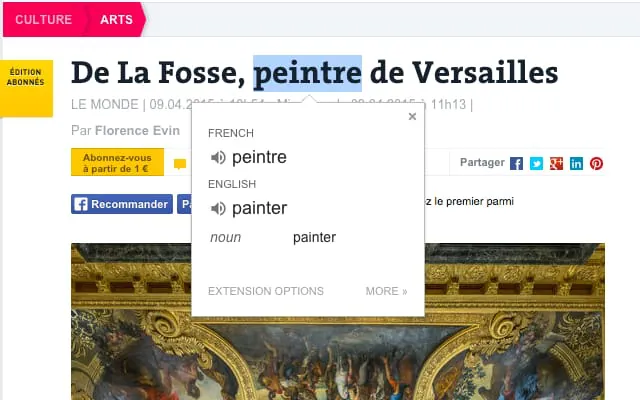
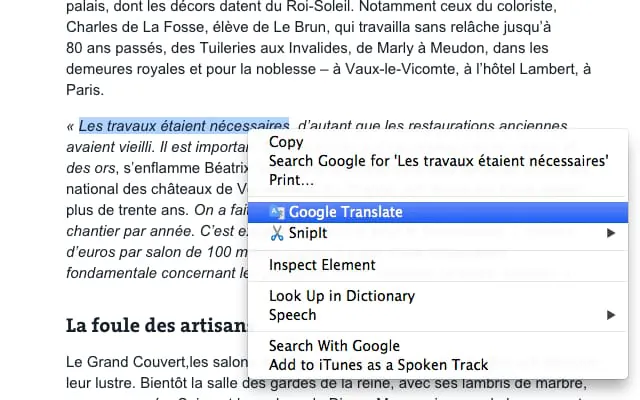
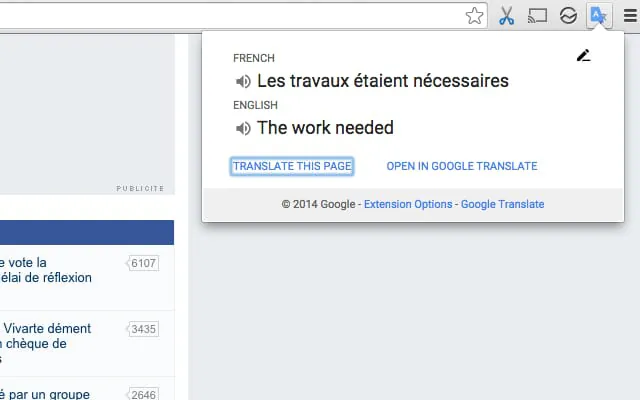
View translations easily as you browse the web. By the Google Translate team. Highlight or right-click on a section of text and click on Translate icon next…
A closer look
Overview
Google Translate is a powerful mobile and web-based application developed by Google that allows users to translate text, speech, images, and even real-time conversations between over 100 languages. Designed for both casual travelers and professional linguists, the app serves as a bridge across language barriers, making communication smoother and more accessible no matter where you are in the world.
Key Features
- Text translation for over 100 languages
- Camera translation to snap and translate street signs, menus, and documents instantly
- Voice input for hands-free translating during conversations
- Conversation Mode for bilingual discussions in real time
- Offline translation support for many languages without internet access
- Phrasebook to save commonly used translations for quick reference
Pros & Cons
- Pros:
- Fast and accurate translations for most everyday needs
- Supports a wide range of languages and dialects
- Clean, intuitive interface suitable for all user levels
- Helpful offline mode when traveling abroad
- Cons:
- Occasionally struggles with idiomatic expressions and slang
- Some translations may lack cultural nuance
- Requires an internet connection for certain advanced features
Functions
Beyond simple word-for-word translation, Google Translate offers multiple practical functions tailored to different situations. The app can scan printed text through your phone’s camera, transcribe spoken words into another language almost instantly, and even allow two people speaking different languages to hold a fluid conversation. It also integrates with other Google services, enabling seamless translation within browsers, emails, and documents. For students, professionals, and travelers alike, these capabilities make the app much more than just a dictionary—it becomes a real-time communication assistant.
How to Use
Click the button "Check All Versions" below to download and install it. Once installed, open the app and select your source and target languages from the dropdown menus. You can type text directly into the input box, speak into your microphone, or point your camera at foreign text for instant translation. For ongoing conversations, tap the Conversation icon and let the app alternate between speakers automatically. To use offline, simply download the desired language pack in advance via the settings menu. With just a few taps, Google Translate transforms complex language challenges into effortless exchanges.
App Download
Get Google Translate from an official store or available APK channel.
Previous Versions
ZIP files require a Split APKs Installer (e.g., SAI) from Google Play to install. Steps: 1. Download SAI from Google Play; 2. Open SAI and tap "Install APKs"; 3. Select the ZIP file; 4. Complete installation.
Frequently Asked Questions
What is the latest version of Google Translate?
The latest version currently listed by Appspicked is unavailable, with information updated on Jun 4, 2026. Versions may vary by device, region, or rollout schedule, so users should also check Google Play or announcements from Google Ireland, Ltd.
Is Google Translate safe to download and use?
No website can guarantee that an app is completely risk-free. Appspicked recommends downloading Google Translate only from an official app store or a verified channel operated by Google Ireland, Ltd. Before installing, confirm the developer name, package ID aapbdbdomjkkjkaonfhkkikfgjllcleb, requested permissions, privacy policy, and download source.
Why can’t I find Google Translate in the App Store?
Google Translate may be unavailable because of regional restrictions, device incompatibility, account or age settings, a temporary removal, a name change, or because it has not been released for that platform. An Android package page does not necessarily mean that an iOS App Store version exists. Check Google Ireland, Ltd’s official website for current availability.
Where can I download or update Google Translate?
Use Google Play or another official download channel provided by Google Ireland, Ltd whenever possible. Appspicked provides app information and store links, but users should verify the destination domain and publisher before downloading or updating the app.
Why is the version shown on Appspicked different from the app-store version?
The information on Appspicked may represent the most recently indexed snapshot. App stores sometimes release updates gradually or display different versions according to region, device, operating system, or testing group. The official store listing should be treated as the final reference.
Which devices and operating systems support Google Translate?
Google Translate is listed for Android, with a reported minimum requirement of Not specified. Actual compatibility may also depend on the device model, region, available storage, hardware features, and installed system components.
Is Google Translate free?
The initial download may be free, but subscriptions, advertising, paid features, or in-app purchases may still apply. Prices and available purchases can vary by country and version. Check the payment information displayed by Google Play before completing a transaction.
What should I do if Google Translate cannot be installed or updated?
Check the network connection, storage space, operating-system version, account region, and device compatibility. Restart the device and try again through the official store. If the problem continues, consult the support resources provided by Google Ireland, Ltd.









