




iCSee
by Zhejiang JAIFY Co., Ltd.
A closer look
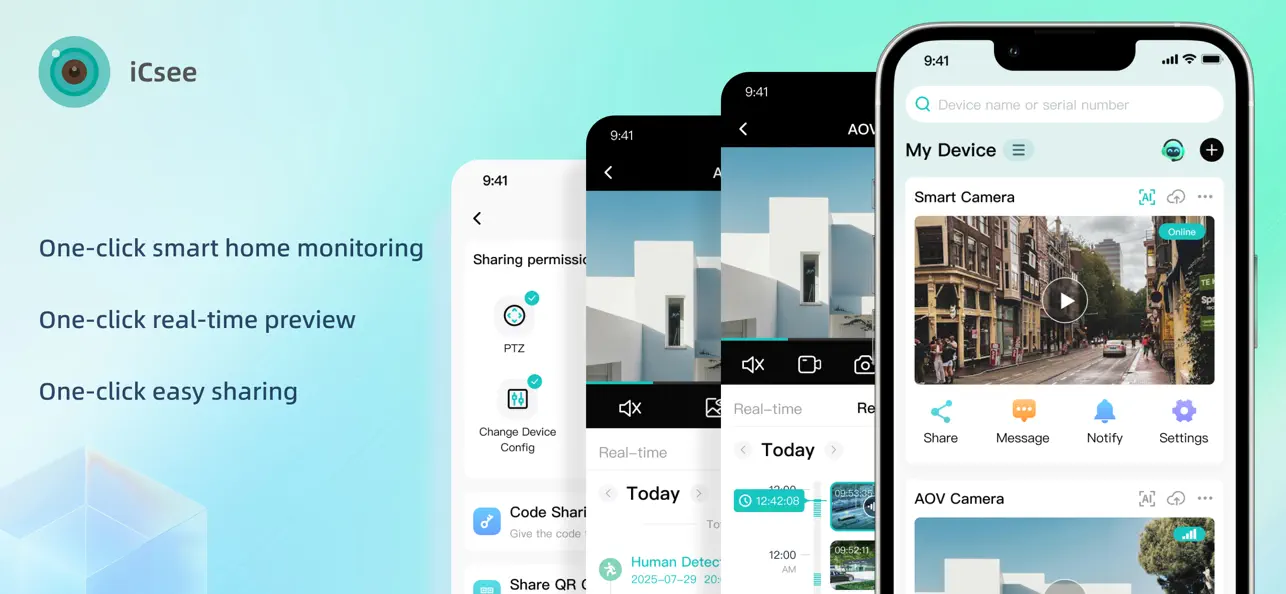
Overview
iCSee is a specialized mobile application designed for remote surveillance and management, primarily used to connect with and control IP cameras and other network-based monitoring devices. It allows users to view live video feeds, playback recorded footage, and receive real-time alerts directly on their smartphones or tablets from anywhere with an internet connection, providing a convenient solution for home security, business monitoring, or keeping an eye on pets and family.
Key Features
The application stands out with a set of powerful capabilities that make remote monitoring both accessible and effective. It supports high-definition live streaming, ensuring that users can see clear and detailed video. The motion detection feature sends instant push notifications to your device when activity is sensed, so you are always aware of what's happening. Furthermore, it offers two-way audio, allowing you to listen in and speak through the camera, which is perfect for communicating with family members or deterring intruders. The ability to store and review recorded footage locally on a microSD card or in the cloud provides flexible options for data retention.
Pros & Cons
Every tool has its strengths and weaknesses, and iCSee is no exception. Its advantages are quite compelling for everyday users.
- Pros: The user interface is generally intuitive and easy to navigate, making setup straightforward for most people. The real-time alert system is highly responsive and reliable. It supports a wide range of camera models and brands, offering good compatibility. The video quality is often excellent, with smooth streaming performance under a stable network.
- Cons: Some advanced features may require a paid subscription or in-app purchases. The performance and video clarity can be heavily dependent on the speed and stability of your Wi-Fi or mobile data connection. Occasionally, users might experience delays in the notification system. The interface and feature set can sometimes feel cluttered with less popular options.
Functions
Delving deeper, iCSee encompasses a comprehensive suite of functions that transform a simple camera into an intelligent monitoring hub. Beyond basic live viewing, it enables multi-camera support, letting you watch several feeds on a single screen in a split-view layout. The playback function includes a timeline for easy navigation of recorded events. You can also take snapshots and record videos directly to your phone's gallery. For precise control, functions like digital zoom, flipping the video image, and adjusting brightness or contrast are often included. Crucially, it allows for remote configuration of camera settings, such as sensitivity for motion detection zones, directly from the app.
How to Use
Click the button "Check All Versions" below to download and install it. Once the installation is complete, open the app and create a new account or log in with your existing credentials. The next step is to add your camera; this is typically done by powering on the camera, pressing the "Add Device" button within the app, and then following the on-screen instructions, which often involve scanning a QR code on the camera or connecting to its Wi-Fi signal. After successful pairing, your camera's live feed will appear on the main screen. From there, you can explore the various menus to set up motion detection areas, configure alert preferences, set up recording schedules, and access all the other functions mentioned to tailor the surveillance system to your specific needs.
App Download
Get iCSee from an official store or available APK channel.
Previous Versions
ZIP files require a Split APKs Installer (e.g., SAI) from Google Play to install. Steps: 1. Download SAI from Google Play; 2. Open SAI and tap "Install APKs"; 3. Select the ZIP file; 4. Complete installation.
Frequently Asked Questions
What is the latest version of iCSee?
The latest version currently listed by Appspicked is unavailable, with information updated on May 14, 2026. Versions may vary by device, region, or rollout schedule, so users should also check Google Play / App Store or announcements from Zhejiang JAIFY Co., Ltd..
Is iCSee safe to download and use?
No website can guarantee that an app is completely risk-free. Appspicked recommends downloading iCSee only from an official app store or a verified channel operated by Zhejiang JAIFY Co., Ltd.. Before installing, confirm the developer name, package ID com.xm.csee, requested permissions, privacy policy, and download source.
Why can’t I find iCSee in the App Store?
iCSee may be unavailable because of regional restrictions, device incompatibility, account or age settings, a temporary removal, a name change, or because it has not been released for that platform. An Android package page does not necessarily mean that an iOS App Store version exists. Check Zhejiang JAIFY Co., Ltd.’s official website for current availability.
Where can I download or update iCSee?
Use Google Play / App Store or another official download channel provided by Zhejiang JAIFY Co., Ltd. whenever possible. Appspicked provides app information and store links, but users should verify the destination domain and publisher before downloading or updating the app.
Why is the version shown on Appspicked different from the app-store version?
The information on Appspicked may represent the most recently indexed snapshot. App stores sometimes release updates gradually or display different versions according to region, device, operating system, or testing group. The official store listing should be treated as the final reference.
Which devices and operating systems support iCSee?
iCSee is listed for Android / iOS, with a reported minimum requirement of Not specified. Actual compatibility may also depend on the device model, region, available storage, hardware features, and installed system components.
Is iCSee free?
The initial download may be free, but subscriptions, advertising, paid features, or in-app purchases may still apply. Prices and available purchases can vary by country and version. Check the payment information displayed by Google Play / App Store before completing a transaction.
What should I do if iCSee cannot be installed or updated?
Check the network connection, storage space, operating-system version, account region, and device compatibility. Restart the device and try again through the official store. If the problem continues, consult the support resources provided by Zhejiang JAIFY Co., Ltd..









