




Momentum
by Momentum Dashboard
Transform your browser into a beautifully designed tab that helps you feel calm, keep focus, and stay energized. Featured in Tim Ferriss’ Tools of Titans, Th…
A closer look
Overview
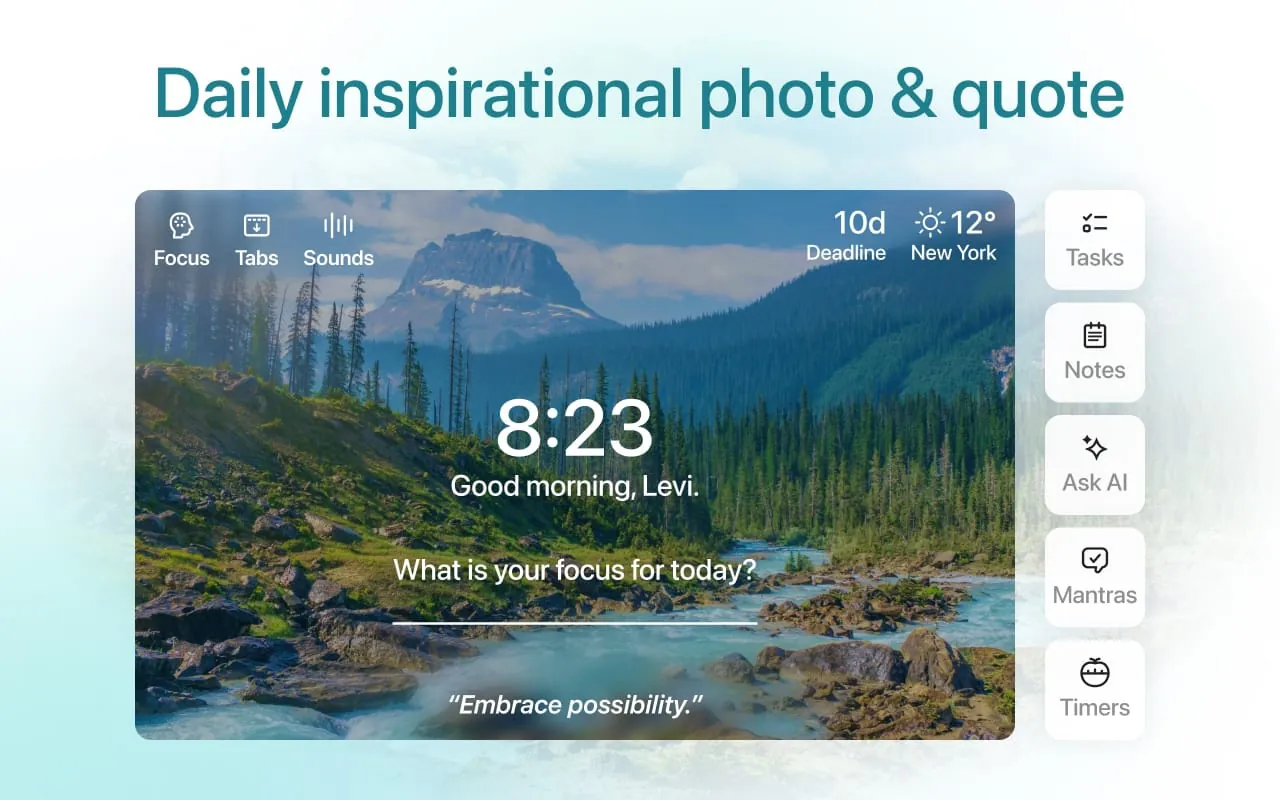
Momentum is a popular browser extension and personal dashboard designed to transform your new tab page into a focused, inspiring, and productive workspace. Instead of facing a blank page or a list of frequently visited sites, users are greeted with a stunning daily photograph, a personal greeting, their main focus for the day, and the current time and weather, creating a moment of calm and intention at the start of every browsing session.
Key Features
The appeal of Momentum lies in its carefully curated features that promote daily focus and well-being. It replaces the standard new tab with a visually serene interface that updates with a beautiful background image every day. The tool prominently displays a personal focus or to-do item that serves as a constant reminder of your primary goal. Additionally, it provides at-a-glance information like local weather, inspirational quotes, and a greeting personalized with your name, all aimed at reducing distraction and fostering a more mindful approach to work.
Pros & Cons
Like any application, Momentum comes with its own set of advantages and limitations that users should consider before installation.
- Pros: It offers a clean, aesthetically pleasing interface that reduces clutter. The daily focus feature is excellent for productivity, helping to center your attention. The daily photos and quotes provide a positive, calming start to the workday. The integration of weather and time is seamless and convenient.
- Cons: Many of its most useful features, such as advanced to-do lists, multiple focuses, and specific weather details, are locked behind a paid premium subscription. The dashboard, while beautiful, offers limited customization options for free users. It is exclusively a browser extension and does not function as a standalone desktop application.
Functions
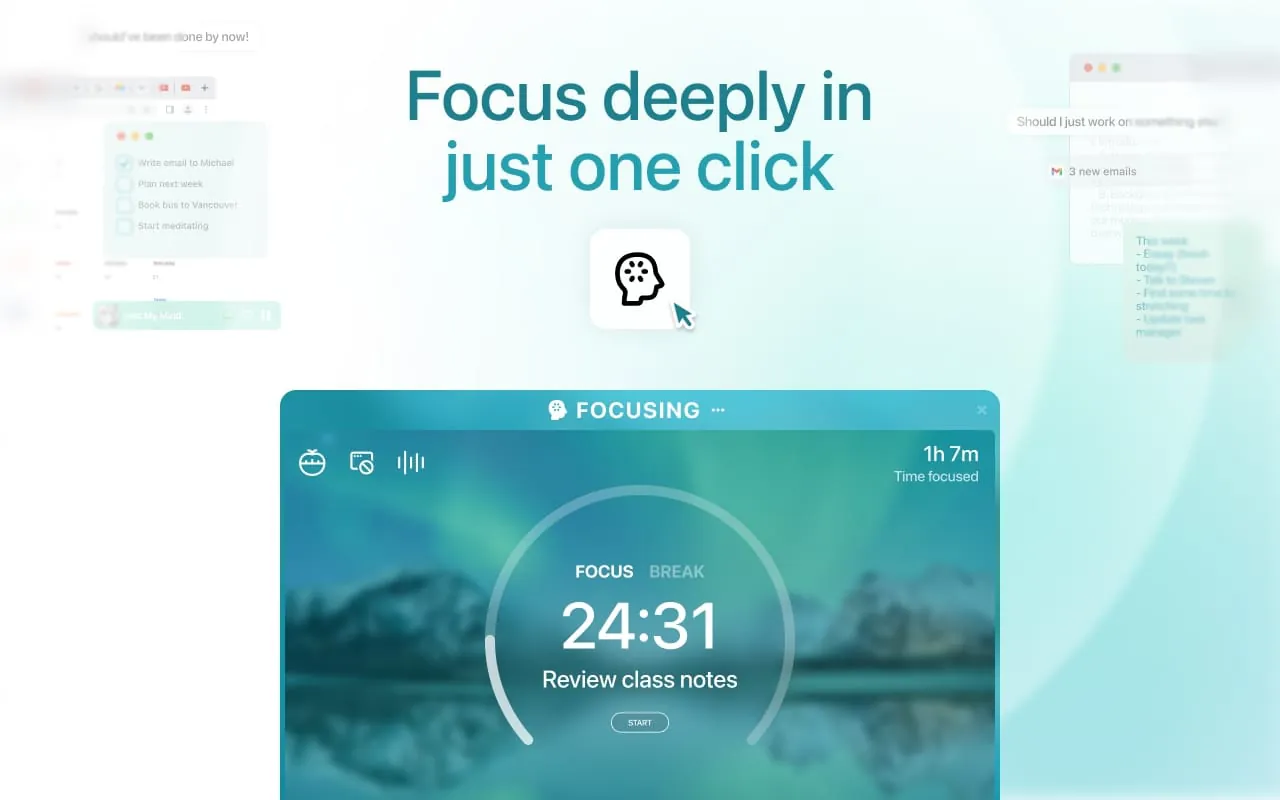
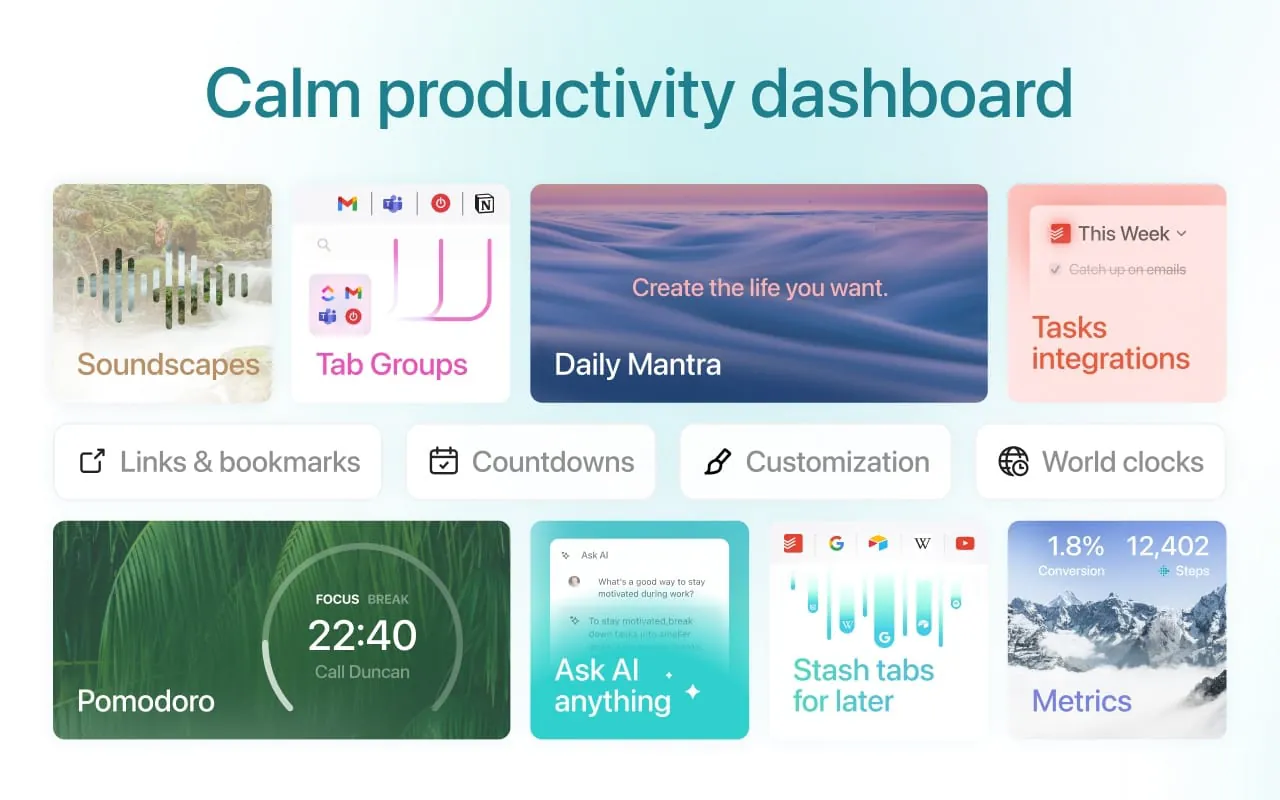
Momentum operates by taking over your browser's new tab page, providing a suite of integrated functions designed for personal productivity. Its core functionality revolves around displaying a customizable dashboard that includes:
- A central daily focus or mantra that you set yourself.
- The current time and a weather widget for your location.
- A daily inspirational quote and a stunning background photograph from around the world.
- A simple to-do list (with advanced features in Premium).
- Links to frequently visited sites and a search bar for quick access.
How to Use
Click the button "Check All Versions" below to download and install it. After finding the official Momentum extension in your browser's web store (like Chrome Web Store), simply click "Add to Browser." Once installed, it will automatically activate. The first time you open a new tab, Momentum will prompt you to set your name, local weather location, and your main focus for the day. From then on, every new tab you open will display your personalized dashboard, allowing you to update your focus, check off to-dos, or simply enjoy the view as you work.
App Download
Get Momentum from an official store or available APK channel.
Previous Versions
ZIP files require a Split APKs Installer (e.g., SAI) from Google Play to install. Steps: 1. Download SAI from Google Play; 2. Open SAI and tap "Install APKs"; 3. Select the ZIP file; 4. Complete installation.
Frequently Asked Questions
What is the latest version of Momentum?
The latest version currently listed by Appspicked is unavailable, with information updated on May 16, 2026. Versions may vary by device, region, or rollout schedule, so users should also check Google Play or announcements from Momentum Dashboard.
Is Momentum safe to download and use?
No website can guarantee that an app is completely risk-free. Appspicked recommends downloading Momentum only from an official app store or a verified channel operated by Momentum Dashboard. Before installing, confirm the developer name, package ID laookkfknpbbblfpciffpaejjkokdgca, requested permissions, privacy policy, and download source.
Why can’t I find Momentum in the App Store?
Momentum may be unavailable because of regional restrictions, device incompatibility, account or age settings, a temporary removal, a name change, or because it has not been released for that platform. An Android package page does not necessarily mean that an iOS App Store version exists. Check Momentum Dashboard’s official website for current availability.
Where can I download or update Momentum?
Use Google Play or another official download channel provided by Momentum Dashboard whenever possible. Appspicked provides app information and store links, but users should verify the destination domain and publisher before downloading or updating the app.
Why is the version shown on Appspicked different from the app-store version?
The information on Appspicked may represent the most recently indexed snapshot. App stores sometimes release updates gradually or display different versions according to region, device, operating system, or testing group. The official store listing should be treated as the final reference.
Which devices and operating systems support Momentum?
Momentum is listed for Android, with a reported minimum requirement of Not specified. Actual compatibility may also depend on the device model, region, available storage, hardware features, and installed system components.
Is Momentum free?
The initial download may be free, but subscriptions, advertising, paid features, or in-app purchases may still apply. Prices and available purchases can vary by country and version. Check the payment information displayed by Google Play before completing a transaction.
What should I do if Momentum cannot be installed or updated?
Check the network connection, storage space, operating-system version, account region, and device compatibility. Restart the device and try again through the official store. If the problem continues, consult the support resources provided by Momentum Dashboard.









