


V1886

- Package Name
- net.chordify.chordify
- Version Name
- V1886
- Version Code
- V1886
- File Size
- 102.32 MB
- Update time
- 2024-6-20



by Chordify B.V.
Play and learn any song you want! 36 million guitar, ukulele and piano chords
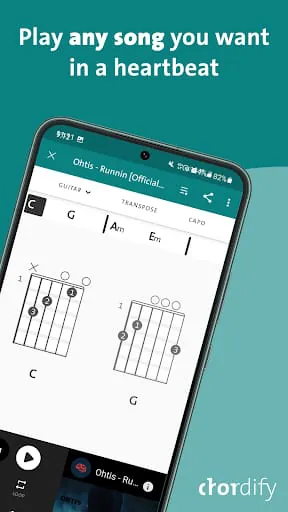
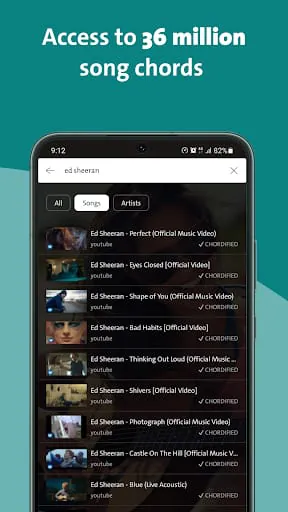
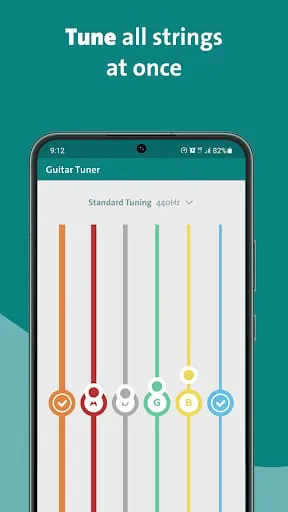
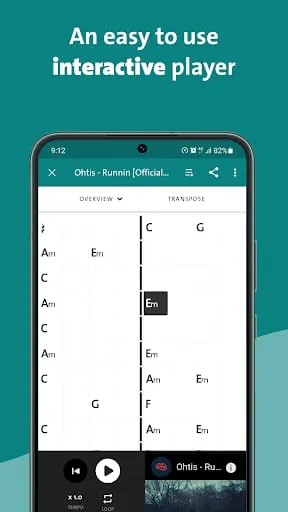
Chordify is a specialized music application that automatically analyzes audio from songs, whether from popular streaming services, local files, or YouTube videos, and generates the corresponding chord charts in real time. It essentially acts as a digital music tutor by listening along with you and visually mapping out the guitar, piano, or ukulele chords that are being played, making it dramatically easier for musicians of all levels to learn, play, and understand the structure of their favorite music directly from the original recordings.
The app stands out through its core technological capability and user-centric design. Its automated chord detection engine is the central marvel, providing instant musical transcription. It supports a wide array of instruments and allows for key transposition to match any singer's vocal range or player's comfort. Furthermore, Chordify offers interactive playback controls, enabling users to loop difficult sections, slow down the tempo without affecting pitch for practice, and follow along with a synchronized highlighting system that tracks the chord changes in time with the music.
Like any tool, Chordify has its distinct advantages and some limitations to consider. Its primary strength lies in its incredible time-saving utility, granting immediate access to chord structures that might otherwise take hours to decipher by ear. The ability to change keys and tempos makes it an exceptionally flexible practice partner. However, the automated analysis, while impressive, is not infallible and can occasionally misinterpret complex chord voicings or highly produced sections of a song. The most advanced features, such as offline access and high-quality audio, are typically locked behind a premium subscription, which may be a barrier for some casual users.
Chordify performs several key functions that facilitate music learning and practice. Its primary function is real-time audio analysis and chord recognition. Building on that, it provides a dynamic, interactive chord sheet that scrolls in sync with the playback. The app also functions as a powerful practice studio, featuring tools like:
Click the button "Check All Versions" below to download and install it. Once installed, begin by opening the app and using its search or paste function to find a song via YouTube, a streaming service link, or by selecting an audio file from your device. After loading the track, Chordify will automatically process it and display the chords. You can then use the transport controls to play, pause, loop, or slow down the song. Adjust the key using the transpose buttons if needed, and follow the highlighted chord changes on screen to play along with your instrument. For optimal learning, save songs to your collection for quick access in future sessions.
Get Chordify from an official store or available APK channel.
ZIP files require a Split APKs Installer (e.g., SAI) from Google Play to install. Steps: 1. Download SAI from Google Play; 2. Open SAI and tap "Install APKs"; 3. Select the ZIP file; 4. Complete installation.
The latest version currently listed by Appspicked is V1886, with information updated on May 20, 2026. Versions may vary by device, region, or rollout schedule, so users should also check Google Play or announcements from Chordify B.V..
No website can guarantee that an app is completely risk-free. Appspicked recommends downloading Chordify only from an official app store or a verified channel operated by Chordify B.V.. Before installing, confirm the developer name, package ID net.chordify.chordify, requested permissions, privacy policy, and download source.
Chordify may be unavailable because of regional restrictions, device incompatibility, account or age settings, a temporary removal, a name change, or because it has not been released for that platform. An Android package page does not necessarily mean that an iOS App Store version exists. Check Chordify B.V.’s official website for current availability.
Use Google Play or another official download channel provided by Chordify B.V. whenever possible. Appspicked provides app information and store links, but users should verify the destination domain and publisher before downloading or updating the app.
The information on Appspicked may represent the most recently indexed snapshot. App stores sometimes release updates gradually or display different versions according to region, device, operating system, or testing group. The official store listing should be treated as the final reference.
Chordify is listed for Android, with a reported minimum requirement of Not specified. Actual compatibility may also depend on the device model, region, available storage, hardware features, and installed system components.
The initial download may be free, but subscriptions, advertising, paid features, or in-app purchases may still apply. Prices and available purchases can vary by country and version. Check the payment information displayed by Google Play before completing a transaction.
Check the network connection, storage space, operating-system version, account region, and device compatibility. Restart the device and try again through the official store. If the problem continues, consult the support resources provided by Chordify B.V..









