Krita is a powerful, free, and open-source digital painting application designed primarily for illustrators, concept artists, comic book creators, and the VFX industry. It provides a comprehensive suite of tools that rivals professional-grade software, enabling artists to bring their creative visions to life from initial sketch to final rendered piece.
Key Features
Krita stands out with a robust feature set tailored for digital artists. Its brush engine is exceptionally versatile, offering a wide array of customizable brushes, textures, and stabilizers for smooth lines. The application supports HDR painting, a wrap-around mode for creating seamless textures, and a unique pop-up palette for quick color and brush selection. It also includes advanced layer management with support for layer styles, vector tools for text and shapes, and a powerful resource manager for importing brush and texture packs.
Pros & Cons
When evaluating Krita, it’s helpful to consider its strengths and weaknesses.
- Pros: It is completely free with no subscriptions or hidden costs, which is a major advantage for hobbyists and professionals alike. The brush engine and customization options are top-tier. Its active open-source community ensures frequent updates and a wealth of shared resources. The interface is highly configurable to suit different workflows.
- Cons: As a tool focused on painting, its photo editing capabilities are not as comprehensive as some dedicated software. New users might face a learning curve due to the depth of features. Animation features, while present, are more basic compared to specialized animation suites.
Functions
Krita’s functionality spans the entire digital art creation process. Core functions include:
- Digital painting and sketching with advanced brush stabilizers.
- Creating and managing complex multi-layered compositions with blend modes.
- Transforming and editing selections with various tools.
- Working with vector graphics for clean shapes and text layers.
- Building frame-by-frame animations with an onion skin feature.
- Supporting a wide range of file formats, including its native KRA, PSD, and common image formats.
How to Use
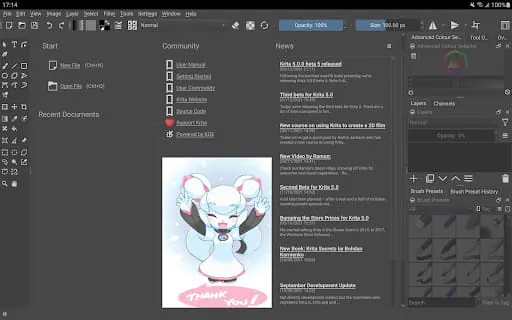
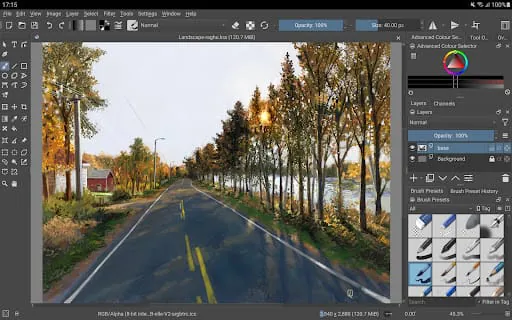
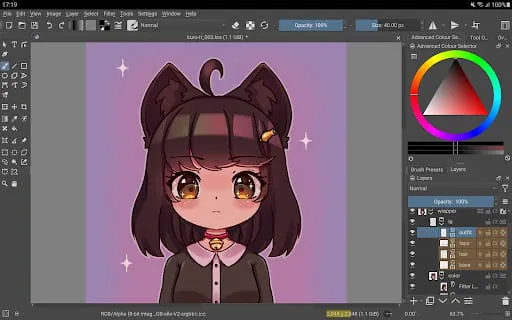
Click the button "Check All Versions" below to download and install it. After installation, launch Krita and begin by creating a new document, where you can set your canvas size and resolution. Familiarize yourself with the workspace: the toolbox on the left contains your main tools, the brush settings docker allows for deep brush customization, and the layers docker on the right is for managing your artwork's structure. Start sketching with a basic brush, experiment with different textures and brush engines, and use layers to separate elements of your artwork for non-destructive editing. The software includes extensive tutorials and documentation accessible through the welcome screen to help you master its many features.




 APK
APK  Google Play
  iOS
iOS  3.10
3.10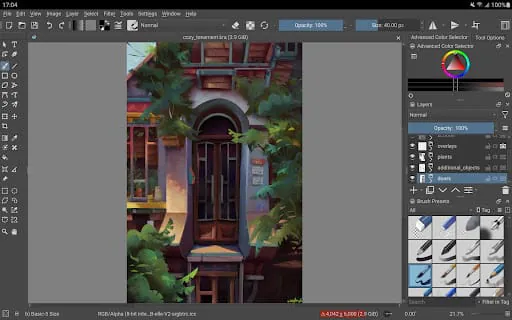
 Download








