Open Menu
Wikipedia
BOOKS & REFERENCE · ANDROID

Wikipedia

by Wikimedia Foundation

The official app for Wikipedia, the world’s largest source of information.
4.40 ★
(1k+ reviews)
50M+
Downloads

A closer look

WikipediaWikipediaWikipediaWikipedia
ADVERTISEMENT

Overview

The official Wikipedia app is a free, ad-free mobile application developed and maintained by the Wikimedia Foundation, designed to provide users with seamless access to the world's largest encyclopedia directly from their smartphones or tablets. It serves as a portable gateway to millions of articles across numerous languages, offering an optimized reading experience without the clutter of browser ads or unnecessary distractions.

Key Features

The app stands out for its thoughtful design and utility-driven features tailored for knowledge seekers on the go:

  • Multilingual Support: Instantly switch between editions in different languages, making it easy to explore topics from a global perspective.
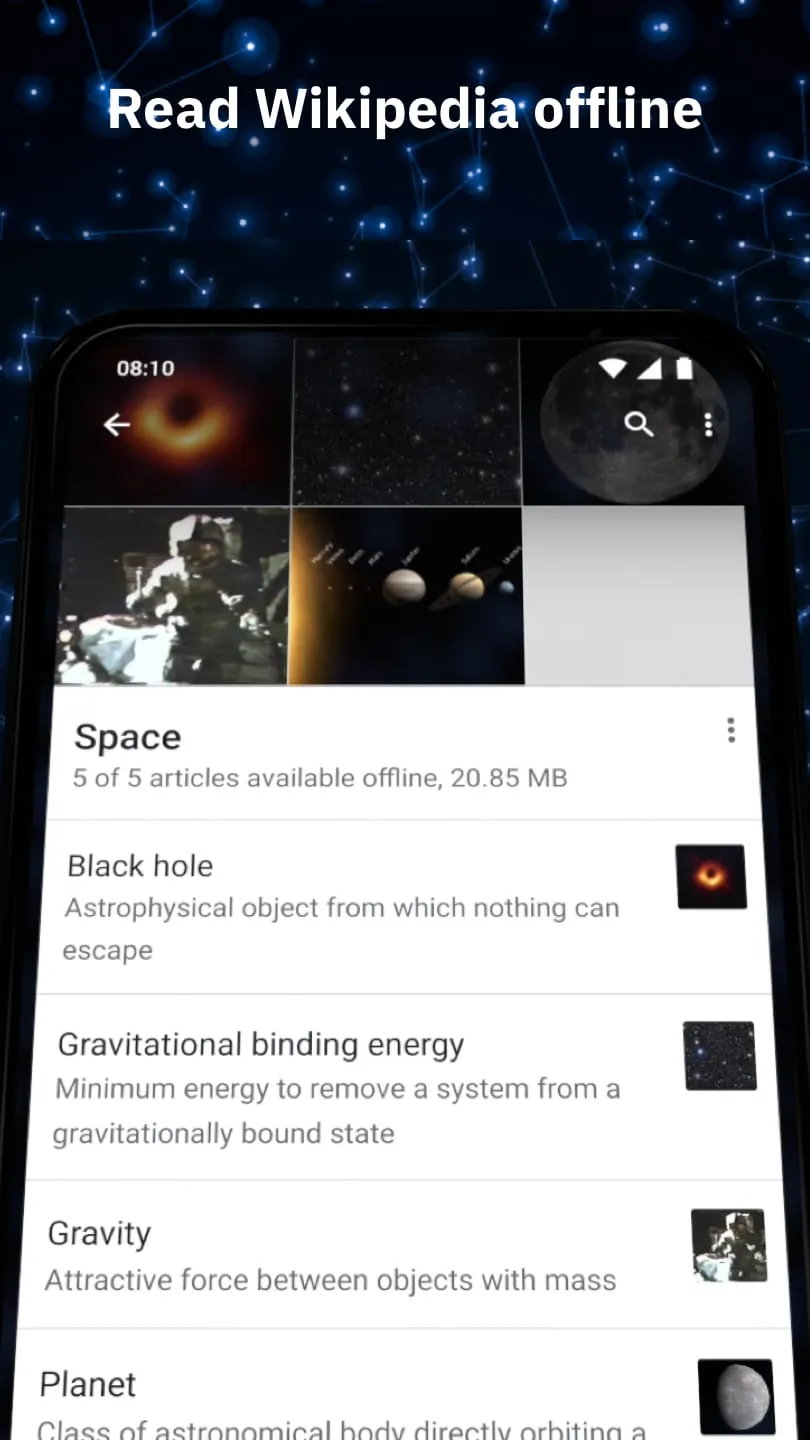
  • Offline Reading: Save articles for offline access, perfect for commutes or travel where internet connectivity is limited.
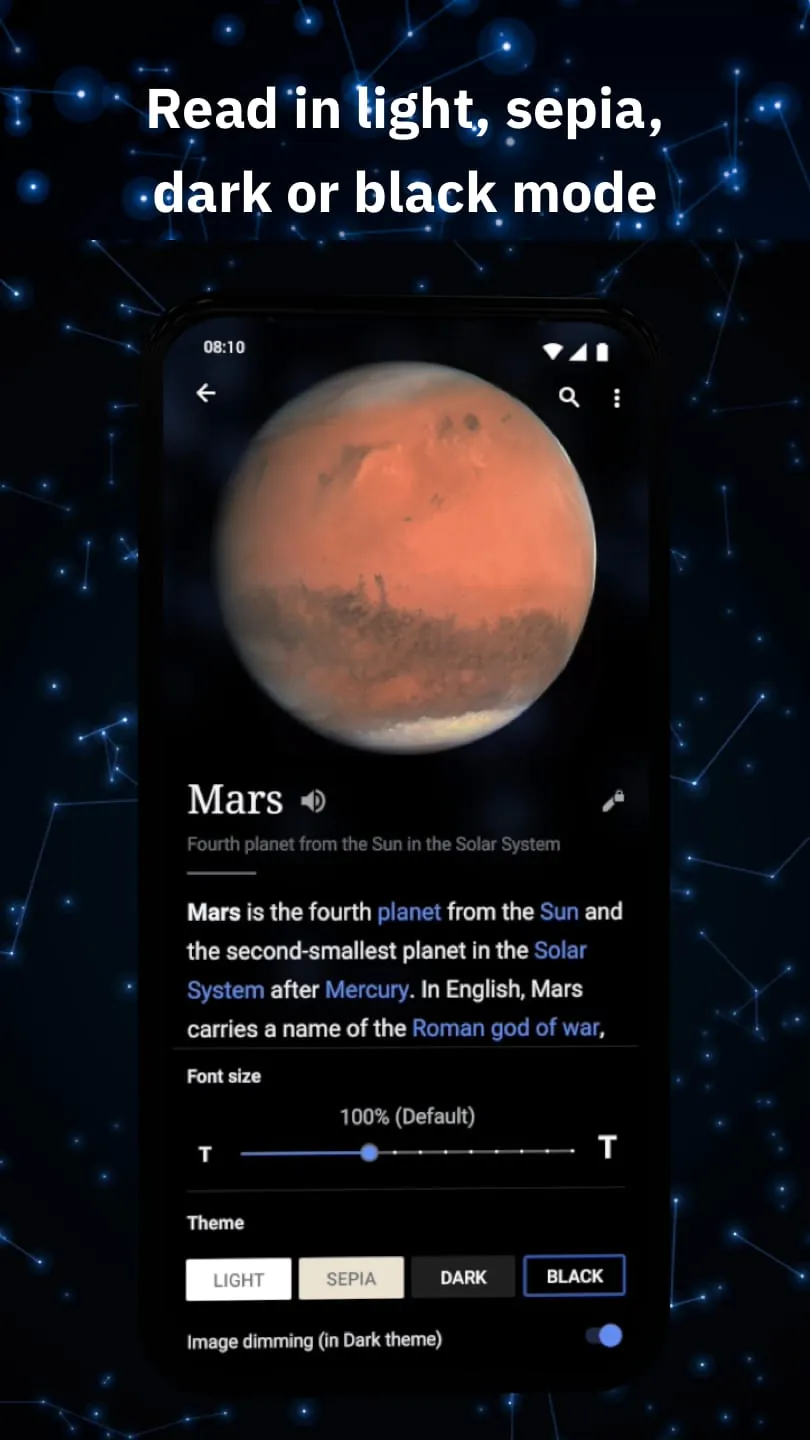
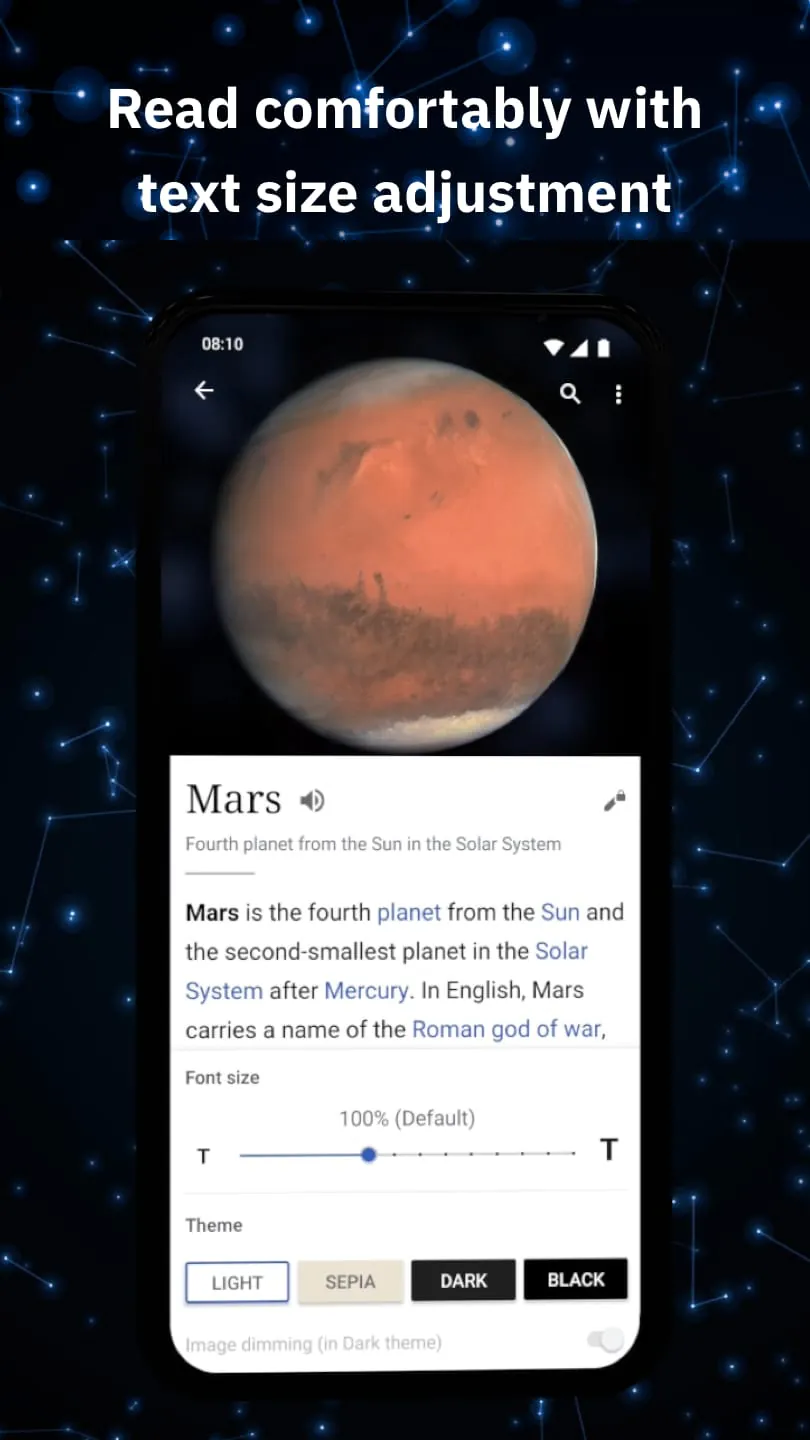
  • Customizable Reading Experience: Adjust text size, toggle between light and dark modes, and choose serif or sans-serif fonts for comfortable reading.
  • Places Exploration: Discover Wikipedia articles related to your current location using an interactive map interface.
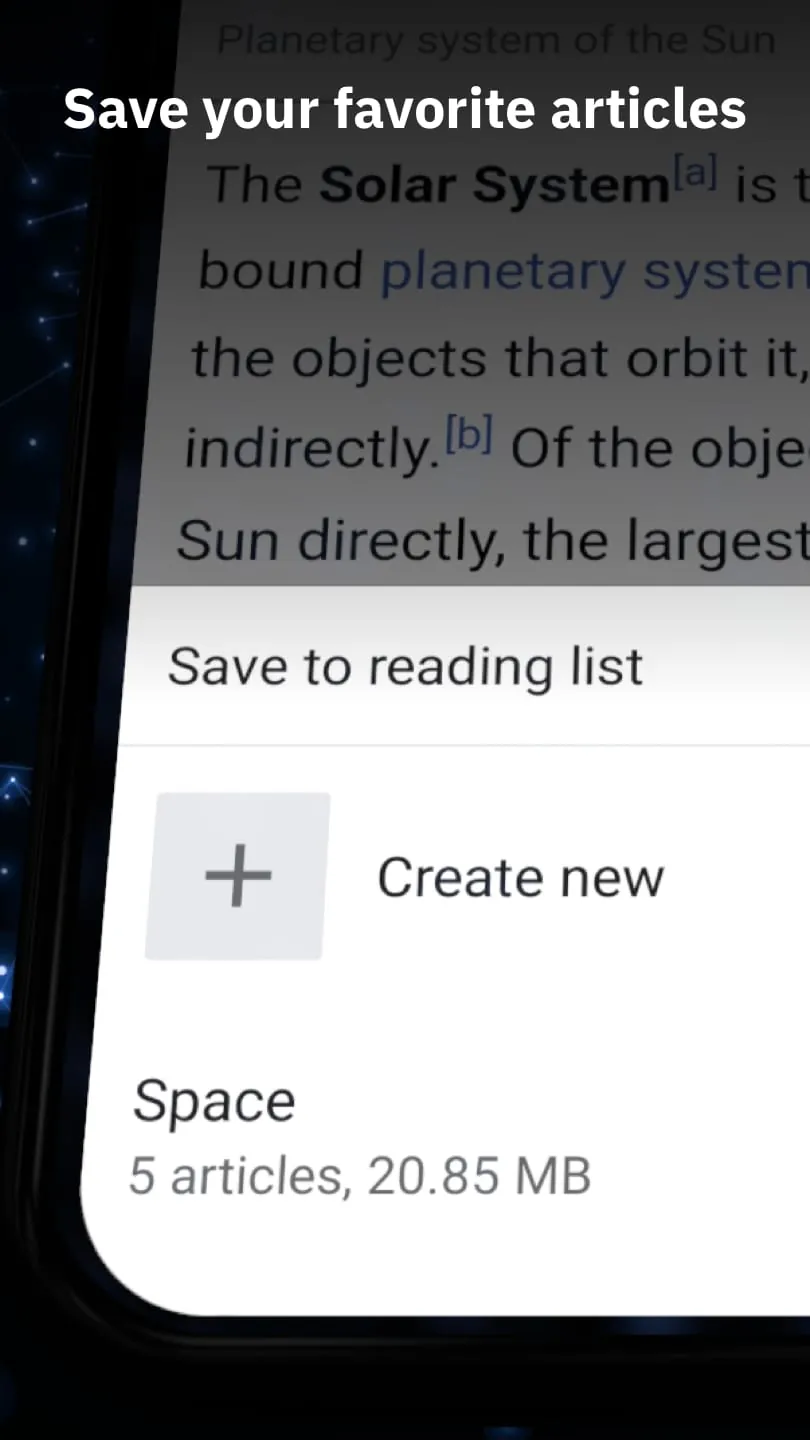
  • Reading Lists: Organize saved articles into categorized lists that sync across devices when logged into your Wikimedia account.

Pros & Cons

Understanding the strengths and limitations helps set realistic expectations for users:

  • Pros:
  • Completely free with no advertisements or hidden costs.
  • Clean, distraction-free interface focused purely on content consumption.
  • Regular updates ensure compatibility with the latest mobile operating systems.
  • Supports accessibility features like screen readers for visually impaired users.
  • Cons:
  • Limited editing capabilities compared to the desktop version.
  • Some advanced features may require a learning curve for new users.
  • Occasional syncing delays between devices when using reading lists.

Functions

Beyond basic article viewing, the app offers several practical functions to enhance the user experience:

  • Search and Navigation: Predictive search suggests articles as you type, with filters to narrow results by language or topic.
  • Article Previews: Tap and hold links to preview summaries without leaving the current page.
  • Image Galleries: Swipe through high-resolution images associated with each article.
  • Share Functionality: Easily share interesting articles via social media, messaging apps, or email.
  • Notification Feeds: Receive curated highlights and trending articles based on your interests.

How to Use

Click the button "Check All Versions" below to download and install it. After installation, open the app and grant any necessary permissions, such as location access if you plan to use the Places feature. You can start exploring immediately by typing keywords into the search bar at the top of the home screen. To save an article for later, tap the bookmark icon located near the article title. For a more personalized experience, consider creating a free Wikimedia account to sync your reading lists across multiple devices. Adjust settings like theme and font size in the side menu to tailor the app to your reading preferences.

ADVERTISEMENT

App Download

Get Wikipedia from an official store or available APK channel.

Available for Android

Previous Versions

ZIP files require a Split APKs Installer (e.g., SAI) from Google Play to install. Steps: 1. Download SAI from Google Play; 2. Open SAI and tap "Install APKs"; 3. Select the ZIP file; 4. Complete installation.

V50564-r-2025-12-15
Download
Package Name
org.wikipedia
Version Name
V50564-r-2025-12-15
Version Code
V50564-r-2025-12-15
File Size
22.63 MB
Update time
2026-1-15
V2.7.50490-r-2024-05-28
Download
Package Name
org.wikipedia
Version Name
V2.7.50490-r-2024-05-28
Version Code
V2.7.50490-r-2024-05-28
File Size
32.85 MB
Update time
2024-6-5
V2.7.50475-r-2024-03-06
Download
Package Name
org.wikipedia
Version Name
V2.7.50475-r-2024-03-06
Version Code
V2.7.50475-r-2024-03-06
File Size
32.11 MB
Update time
2024-3-6
V2.7.50466-r-2024-01-09
Download
Package Name
org.wikipedia
Version Name
V2.7.50466-r-2024-01-09
Version Code
V2.7.50466-r-2024-01-09
File Size
18.84 MB
Update time
2024-1-17
V2.7.50464-r-2023-12-12
Download
Package Name
org.wikipedia
Version Name
V2.7.50464-r-2023-12-12
Version Code
V2.7.50464-r-2023-12-12
File Size
18.75 MB
Update time
2023-12-12
V2.7.50460-r-2023-11-21
Download
Package Name
org.wikipedia
Version Name
V2.7.50460-r-2023-11-21
Version Code
V2.7.50460-r-2023-11-21
File Size
18.55 MB
Update time
2023-11-21
V2.7.50455-r-2023-10-10
Download
Package Name
org.wikipedia
Version Name
V2.7.50455-r-2023-10-10
Version Code
V2.7.50455-r-2023-10-10
File Size
18.2 MB
Update time
2023-10-19
V2.7.50454-r-2023-10-10
Download
Package Name
org.wikipedia
Version Name
V2.7.50454-r-2023-10-10
Version Code
V2.7.50454-r-2023-10-10
File Size
18.1 MB
Update time
2023-10-10
V2.7.50452-r-2023-09-06
Download
Package Name
org.wikipedia
Version Name
V2.7.50452-r-2023-09-06
Version Code
V2.7.50452-r-2023-09-06
File Size
17.92 MB
Update time
2023-9-14
V2.7.50447-r-2023-06-28
Download
Package Name
org.wikipedia
Version Name
V2.7.50447-r-2023-06-28
Version Code
V2.7.50447-r-2023-06-28
File Size
17.29 MB
Update time
2023-7-12
V2.7.50446-r-2023-06-28
Download
Package Name
org.wikipedia
Version Name
V2.7.50446-r-2023-06-28
Version Code
V2.7.50446-r-2023-06-28
File Size
17.22 MB
Update time
2023-6-28
V2.7.50443-r-2023-05-15
Download
Package Name
org.wikipedia
Version Name
V2.7.50443-r-2023-05-15
Version Code
V2.7.50443-r-2023-05-15
File Size
16.18 MB
Update time
2023-5-19
V2.7.50426-r-2022-12-08
Download
Package Name
org.wikipedia
Version Name
V2.7.50426-r-2022-12-08
Version Code
V2.7.50426-r-2022-12-08
File Size
15.48 MB
Update time
2022-12-8
V2.7.50422-r-2022-10-24
Download
Package Name
org.wikipedia
Version Name
V2.7.50422-r-2022-10-24
Version Code
V2.7.50422-r-2022-10-24
File Size
15.01 MB
Update time
2022-11-2
V2.7.50283-r-2021-06-09
Download
Package Name
org.wikipedia
Version Name
V2.7.50283-r-2021-06-09
Version Code
V2.7.50283-r-2021-06-09
File Size
17.56 MB
Update time
2021-6-9
ADVERTISEMENT

Frequently Asked Questions

What is the latest version of Wikipedia?

The latest version currently listed by Appspicked is V2.7.50283-r-2021-06-09, with information updated on Jun 6, 2026. Versions may vary by device, region, or rollout schedule, so users should also check Google Play or announcements from Wikimedia Foundation.

Is Wikipedia safe to download and use?

No website can guarantee that an app is completely risk-free. Appspicked recommends downloading Wikipedia only from an official app store or a verified channel operated by Wikimedia Foundation. Before installing, confirm the developer name, package ID org.wikipedia, requested permissions, privacy policy, and download source.

Why can’t I find Wikipedia in the App Store?

Wikipedia may be unavailable because of regional restrictions, device incompatibility, account or age settings, a temporary removal, a name change, or because it has not been released for that platform. An Android package page does not necessarily mean that an iOS App Store version exists. Check Wikimedia Foundation’s official website for current availability.

Where can I download or update Wikipedia?

Use Google Play or another official download channel provided by Wikimedia Foundation whenever possible. Appspicked provides app information and store links, but users should verify the destination domain and publisher before downloading or updating the app.

Why is the version shown on Appspicked different from the app-store version?

The information on Appspicked may represent the most recently indexed snapshot. App stores sometimes release updates gradually or display different versions according to region, device, operating system, or testing group. The official store listing should be treated as the final reference.

Which devices and operating systems support Wikipedia?

Wikipedia is listed for Android, with a reported minimum requirement of Not specified. Actual compatibility may also depend on the device model, region, available storage, hardware features, and installed system components.

Is Wikipedia free?

The initial download may be free, but subscriptions, advertising, paid features, or in-app purchases may still apply. Prices and available purchases can vary by country and version. Check the payment information displayed by Google Play before completing a transaction.

What should I do if Wikipedia cannot be installed or updated?

Check the network connection, storage space, operating-system version, account region, and device compatibility. Restart the device and try again through the official store. If the problem continues, consult the support resources provided by Wikimedia Foundation.


ADVERTISEMENT
You Might Like