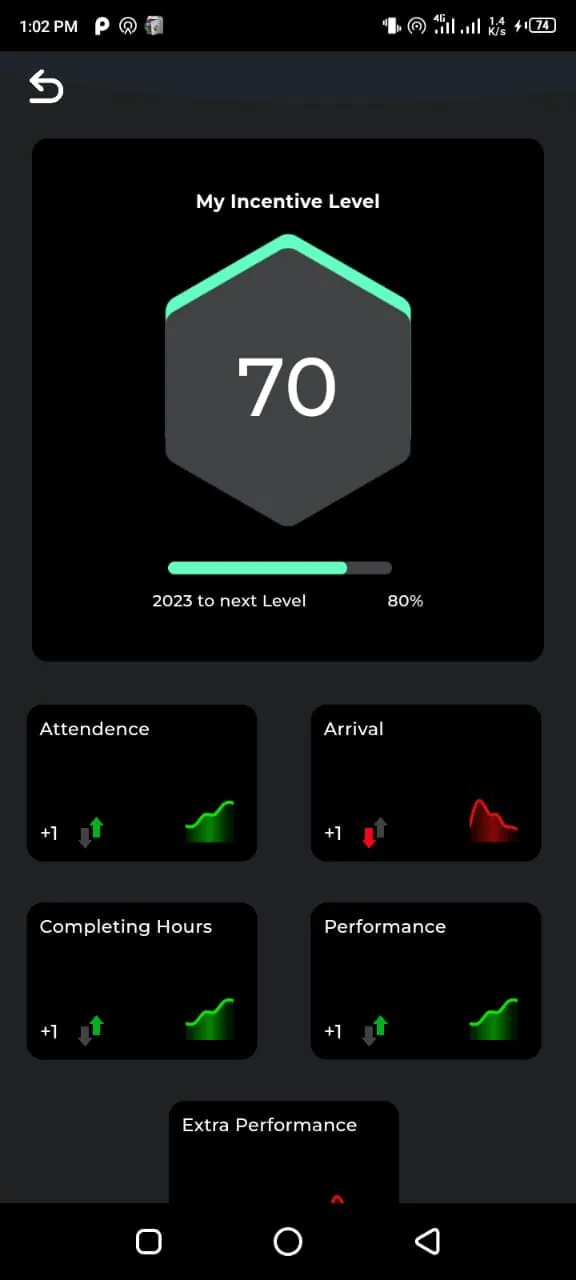
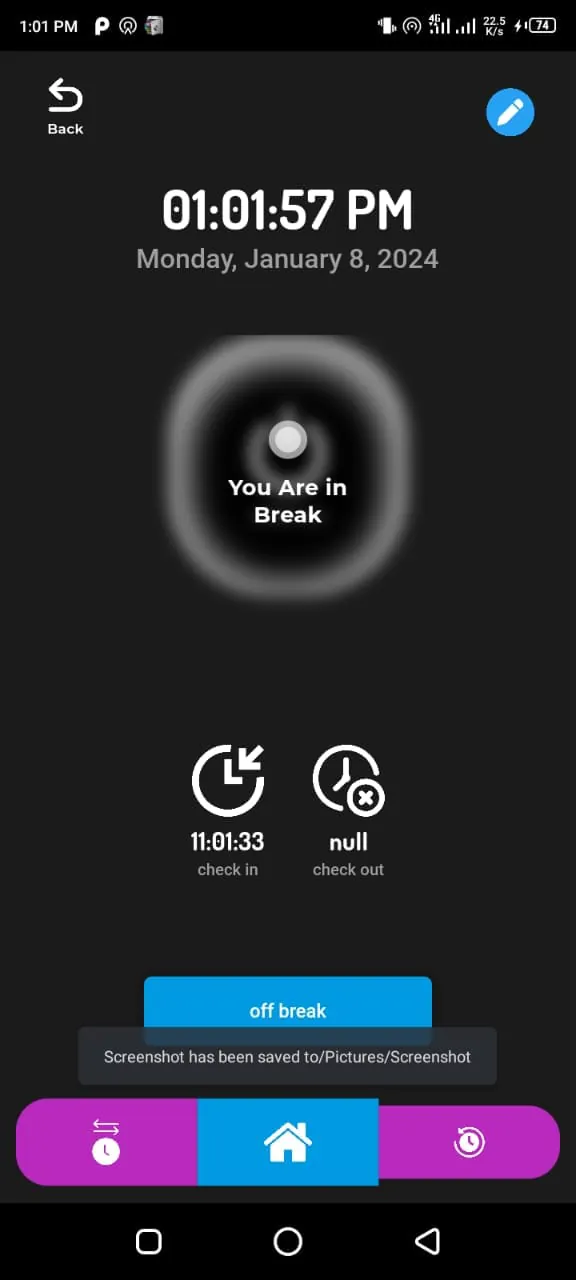
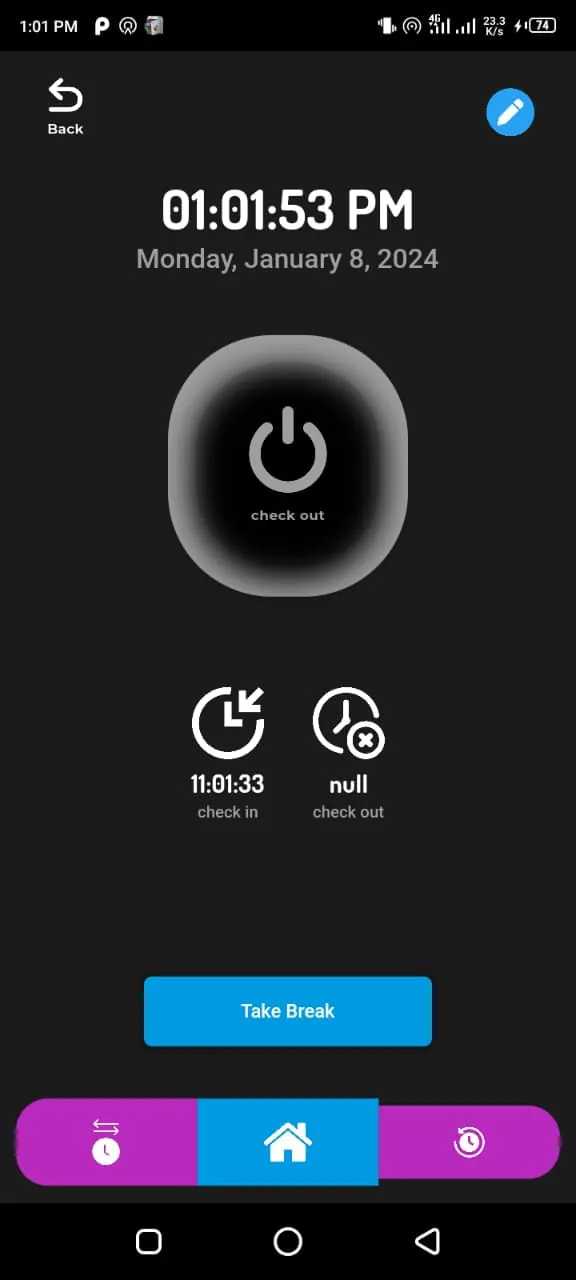
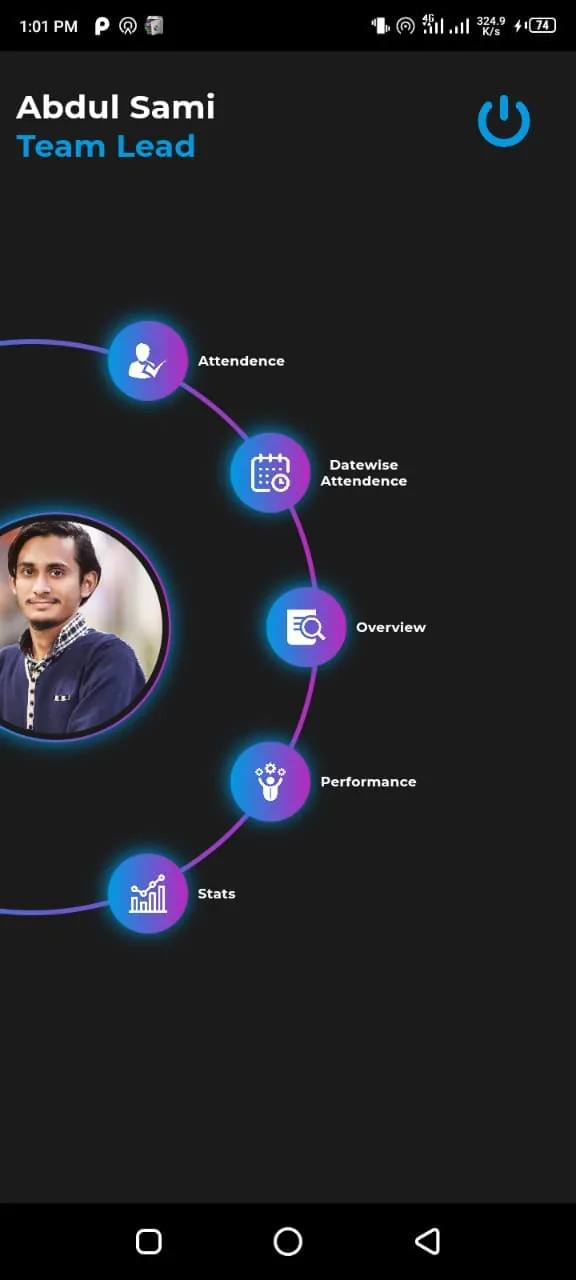
Zelle Track presents a streamlined solution for businesses seeking to optimize their employee attendance tracking processes. In an era where workforce management efficiency directly impacts a company's bottom line, the ability to accurately and reliably monitor employee attendance is paramount. Traditional methods of attendance tracking, such as manual timesheets or punch cards, are often fraught with inaccuracies, inefficiencies, and the potential for human error. These outdated systems can lead to inflated labor costs, difficulties in generating accurate payroll, and challenges in maintaining compliance with labor regulations. Zelle Track addresses these pain points by providing a modern, technology-driven approach to attendance management. The application's core functionality revolves around simplifying the check-in and check-out process for employees. By leveraging the ubiquity of smartphones, Zelle Track allows employees to effortlessly record their arrival and departure times with a simple tap on their mobile devices. This eliminates the need for physical time clocks or cumbersome paperwork, saving valuable time and resources. Furthermore, Zelle Track incorporates geolocation tracking capabilities, which enhance the accuracy and accountability of attendance records. The application utilizes GPS technology to verify the location of employees when they check in or out, ensuring that they are physically present at the designated work site. This feature is particularly beneficial for businesses with remote employees, field staff, or multiple work locations, as it provides real-time visibility into employee attendance and prevents time theft. Beyond its basic check-in and check-out functionality, Zelle Track offers a suite of advanced features designed to streamline workforce management. The application provides employers with real-time updates on employee attendance, allowing them to monitor employee presence and absence in real-time. This enables proactive management of employee schedules, efficient allocation of resources, and timely intervention in cases of absenteeism or tardiness. Zelle Track also generates customizable reports that provide valuable insights into employee attendance patterns, trends, and costs. These reports can be used to identify areas for improvement, optimize workforce scheduling, and make data-driven decisions regarding labor management. The application's user-friendly interface and intuitive design make it easy for both employers and employees to adopt and use. Zelle Track is compatible with a wide range of mobile devices and operating systems, ensuring that it can be seamlessly integrated into existing business workflows. The application also offers robust security features to protect sensitive employee data and maintain confidentiality. Data is encrypted both in transit and at rest, and access controls are implemented to prevent unauthorized access. Zelle Track is a comprehensive attendance tracking solution that empowers businesses to streamline their workforce management processes, reduce labor costs, and improve overall efficiency. By leveraging the power of mobile technology and cloud computing, Zelle Track provides a modern, reliable, and cost-effective alternative to traditional attendance tracking methods. The application's user-friendly interface, advanced features, and robust security measures make it an ideal solution for businesses of all sizes, from small startups to large enterprises.
Zelle Track's capabilities extend beyond mere attendance logging; it provides a robust platform for data analysis and strategic decision-making related to workforce optimization. The customizable reporting feature allows employers to generate detailed reports on various aspects of employee attendance, such as total hours worked, overtime hours, absenteeism rates, and tardiness trends. These reports can be filtered by department, location, or individual employee, providing granular insights into workforce performance. By analyzing these reports, employers can identify areas where productivity can be improved, costs can be reduced, and compliance risks can be mitigated. For example, if a particular department consistently exhibits high overtime rates, employers can investigate the underlying causes and implement strategies to address the issue, such as redistributing workload, improving scheduling practices, or providing additional training. Similarly, if a specific employee has a pattern of tardiness, employers can address the issue through coaching, counseling, or disciplinary action. The data generated by Zelle Track can also be used to optimize workforce scheduling. By analyzing historical attendance data, employers can identify peak demand periods and ensure that adequate staffing levels are maintained to meet customer needs. This can help to improve customer service, reduce wait times, and increase revenue. Zelle Track can also be integrated with other business systems, such as payroll and human resources management systems, to automate data transfer and streamline administrative processes. This eliminates the need for manual data entry, reduces the risk of errors, and saves valuable time and resources. The integration capabilities of Zelle Track make it a valuable asset for businesses looking to improve their overall operational efficiency. In addition to its data analysis and integration capabilities, Zelle Track offers a range of customization options to meet the specific needs of different businesses. The application can be configured to track different types of attendance, such as regular hours, overtime hours, vacation time, sick leave, and personal time. Employers can also customize the application to enforce specific attendance policies, such as requiring employees to provide a reason for their absence or limiting the number of sick days that can be taken per year. The customization options of Zelle Track make it a flexible and adaptable solution that can be tailored to meet the unique requirements of any organization. Furthermore, Zelle Track is designed with security in mind. The application employs industry-standard security protocols to protect sensitive employee data and prevent unauthorized access. Data is encrypted both in transit and at rest, and access controls are implemented to restrict access to authorized personnel only. Zelle Track also complies with relevant data privacy regulations, such as the General Data Protection Regulation (GDPR), ensuring that employee data is handled in a responsible and ethical manner.
Zelle Track's user-friendly interface and mobile-first design contribute significantly to its ease of adoption and widespread use among employees. The application's intuitive design makes it easy for employees to check in and check out, view their attendance records, and request time off. The mobile-first design ensures that employees can access the application from anywhere, at any time, using their smartphones or tablets. This eliminates the need for employees to be physically present at a time clock or computer to record their attendance, saving time and improving convenience. The user-friendly interface of Zelle Track also reduces the need for training and support. Employees can quickly learn how to use the application without requiring extensive training or technical assistance. This saves time and resources for both employers and employees. In addition to its user-friendly interface, Zelle Track offers a range of features that enhance employee engagement and satisfaction. The application allows employees to view their attendance records in real-time, providing them with transparency and control over their work hours. Employees can also use the application to request time off, track their vacation and sick leave balances, and communicate with their managers. These features empower employees to manage their own time and attendance, leading to increased engagement and satisfaction. Zelle Track also provides a platform for communication between employers and employees. Employers can use the application to send announcements, share updates, and provide feedback to employees. Employees can use the application to ask questions, provide feedback, and report issues to their managers. This facilitates open communication and collaboration, leading to improved teamwork and productivity. The communication features of Zelle Track also help to build a stronger sense of community within the workplace. By providing a platform for employees to connect and interact with each other, Zelle Track fosters a more positive and supportive work environment. This can lead to increased employee morale, reduced turnover, and improved overall performance. Moreover, Zelle Track is continuously evolving to meet the changing needs of businesses and employees. The application is regularly updated with new features, enhancements, and security patches. These updates ensure that Zelle Track remains a cutting-edge solution that provides the best possible experience for its users. The development team behind Zelle Track is committed to providing excellent customer support. Users can access a comprehensive knowledge base, FAQs, and tutorials online. They can also contact the support team directly via email or phone. The support team is responsive and helpful, providing timely assistance to users who need it. Zelle Track's commitment to customer support ensures that users can get the help they need when they need it.