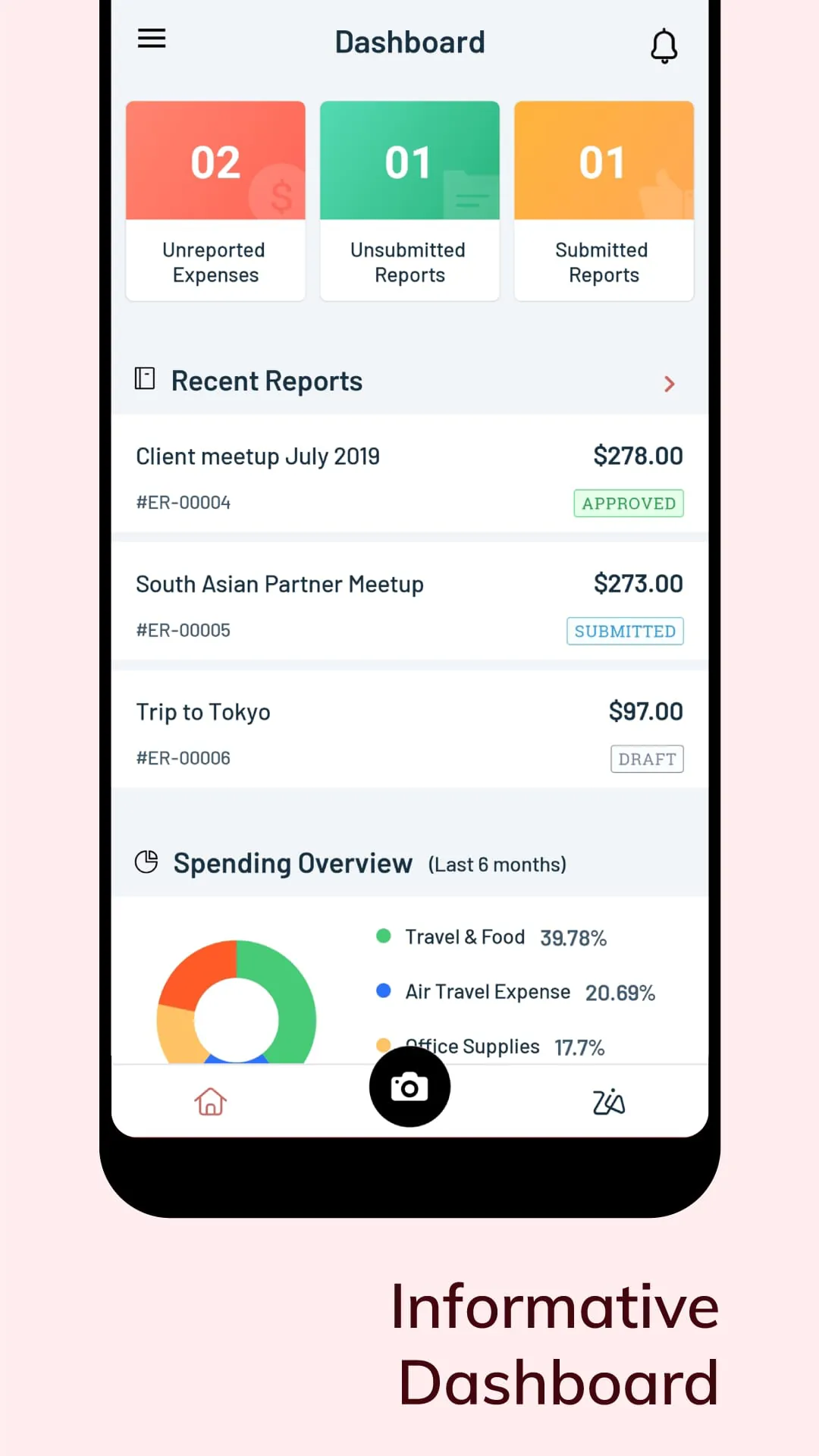
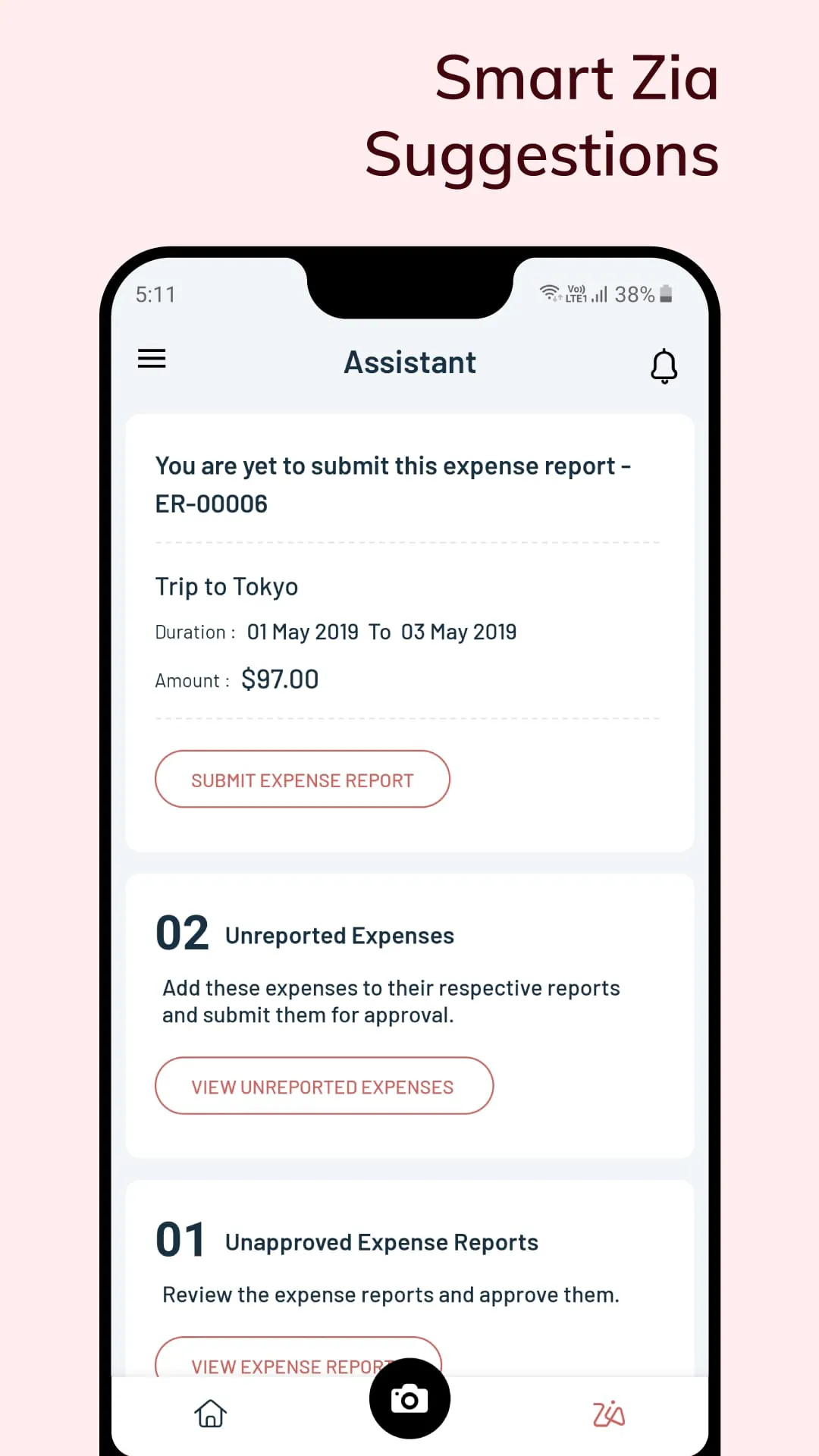
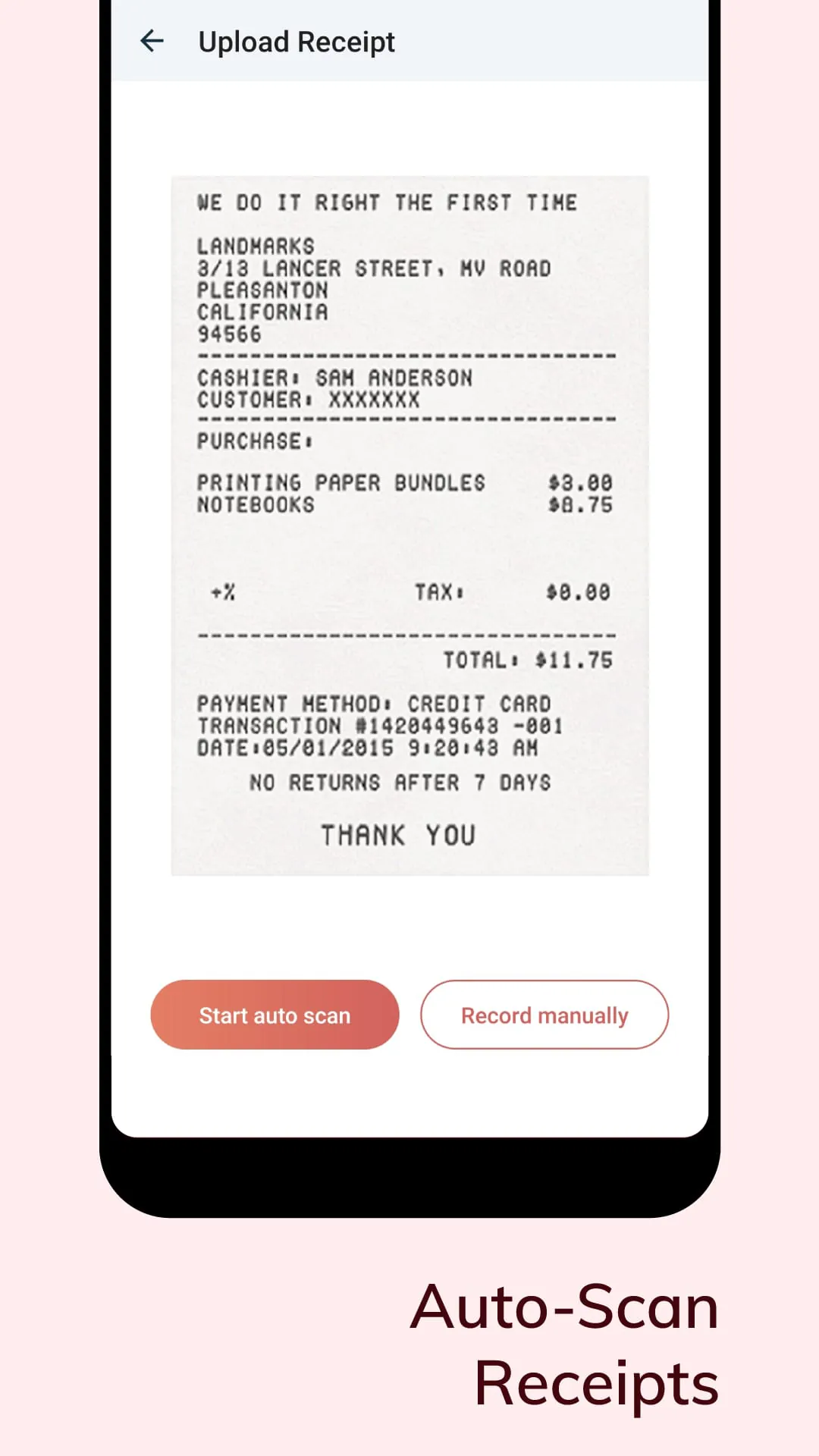
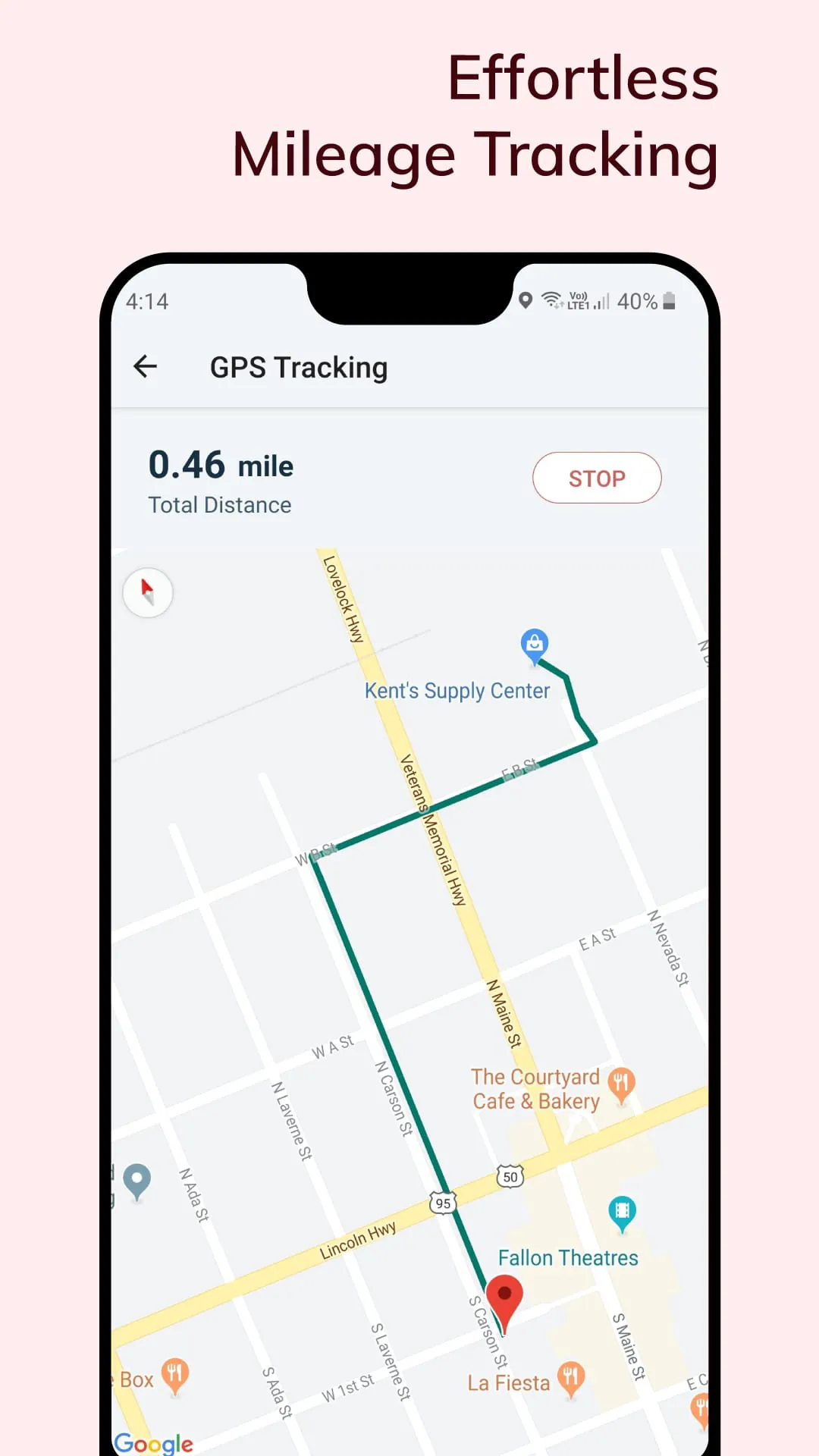
Zoho Expense emerges as a comprehensive solution meticulously crafted to streamline and automate the often cumbersome processes of expense tracking and travel management for organizations of all sizes. At its core, Zoho Expense offers a suite of features designed to simplify every facet of expense reporting, from initial receipt capture to final reimbursement. The platform's intuitive mobile application empowers users to effortlessly scan and digitize their receipts on the go, leveraging the advanced Autoscan technology to create expenses automatically. This capability not only eliminates the need for physical receipt storage but also drastically reduces the time and effort associated with manual data entry. Beyond receipt management, Zoho Expense facilitates meticulous tracking of mileage expenses through its integrated GPS tracker, ensuring accurate reimbursement for travel undertaken for business purposes. The platform also boasts multilingual support, enabling users to scan receipts in 15 different languages, thereby catering to a diverse and global workforce. Furthermore, Zoho Expense seamlessly integrates with both personal and corporate credit cards, allowing users to monitor their daily spending and effortlessly convert transactions into expenses. This feature provides enhanced visibility into financial activities and simplifies the reconciliation process. The platform also supports the recording and application of cash advances to expense reports, automatically adjusting the total expense amount to reflect these advances. This functionality ensures accurate and transparent expense reporting, while also streamlining the reimbursement process. In addition to expense tracking, Zoho Expense offers robust travel management capabilities, enabling users to create detailed trip itineraries and obtain necessary approvals. This feature simplifies the planning and execution of business trips, ensuring compliance with company policies and optimizing travel spend. The platform also incorporates Zia, an intelligent virtual assistant, which proactively identifies and addresses pending expense reporting tasks, ensuring timely completion of reports and minimizing delays. Zoho Expense also provides managers with the ability to instantly approve reports and trips, accelerating the reimbursement process and improving employee satisfaction. The platform also delivers instant notifications, keeping users informed about the status of their submitted reports and trips. Finally, Zoho Expense offers comprehensive analytics that provide valuable insights into business spending patterns, enabling organizations to make informed decisions and optimize their financial performance. The offline functionality further enhances the platform's usability, allowing users to record expenses even without an internet connection, with automatic synchronization upon reconnection.
The significance of Zoho Expense lies in its ability to transform the traditionally manual and time-consuming process of expense reporting into an automated and efficient workflow. By digitizing receipts, tracking mileage, and integrating with credit cards, Zoho Expense eliminates the need for manual data entry and reduces the risk of errors. The platform's automated features streamline the expense reporting process, freeing up employees to focus on more strategic tasks. Furthermore, Zoho Expense provides organizations with greater visibility into their spending patterns, enabling them to identify areas for cost savings and improve their overall financial performance. The platform's travel management capabilities also contribute to cost optimization by ensuring compliance with company travel policies and streamlining the booking process. The integration of Zia, the AI-powered virtual assistant, further enhances the platform's efficiency by proactively addressing pending tasks and providing users with timely reminders. Zoho Expense's mobile-first design ensures that users can manage their expenses on the go, regardless of their location. The platform's intuitive interface and user-friendly features make it easy for employees to adopt and use, minimizing the need for training and support. The platform's multilingual support caters to a diverse and global workforce, ensuring that all employees can easily use the platform in their preferred language. Zoho Expense's commitment to innovation is evident in its continuous development of new features and enhancements. The platform regularly releases updates that address user feedback and incorporate the latest technological advancements. This commitment to innovation ensures that Zoho Expense remains at the forefront of the expense management industry. The platform's robust security measures protect sensitive financial data, ensuring compliance with industry regulations. Zoho Expense's scalability makes it suitable for organizations of all sizes, from small businesses to large enterprises. The platform's flexible pricing plans allow organizations to choose a plan that meets their specific needs and budget. Zoho Expense's comprehensive support resources provide users with access to a wealth of information and assistance, ensuring that they can effectively use the platform and resolve any issues that may arise.
Zoho Expense has garnered significant recognition within the industry, including being named the winner in the Business category in the AatmaNirbhar Bharat App Innovation Challenge organized by the Government of India. This award underscores Zoho Expense's commitment to innovation and its contribution to the growth of the Indian economy. The platform has also been voted one of the Best Products for Finance by G2, a leading software review platform. This recognition is based on user reviews and ratings, highlighting Zoho Expense's exceptional customer satisfaction. Furthermore, Zoho Expense has been recognized as a "Expense Management" category leader on G2, further solidifying its position as a top-tier expense management solution. These accolades reflect Zoho Expense's commitment to providing a high-quality and user-friendly experience. The platform's numerous features and benefits have made it a popular choice for businesses of all sizes. Zoho Expense's free trial allows organizations to experience the platform's capabilities firsthand before committing to a paid subscription. This allows organizations to assess whether Zoho Expense is the right solution for their specific needs and requirements. The platform's ease of use and comprehensive features make it a valuable tool for managing expenses and travel. Zoho Expense's commitment to customer satisfaction is evident in its responsive support team and its extensive knowledge base. The platform's regular updates and enhancements ensure that it remains at the forefront of the expense management industry. Zoho Expense's integration with other Zoho applications, such as Zoho CRM and Zoho Books, provides organizations with a seamless and integrated business management solution. The platform's affordability makes it accessible to businesses of all sizes, from small startups to large enterprises. Zoho Expense's impact on the expense management industry is significant, as it has helped to automate and streamline the expense reporting process for countless organizations. The platform's continuous innovation and commitment to customer satisfaction ensure that it will remain a leader in the industry for years to come. By offering a free plan with limited Autoscan functionality, Zoho Expense makes its powerful features accessible to small businesses and freelancers, empowering them to manage their expenses effectively and efficiently.
In conclusion, Zoho Expense presents a compelling and comprehensive solution for automating and streamlining expense tracking and travel management. Its user-friendly interface, robust features, and commitment to innovation make it a valuable asset for organizations seeking to improve their financial performance and employee satisfaction. The platform's numerous awards and accolades further validate its position as a leader in the expense management industry. Zoho Expense's ability to digitize receipts, track mileage, integrate with credit cards, and automate expense reporting tasks significantly reduces the time and effort associated with manual processes. The platform's travel management capabilities simplify the planning and execution of business trips, ensuring compliance with company policies and optimizing travel spend. The integration of Zia, the AI-powered virtual assistant, further enhances the platform's efficiency by proactively addressing pending tasks and providing users with timely reminders. Zoho Expense's mobile-first design ensures that users can manage their expenses on the go, regardless of their location. The platform's multilingual support caters to a diverse and global workforce, ensuring that all employees can easily use the platform in their preferred language. Zoho Expense's commitment to security and compliance protects sensitive financial data, ensuring that organizations can confidently use the platform. The platform's scalability makes it suitable for organizations of all sizes, from small businesses to large enterprises. Zoho Expense's flexible pricing plans allow organizations to choose a plan that meets their specific needs and budget. The platform's comprehensive support resources provide users with access to a wealth of information and assistance, ensuring that they can effectively use the platform and resolve any issues that may arise. Zoho Expense's continuous innovation and commitment to customer satisfaction ensure that it will remain a leader in the expense management industry for years to come.